 EN
 IT Italiano
 ES Español
 FR Français
 DE Deutsch
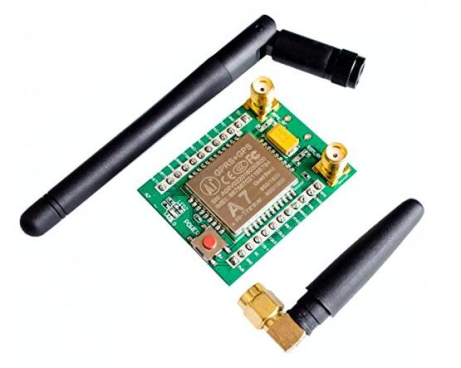
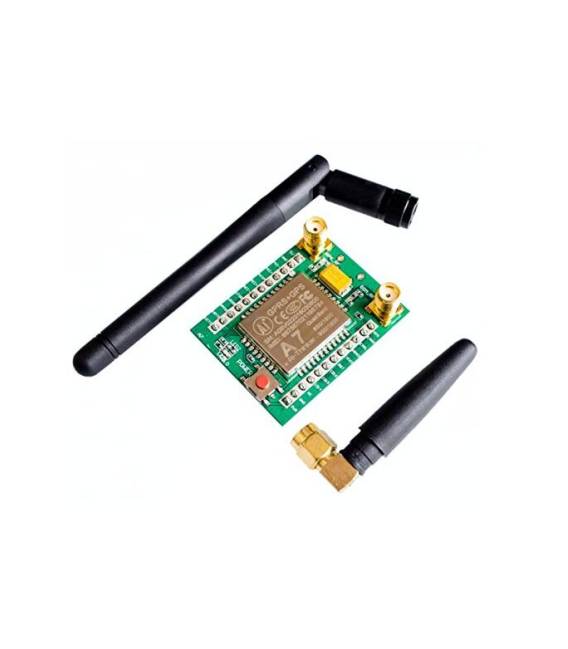
Description
What it is
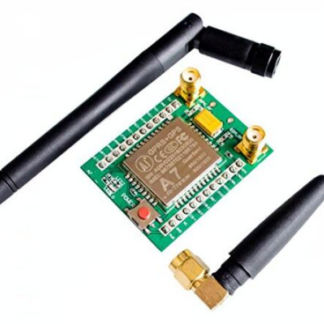
The GSM GPRS A7 Module is a tool that allows you to connect your electronic projects to the Internet via cellular network. It enables sending and receiving SMS, making calls, and transmitting data.
Features
- Data transmission
- Receiving SMS
- Making calls
- Compatible with Arduino
What it is for
The A7 GSM GPRS module is ideal for IoT (Internet of Things) projects. It can be used to create remote control devices, monitoring systems, and much more. For example, you can use it to control lights via SMS, send notifications in case of an alarm, or monitor sensor data.
Tutorial: How to use A7 GSM GPRS
The A7 GSM GPRS module is ideal for connecting your projects to the Internet. Useful for beginner and intermediate makers.
What you need
- Arduino
- FPC Cable
- GSM Antenna
- SIM Card
- Computer for uploading
Steps
- 1. Install USB driver for Arduino.
- 2. Connect the A7 module to your Arduino with the FPC cable.
- 3. Mount the GSM antenna on the module.
- 4. Insert the SIM card into the slot.
- 5. Upload the source code to Arduino.
- 6. Configure the serial port in the Arduino software.
- 7. Run the example sketch.
- 8. Verify the connection with an SMS or an HTTP request.
Example code
```
#include <SoftwareSerial.h>

SoftwareSerial gsmSerial(10, 11);

void setup() {
  Serial.begin(9600);
  gsmSerial.begin(9600);
}

void loop() {
  if (gsmSerial.available()) {
    Serial.write(gsmSerial.read());
  }
  if (Serial.available()) {
    gsmSerial.write(Serial.read());
  }
}
```
Mini project
Create a remote control device for lights using SMS to turn on/off.
Common mistakes
- Forgot to insert the SIM card.
- Incorrect pinout of the FPC cable.
- Wrong baud rate in the code.
- Antenna not properly connected.
Recommended accessories
- Arduino UNO
- GSM Antenna
- FPC Cable
- SIM Card
Frequently asked questions
Does the module work with all SIM cards?
Check the datasheet.
What are the requirements for the antenna?
The antenna must be compatible with the GSM frequency.
Can I use this module with an Arduino Mega?
Check the datasheet.
What are the transmission speed limits?
Check the datasheet.
Reviews
There are no reviews yet.