 EN
 IT Italiano
 ES Español
 FR Français
 DE Deutsch
Description
What it is
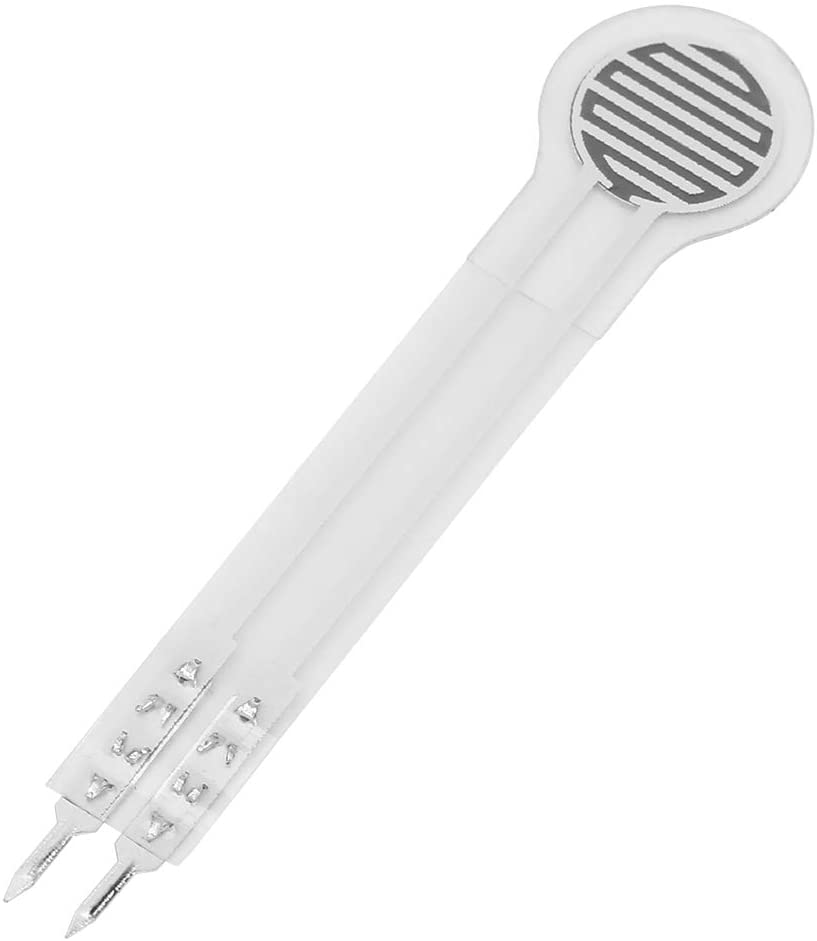
The Flex 10KG DF9-40 flexible film sensor is an electronic component designed to detect pressure applied to flexible surfaces.
Features
- Name: Flex 10KG DF9-40
- SKU: ARD0011590
- Price: 5.6 €
- Type: Flexible Film Sensor
- Detection: Pressures up to 10KG (check the datasheet)
- Category: Pre-order
What it is for
The Flex 10KG DF9-40 sensor is ideal for robotics projects, prototypes, and interactive devices that require the measurement of delicate pressures on flexible surfaces. Examples of use include home alarm systems that activate when pressure is applied to the sensor, or pressure sensors for applications in fields such as medicine or industry. Compatibility with Arduino or ESP32 should be verified in the datasheet.
Tutorial: How to use Flex 10KG DF9-40 Flexible Film Sensor
The Flex 10KG DF9-40 flexible film sensor is ideal for projects requiring the detection of delicate pressures on flexible surfaces. It is suitable for both beginners and intermediate makers who want to create interactive devices.
What you need
- Arduino Uno or compatible
- Jumper wire
- USB connection
- Arduino IDE software
Steps
- Connect the sensor to the Arduino input pins using jumper wires.
- Open the Arduino IDE software and load a sample sketch to read the sensor values.
- Check that the sensor is correctly connected by verifying that the values on the input pins change when pressure is applied to the sensor.
- Write a custom sketch to read the sensor values and send them to an output device.
- Check the sensor datasheet for the voltage values corresponding to the applied pressure.
- Modify the sketch to convert voltage values to pressure units.
- Test the sensor with different pressures to check its sensitivity.
- Adapt the sketch to integrate the sensor into a more complex project.
Example code
void setup() {
  Serial.begin(9600);
}

void loop() {
  int val = analogRead(A0);
  Serial.println(val);
}
Mini project
Create a home alarm system that activates an audio signal when pressure is applied to the sensor.
Common mistakes
- Connect the sensor to the wrong pin on the Arduino.
- Do not verify the correct connection of the sensor.
- Do not convert voltage values to pressure units.
- Do not adapt the sketch for the specific project.
Recommended accessories
- 16×2 LCD Display
- Buzzer
- LiPo Battery
- ESP8266 Wi-Fi Connection
Frequently asked questions
How can I connect the sensor to another microcontroller?
Connect the sensor pins to the microcontroller’s analog input pins.
Can the sensor detect extreme pressures?
Check the datasheet for the sensor’s pressure range.
How can I integrate the sensor into a 3D printing project?
Design a flexible structure for the sensor and integrate it into the 3D print project.



Reviews
There are no reviews yet.