 EN
 IT Italiano
 ES Español
 FR Français
 DE Deutsch
Description
What it is
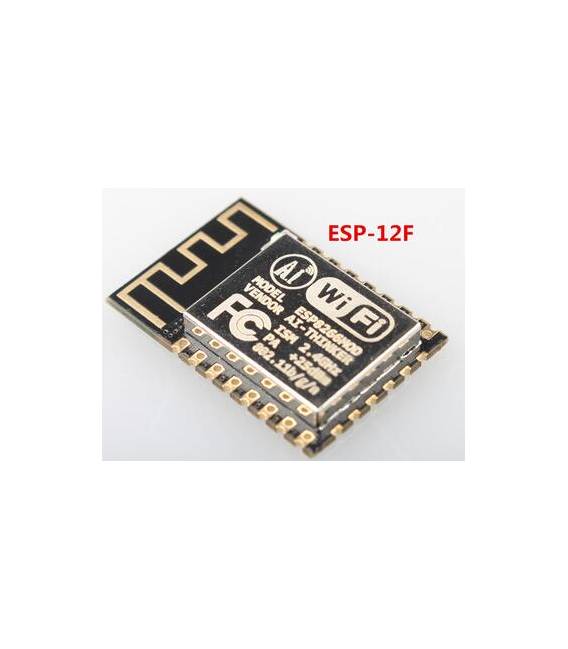
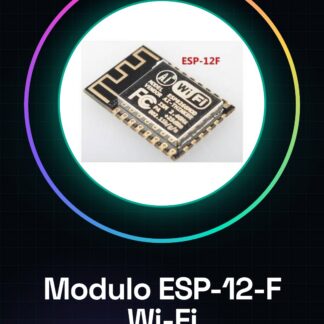
The ESP-12-F ESP8266 is a serial Wi-Fi wireless transceiver module designed for Arduino. This device allows connecting to existing Wi-Fi networks or creating a personal access point network.
Features
- ESP-12-F Module based on ESP8266
- Integrated serial and Wi-Fi connectivity
What it is for
The ESP-12-F is ideal for IoT projects, remote monitoring, and wireless controls. You can use it to create a temperature sensor that sends data via Wi-Fi to an online platform or integrate it with Arduino to control devices remotely.
Tutorial: How to use ESP-12-F Wi-Fi Module
The ESP-12-F is a Wi-Fi module for Arduino that allows connecting to existing wireless networks or creating a personal network. Ideal for IoT projects, remote monitoring, and wireless controls.
What you need
- Arduino Uno
- USB Type B cable
- Arduino IDE Software
Steps
- Install ESP8266WiFi library in Arduino IDE: see official guide.
- Connect the ESP-12-F module to the Arduino Uno following the GPIO pins defined in the module documentation (check the datasheet).
- Open a new sketch in Arduino IDE and include the ESP8266WiFi library: #include
. - Configure the Wi-Fi credentials in the code: WiFi.begin(“SSID”, “PASSWORD”); (check the datasheet).
- Write the code to connect to the module and send data via Wi-Fi: see example below.
- Compile and upload the sketch to Arduino Uno with ESP-12-F connected.
- Verify the connection and data transmission using the Serial Monitor in Arduino IDE.
Example code
void setup() {
  Serial.begin(9600);
  WiFi.begin("SSID", "PASSWORD"); // Verifica sul datasheet
}

void loop() {
  if (WiFi.status() == WL_CONNECTED) {
    Serial.println(WiFi.localIP());
  }
}
Mini project
Create a temperature sensor that sends data via Wi-Fi to an online platform: use DHT11/DHT22 to measure temperature and humidity, connect to the ESP-12-F module and send values via Wi-Fi.
Common mistakes
- Wi-Fi connection error: check SSID and password.
- Unrecognized module by Arduino IDE: install the correct library.
- Power issues: ensure the module receives sufficient power.
- Incorrect connection between ESP-12-F and Arduino Uno: check GPIO connections in the datasheet.
Recommended accessories
- DHT11/DHT22 Temperature/Humidity Sensor
- 5V Relay Module
- 16×2 LCD Display
- RTC Clock Module
Frequently asked questions
How can I update the firmware of the ESP-12-F?
Use the ArduinoOTA library for wireless updates, or download the latest version from the official website and upload manually.
Which Wi-Fi networks does the ESP-12-F support?
Supports 802.11 b/g/n networks in client and access point modes.

Reviews
There are no reviews yet.