 EN
 IT Italiano
 ES Español
 FR Français
 DE Deutsch
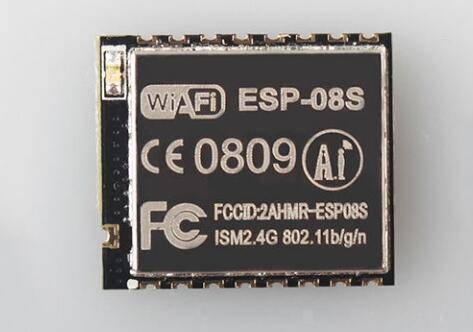
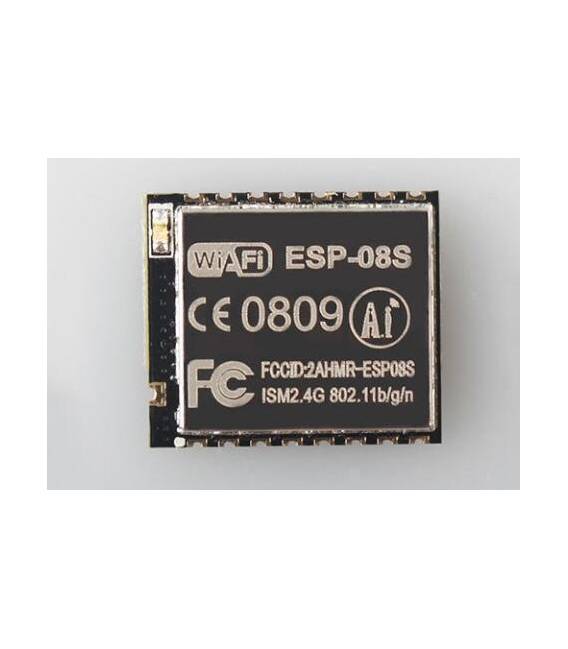
Description
What it is
The ESP-08S ESP8266 Serial-WiFi Module is a component that allows integrating WiFi connectivity into Arduino and other device projects. This module uses the ESP8266 microcontroller to provide wireless functionality.
Features
- ESP8266-based Serial-WiFi Module
- Optimized for connecting Arduino projects to the Internet
What it is for
The ESP-08S is ideal for implementing IoT solutions and remote monitoring. It can be used to create simple HTTP servers or to interact with web services.
Tutorial: How to use ESP-08S
The ESP-08S ESP8266 module is a small but powerful component that allows adding WiFi functionality to your projects. Useful for anyone who wants to connect their devices to the internet.
What you need
- ESP-08S
- Arduino
- USB cable
- PC with Arduino IDE installed
Steps
- 1. Connect the ESP-08S to your Arduino using the following pins: TX of the module to RX of the Arduino, RX of the module to TX of the Arduino, VCC to 5V, GND to GND.
- 2. Download and install the latest version of Arduino IDE.
- 3. Open a new tab and select ‘Arduino Uno’ as board.
- 4. Choose ‘ESP8266 by espressif’ as core.
- 5. Load the example ‘WiFi’ code from the WiFi library.
- 6. Configure your WiFi network in the code.
- 7. Upload the code to your ESP-08S.
- 8. Verify the WiFi connection through the serial console.
Example code
```
#include <ESP8266WiFi.h>

const char* ssid = "NOME_RETE";
const char* password = "PASSWORD_RETE";

void setup() {
  Serial.begin(115200);
  WiFi.begin(ssid, password);
  Serial.println("Connettendomi a WiFi...");
}

void loop() {
  if (WiFi.status() == WL_CONNECTED) {
    Serial.println("Connessione WiFi stabilita");
  }
}
```
Mini project
Create a simple HTTP server that displays the name of your WiFi router.
Common mistakes
- Forget to configure the WiFi network.
- Connect the wrong pins.
- Not having the WiFi library installed.
- Forget to set the serial console baud rate.
Recommended accessories
- Arduino Uno
- USB cable
- FTDI cable
- 16×2 LCD display
Frequently asked questions
How do I set the serial console baud rate?
In the `Serial.begin(115200);` function set the speed to 115200.
Why doesn’t it connect to WiFi?
Check your WiFi network configuration and make sure you have the WiFi library installed.
Which pins do I use?
Use TX module – RX Arduino, RX module – TX Arduino, VCC – 5V, GND – GND.



Reviews
There are no reviews yet.