 EN
 IT Italiano
 ES Español
 FR Français
 DE Deutsch
Description
What it is
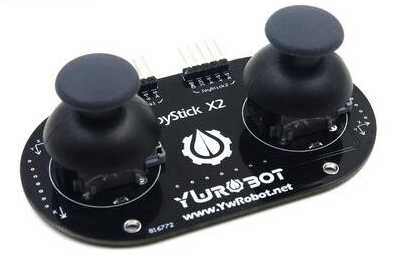
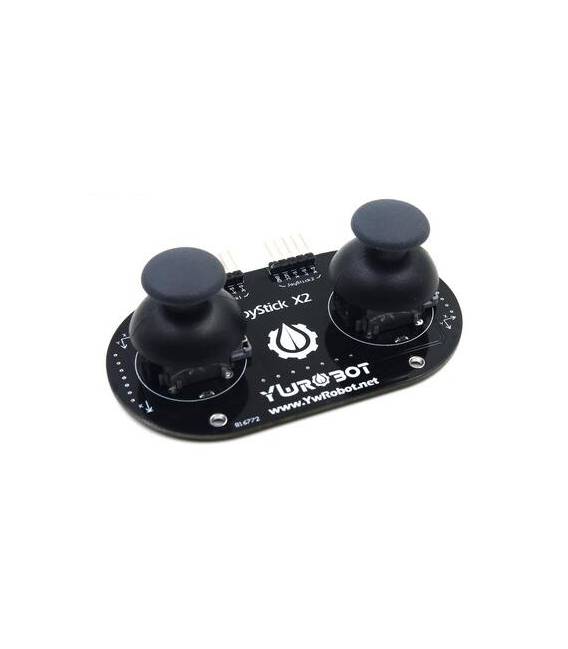
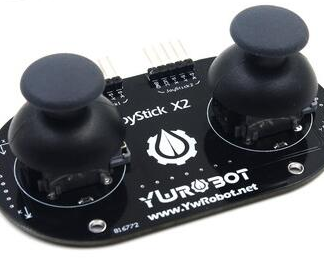
The Dual Analog Joystick PS2 is a two-axis analog controller compatible with PS2 microcontrollers. It offers two analog sticks and buttons for precise and versatile control.
Features
- Compatible with PS2 microcontrollers
- 2 analog sticks
- Numbered buttons (check datasheet)
- SKU: ARD009173
- Price: 11.03 €
What it is for
The Dual Analog Joystick PS2 is ideal for creating custom control interfaces for robots, simulations, or games. It can be used to control the direction and speed of a robot, simulate a vehicle, or manage actions in a game. Its compatibility with Arduino and other microcontrollers makes it a flexible solution for robotics, home automation, and entertainment projects.
Tutorial: How to use Dual Analog Joystick PS2
The Dual Analog Joystick PS2 is ideal for controlling robots, simulations, or games. Useful for beginners and intermediates.
What you need
- Dual Analog Joystick PS2
- Arduino
- USB cable
- PS2 connector
Steps
- 1. Check that the Dual PS2 Joystick is functioning.
- 2. Connect the Joystick to the PS2 connector.
- 3. Connect the PS2 connector to the Arduino using a cable.
- 4. Load the provided Arduino code.
- 5. Connect the Arduino to a computer via USB cable.
- 6. Start the program and check if the functions work correctly.
- 7. Configure the Joystick in your Arduino sketch.
- 8. Try moving the Joystick and check the values on the serial monitor.
Example code
void loop() { Serial.print(analogRead(A0)); Serial.print(' '); Serial.println(analogRead(A1));}Mini project
Create a simple robot that moves in response to the Joystick. In 30 minutes you can control the robot with the Joystick.
Common mistakes
- Do not connect the Joystick correctly to the PS2 connector.
- The Joystick does not work after connection. Check the datasheet.
- The Arduino code does not work. Check the connection.
- The Joystick does not respond. Check the connectivity with the Arduino.
Recommended accessories
- Arduino UNO
- USB cable
- Robot to control
- Serial monitor
Frequently asked questions
How can I connect the Joystick?
Connect the Joystick to the PS2 connector and then the PS2 connector to the Arduino with a cable.
Which pins do I use for the Joystick?
Use pins A0 and A1 to read the Joystick values.
Does the Joystick work with Arduino UNO?
Yes, it works with Arduino UNO.
Can I use the Joystick with other microcontrollers?
Check the datasheet for compatibility with other microcontrollers.
Reviews
There are no reviews yet.