 EN
 IT Italiano
 ES Español
 FR Français
 DE Deutsch
Description
What it is
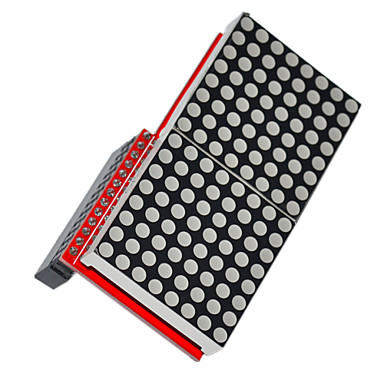
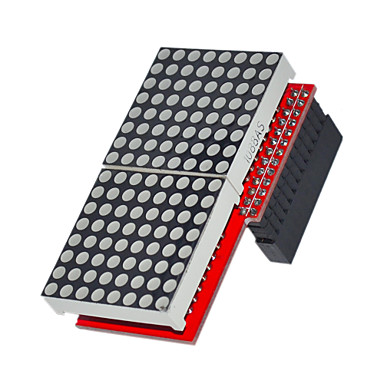
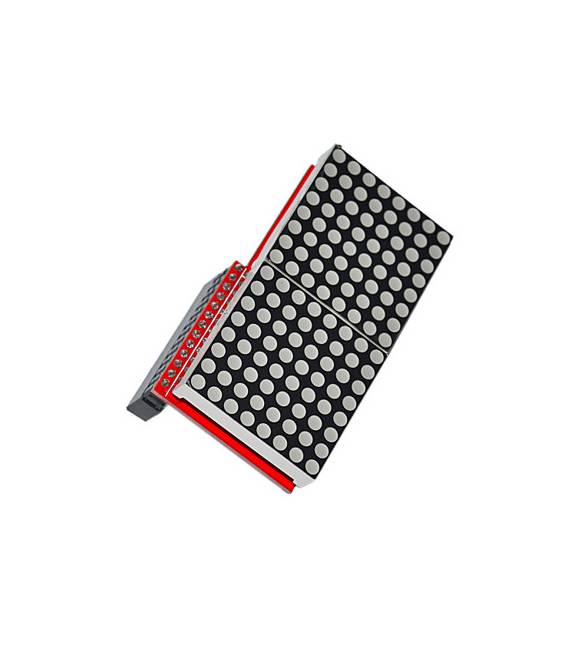
The Dual Matrix Display Module MAX7219 for Raspberry Pi is an electronic component that allows data to be displayed on two LED matrices.
Features
- Compatible with Raspberry Pi
- Uses the MAX7219 controller
- Display on two LED matrices
- SKU: ARD009916
- Price: 8.29 €
What it is for
The module is ideal for programming and display projects on Raspberry Pi. It allows the creation of dynamic and interactive LED displays without having to manage individual matrices. Examples of use:
- Create a digital clock that displays the time and date in real time.
Tutorial: How to use Dual Matrix Display Module MAX7219 for Raspberry Pi
The dual matrix display module MAX7219 is a useful component for makers who want to add a visual element to their Raspberry Pi-based projects. This module allows the creation of dynamic and interactive LED displays without having to manage individual matrices.
What you need
- Raspberry Pi
- USB or Ethernet Connection
- Python Software Installed
Steps
- Connect the MAX7219 module to the Raspberry Pi using the available GPIO pins.
- Check the proper power supply of the module (5V).
- Install the necessary libraries via pip: `pip install max7219`.
- Create a Python file and import the MAX7219 library.
- Configure the display with basic parameters such as width, height, and number of matrices.
- Write the code to display text or images on the display.
- Run the Python script to see the result.
- Customize the appearance of the display according to your needs.
Example code
from max7219 import scanner
scanner = scanner.Matrix8x8(1, 0)
scanner.show_message('Ciao!')
Mini project
Create a digital clock that displays the time and date in real-time.
Common mistakes
- Do not check the proper power supply of the module.
- Use an obsolete version of the MAX7219 library.
- Configure the wrong number of matrices in the code.
- Omit installing the necessary libraries for Python.
Recommended accessories
- USB cable for Raspberry Pi
- Temperature and humidity sensors
- 3D printer to create a custom case
Frequently asked questions
How can I customize the display?
Use the MAX7219 library methods to change the appearance of the text or images.
Can I connect multiple modules together?
Yes, by using a cascade chain between the modules.
Reviews
There are no reviews yet.