 EN
 IT Italiano
 ES Español
 FR Français
 DE Deutsch
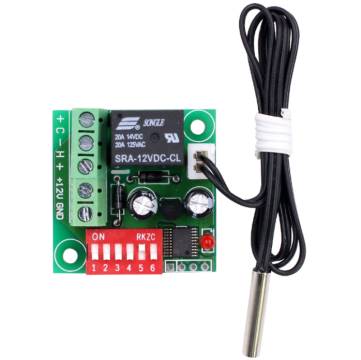
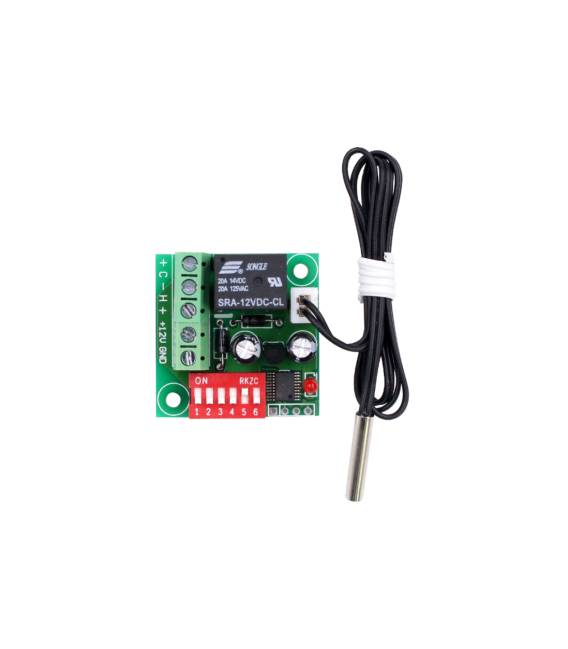
Description
What it is
The Digital Thermostat XH-W1701 12V DC is an electronic device that allows temperature regulation in electronic systems. It can be used to protect heat-sensitive components from excessive temperatures.
Features
- Supply Voltage: 12V DC
- Type: Digital Thermostat
- Model: XH-W1701
- SKU: ARD0011563
- Price: 4.75 €
What it is for
The Digital Thermostat XH-W1701 is ideal for controlling temperature in electronic systems that require heat management. It can be used to build automatic cooling systems for small computers or heat-sensitive electronic circuits. Compatibility with Arduino or ESP can be verified in the datasheet.
Tutorial: How to use Digital Thermostat XH-W1701 12V DC
The XH-W1701 digital thermostat is a useful device for automatically regulating the cooling of electronic systems or devices that require heat control. This tutorial will guide you through the installation and use of this device.
What you need
- Digital Thermostat XH-W1701 12V DC
- Arduino
- Electrical Connections
- 12V DC Power Supply
- Thermistor (optional)
Steps
- Install the XH-W1701 thermostat in an area with stable temperature.
- Connect the 12V DC power supply to the thermostat as indicated in the datasheet.
- Connect the thermostat control pins to the Arduino output pin.
- Configure the Arduino to read the temperature from the thermistor (if present).
- Program the Arduino to regulate the thermostat based on the desired temperature.
- Verify the correct functioning of the thermostat by monitoring the temperature in real-time.
- Adjust the activation and deactivation temperature of the thermostat according to your needs.
- Test the system under different conditions to ensure its reliability.
Example code
void setup() {
  pinMode(OUTPUT_PIN, OUTPUT);
}

void loop() {
  int temperature = readTemperature();
  if (temperature > DESIRED_TEMPERATURE) {
    digitalWrite(OUTPUT_PIN, HIGH);
  } else {
    digitalWrite(OUTPUT_PIN, LOW);
  }
}
Mini project
Automatic cooling project: Build a cooling system for a small computer or a heat-sensitive electronic circuit. Use the XH-W1701 thermostat to regulate a fan based on temperature.
Common mistakes
- Do not verify the correct power supply of the thermostat.
- Configure the Arduino without reading the correct temperature.
- Do not test the system under different conditions.
- Use an incompatible thermistor with the thermostat.
Recommended accessories
- Arduino Uno
- LM35 Thermistor
- 12V Fan
- 12V Power Supply Cable
Frequently asked questions
Can the XH-W1701 thermostat regulate temperature continuously?
Yes, the thermostat can regulate temperature continuously once configured correctly.
What is the accuracy of the thermometer built into the thermostat?
Check the datasheet to obtain the accuracy of the thermometer.
Can I use the thermostat with an input voltage different from 12V?
Check the datasheet for information on power supply compatibility.



Reviews
There are no reviews yet.