 EN
 IT Italiano
 ES Español
 FR Français
 DE Deutsch
Description
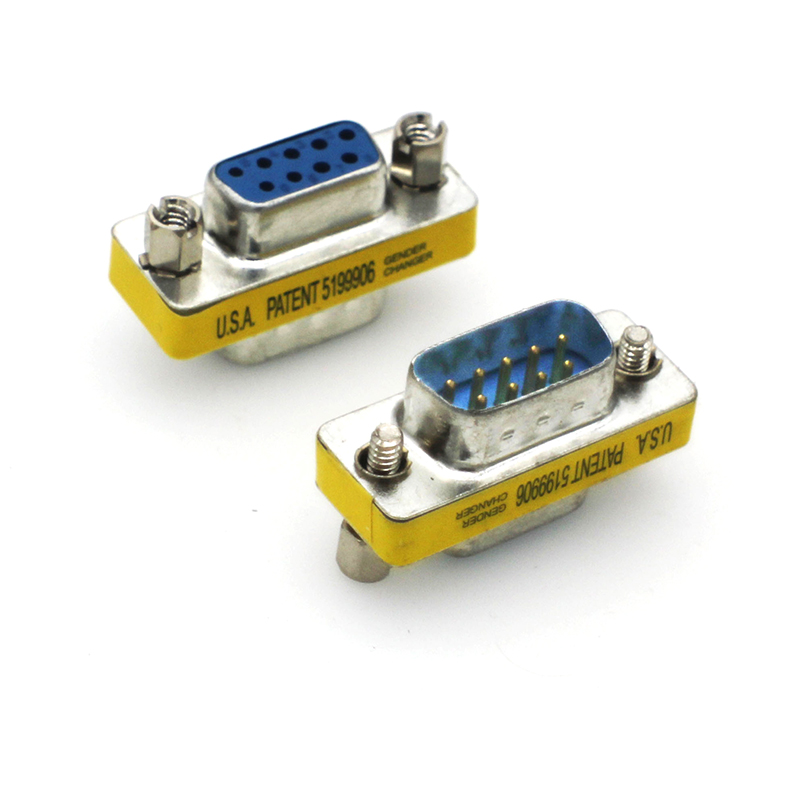
Tutorial: How to Use DB9 RS232 Male to Female Cable
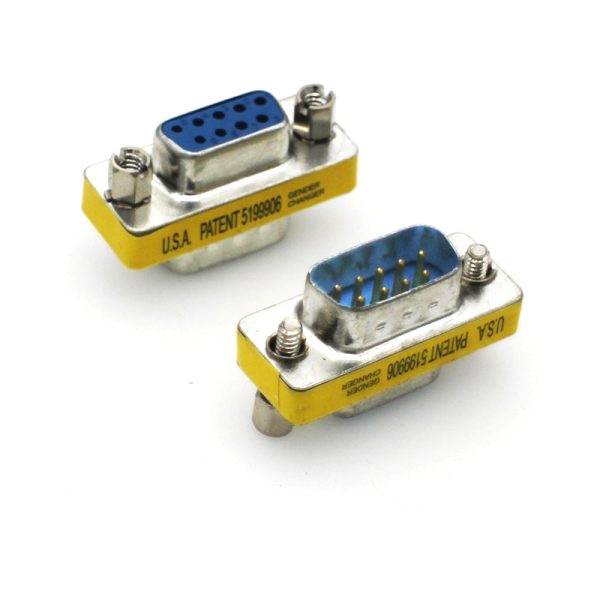
The DB9 RS232 male to female cable is a fundamental component for connecting devices that use the RS232 interface. It is ideal for makers and professionals working with Arduino, Raspberry Pi, or other devices that require serial communication.
What you need
- Arduino
- Raspberry Pi
- RS232 devices
- serial cable
- serial interface
Steps
- Check that the cable is compatible with your RS232 devices.
- Connect one end of the cable to the RS232 connector of the source device.
- Connect the other end of the cable to the RS232 connector of the destination device.
- Verify the connection through the serial console or serial communication software.
- If necessary, use an RS232 converter for modern devices that do not have direct RS232 connectors.
- Check the datasheet for additional specifications or compatibility details.
- Test serial communication with a simple script or Arduino sketch.
- Resolve any connection or communication issues by following the datasheet or device manual instructions.
Mini project
Create a simple temperature monitoring device that sends data via RS232 to a computer.
Common mistakes
- Incorrect connection between RS232 devices.
- Use of an incompatible cable with the devices.
- Power issues or compatibility problems.
- Incorrect configuration of the serial communication software.
Recommended accessories
- USB to RS232 Serial Cable
- RS232 Converter
- Temperature Sensors
- Arduino Uno
Frequently asked questions
What is the difference between an RS232 cable and a USB cable?
An RS232 cable is designed for low-speed serial communication between devices, while a USB cable is designed for high-speed communication and power transmission.
How can I control RS232 communication?
You can use software such as PuTTY or Tera Term to monitor and send data through the RS232 interface.
Reviews
There are no reviews yet.