 EN
 IT Italiano
 ES Español
 FR Français
 DE Deutsch
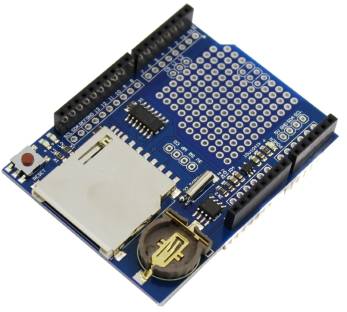
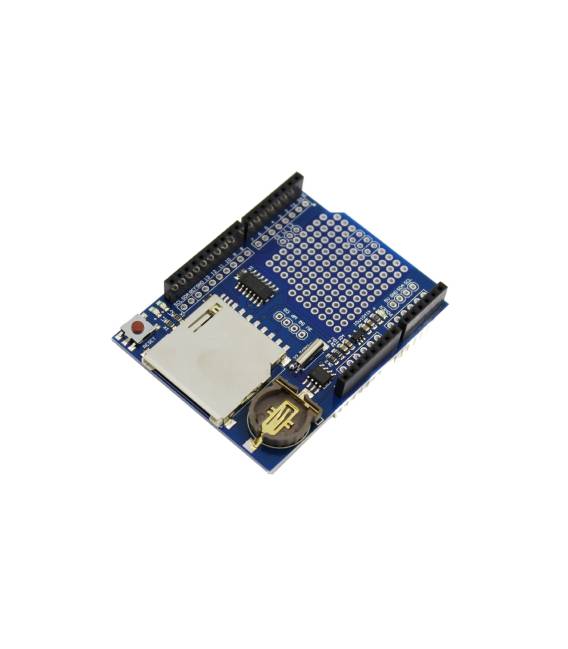
Description
What it is
The Data Logger Logging Shield Data Recorder for Arduino is a shield that allows data recording on a microSD card. It is a useful component for projects that require real-time data storage.
Features
- Data recording on microSD card
- Compatible with Arduino
- SKU: ARD0011157
- Price: 4.84 €
What it is for
This module is ideal for projects that require real-time data logging, such as:
- Temperature sensors that record data on a microSD card at regular intervals
- Environmental variable monitoring
- Data collection for subsequent analysis
Tutorial: How to use Logging Shield
The Logging Shield is an Arduino module that allows data recording on an external memory. Useful for projects that require real-time data logging.
What you need
- Arduino
- MicroSD Card
- USB Cable
- MicroSD Card Reader (optional)
Steps
- 1. Installation: Download and install the SD library for Arduino from the Arduino repository.
- 2. Connection: Connect the Logging Shield to your Arduino using the following connectors: VCC to 5V, GND to GND, SDA to SDA, SCL to SCL.
- 3. Insert the MicroSD Card into the dedicated slot on the Logging Shield.
- 4. Upload the example Sketch code to your Arduino.
- 5. Configure the file name and write frequency in the code.
- 6. Run the code and check the folder of swap directories for the presence of the log file.
- 7. Turn off the Arduino and remove the MicroSD Card.
- 8. Read the data with a MicroSD Card reader (optional).
Example code
```cpp
#include <SD.h>

File myFile;

void setup() {
  Serial.begin(9600);
  if (!SD.begin(4)) {
    Serial.println("Card failed, or not present");
    return;
  }
  Serial.println("Card initialized.");
  myFile = SD.open("log.txt", FILE_WRITE);
  if (!myFile) {
    Serial.println("Errore apertura file");
    return;
  }
  Serial.println("Scrivo nel file");
  myFile.println("Hello, world!");
  myFile.close();
  Serial.println("File chiuso");
}

void loop() {
  // Nessuna logica qui
}
```
Mini project
Create a temperature sensor that logs data to a MicroSD Card every 5 minutes.
Common mistakes
- Forgetting to install the SD library.
- Incorrectly connecting the connectors on the Logging Shield.
- Using an incompatible MicroSD Card.
- Forgetting to format the MicroSD Card.
Recommended accessories
- MicroSD Card
- MicroSD Card reader
- Digital Thermometer (optional)
- Thermal Resistor (optional)
Frequently asked questions
How to format the MicroSD Card?
Use a MicroSD Card reader and format the folder as FAT32.
Does the Logging Shield work with Arduino Uno?
Yes, it works with Arduino Uno.
What are the memory limitations?
Check the datasheet for specific limits.



Reviews
There are no reviews yet.