 EN
 IT Italiano
 ES Español
 FR Français
 DE Deutsch
Description
What it is
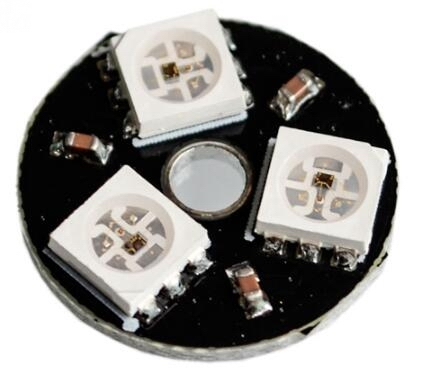
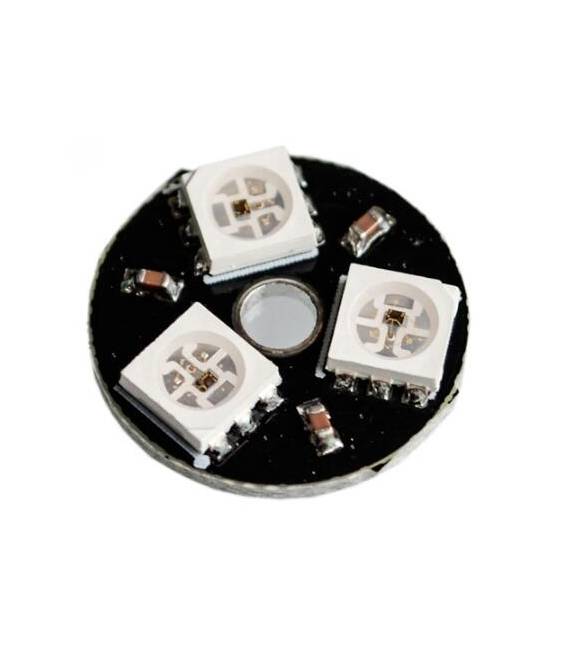
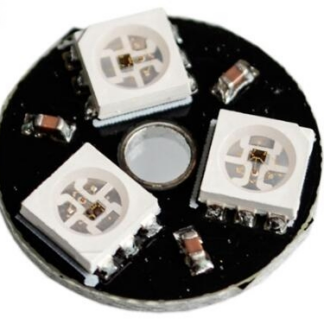
The CJMCU-3 is a smart development board featuring WS2812 RGB LED with colors, ideal for multi-color lighting projects. This module allows makers and developers to create dynamic lighting effects easily.
Features
- WS2812 RGB 5050 LED Module
- Perfect for Arduino and other compatible microcontrollers
What it is for
The CJMCU-3 is ideal for beginners and intermediate makers who want to explore RGB lighting projects. You can use it to create simple color cycles or more complex effects with Arduino or ESP.
Tutorial: How to use CJMCU-3
The CJMCU-3 is a WS2812 RGB LED module that allows you to create dynamic lighting effects. Ideal for beginners and intermediate makers.
What you need
- Arduino or compatible
- FTDI cable or serial port
- Arduino IDE software installed
Steps
- 1. Connect the CJMCU-3 to the Arduino using pins D5 and GND.
- 2. Download and install the WS2812b library in Arduino IDE.
- 3. Create a new sketch and set the pins used.
- 4. Write the code to control the LEDs. Example: `#include
`. Check the datasheet. - 5. Upload the code to the Arduino.
- 6. Verify the connection and check the LEDs.
- 7. Try changing the colors and effects.
- 8. Add a timer for dynamic effects.
Example code
```
#include <Adafruit_WS2812.h>

Adafruit_WS2812 strip = Adafruit_WS2812(1, D5, 400);

void setup() {
  strip.begin();
  strip.show(); // Turn all pixels off
}

void loop() {
  strip.setPixelColor(0, strip.Color(255, 0, 0)); // Set 1st pixel red
  strip.show(); // Update strip to match.
}
```
Mini project
Create a simple RGB color cycle. Connect the CJMCU-3, upload the code, and observe the LEDs changing color.
Common mistakes
- Forgot to install the WS2812 library.
- Incorrect pin assignment.
- Not updating the strip.show() function.
- Incorrect power supply.
Recommended accessories
- FTDI cable
- 220 Ohm resistor
- Prototype board
- 0.1″ connectors
Frequently asked questions
How can I control more LEDs?
Use multiple strips and connect the D5 pins to the next ones.
What colors can the CJMCU-3 display?
The CJMCU-3 supports RGB colors.
Does the CJMCU-3 require specific power supply?
Check the datasheet for correct power supply.
Reviews
There are no reviews yet.