 EN
 IT Italiano
 ES Español
 FR Français
 DE Deutsch
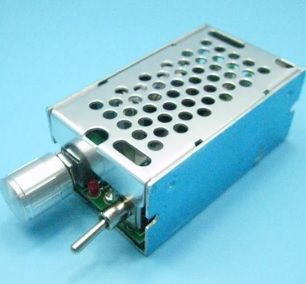
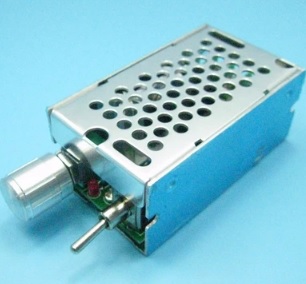
Description
What it is
The CCM2NJ is a PWM (Pulse Width Modulation) motor speed controller for DC motors. It allows controlling the motor speed by varying the width of the pulses sent, offering precise and adjustable control.
Features
- DC Motor Speed Control
- Power Supply Voltage Range: 12-40 V
- Pulse Width Modulation (PWM) Control
What it is for
The CCM2NJ is ideal for robotics projects, remote-controlled vehicles, and any application requiring precise speed control of a DC motor. It can be used with Arduino or other microcontrollers to program the motor speed.
Tutorial: How to Use CCM2NJ
The CCM2NJ is a DC motor speed controller that allows controlling the speed through pulse width modulation (PWM). Useful for projects requiring precise speed control.
What you need
- CCM2NJ
- DC Motors
- Arduino or microcontroller
- Power supply cable
Steps
- Check the motor’s datasheet for specifications (operating voltage, maximum current).
- Connect the motor to the CCM2NJ, positive to the VCC pin and negative to the GND pin.
- Connect the microcontroller’s PWM pin (e.g., Arduino pin 9) to the CCM2NJ’s IN pin.
- Power the CCM2NJ with the motor’s operating voltage (12-40 V).
- Upload the following Arduino code to the microcontroller.
- Verify that the motor responds to changes in pulse width.
- Adjust the delay time and duty cycle value in the code to control the motor’s speed.
- Test the controller with different pulse width values.
Example code
```
#include <Arduino.h>

void setup() {
  pinMode(9, OUTPUT);
}

void loop() {
  analogWrite(9, 128); // 50% duty cycle
  delay(2000);
  analogWrite(9, 255); // 100% duty cycle
  delay(2000);
  analogWrite(9, 0);   // 0% duty cycle
  delay(2000);
}
```
Mini project
Build a small remote-controlled car with a DC motor and the CCM2NJ to control the speed. Set the CCM2NJ to 12 V and connect a 12 V motor. Use an Arduino to control the pulse width.
Common mistakes
- Connect the CCM2NJ GND pin to the microcontroller GND pin.
- Ensure the motor power supply voltage is compatible with the CCM2NJ.
- Properly set the microcontroller PWM pin.
- Check that the microcontroller is powered correctly.
Recommended accessories
- DC Motors
- Arduino
- Power Supply 12-40 V
- Power Supply Cable
Frequently asked questions
Can the CCM2NJ be used with AC motors?
No, the CCM2NJ is designed for DC motors.
What power supply voltages does the CCM2NJ support?
The CCM2NJ supports power supply voltages ranging from 12 to 40 V.
Can I use an Arduino Uno to control the CCM2NJ?
Yes, the Arduino Uno supports the PWM control required for the CCM2NJ.



Reviews
There are no reviews yet.