 EN
 IT Italiano
 ES Español
 FR Français
 DE Deutsch
Description
What it is
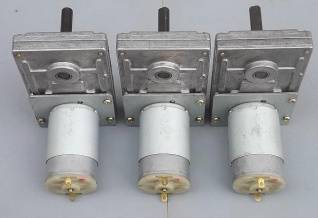
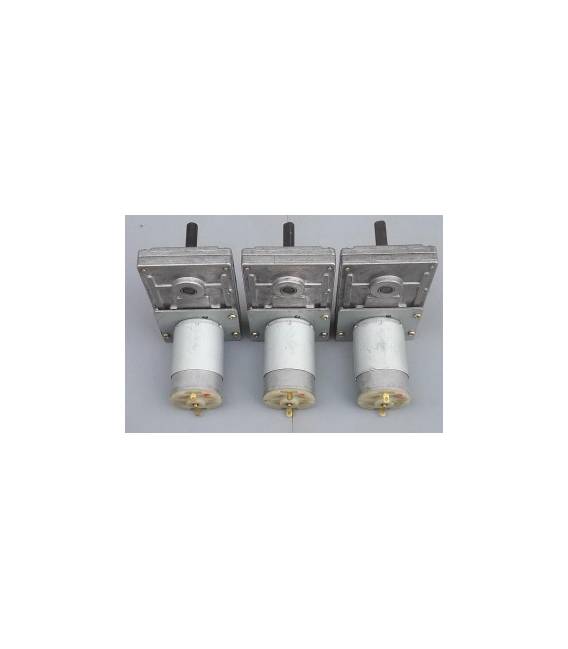
The 12-24V 80 rpm Gear Motor is an electrical component that converts electrical energy into mechanical motion. It is designed to provide a slow and steady rotation, ideal for applications requiring precision and control of movement.
Features
- Supply Voltage: 12-24V
- Rotation Speed: 80 rpm
What it is for
This gear motor is perfect for Arduino projects such as robots, home automation, and mechanical prototypes. It can be used to create slow and precise movements, such as opening and closing doors, moving objects, or guiding small vehicles. Its compatibility with Arduino and ESP makes it easy to integrate into automation projects.
Tutorial: How to use 12-24V 80 rpm Gear Motors
This gear motor is ideal for projects requiring slow and steady movement, such as automata, mechanical prototypes, or small push mechanisms. It is suitable for beginner and intermediate makers who want to explore basic mechanics.
What you need
- Arduino Uno or compatible
- Connection cable
- Batter or power supply 12-24V
- Connectors
- Assembly tools (screwdrivers, pliers)
- Test cable (optional)
Steps
- Connect the gear motor to the power supply or battery in the range of 12-24V.
- Check polarity: ensure that the positive terminal of the power supply is connected to the positive terminal of the gear motor and vice versa.
- If you want to control the gear motor via Arduino, connect the motor wires to the Arduino output pins.
- Write an Arduino sketch to control the gear motor (see code below).
- Check that the gear motor rotates in the desired direction.
- If necessary, adjust the polarity or modify the sketch to reverse the direction of rotation.
- Check the motor driver’s operation with various voltage levels to optimize speed and power.
- Mount the motor driver in the project and ensure it is securely fastened.
Example code
void setup() {
  pinMode(9, OUTPUT);
}

void loop() {
  digitalWrite(9, HIGH);
  delay(1000);
  digitalWrite(9, LOW);
  delay(1000);
}
Mini project
Build a simple automaton that moves forward and backward. Use the motor driver to push an opening and closing mechanism.
Common mistakes
- Connect the motor driver with reversed polarity.
- Use a voltage level outside the allowed range (12-24V).
- Do not check the motor driver’s rotation before mounting it in the project.
- Do not modify the sketch to reverse the motor driver’s direction of rotation.
Recommended accessories
- Arduino Uno
- Electrical Connections
- Assembly Tools
- Portable Battery 12-24V
Frequently asked questions
What is the speed of the motor driver?
The speed is 80 RPM, check the datasheet for precise details.
Can I control the motor driver with another microcontroller?
Yes, you can use any microcontroller that has digital outputs to control the motor driver.
What is the minimum voltage to run the motor driver?
The minimum voltage is 12V, check the datasheet for precise details.



Reviews
There are no reviews yet.