 EN
 IT Italiano
 ES Español
 FR Français
 DE Deutsch
Description
What it is
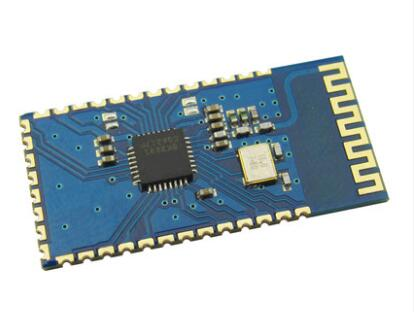
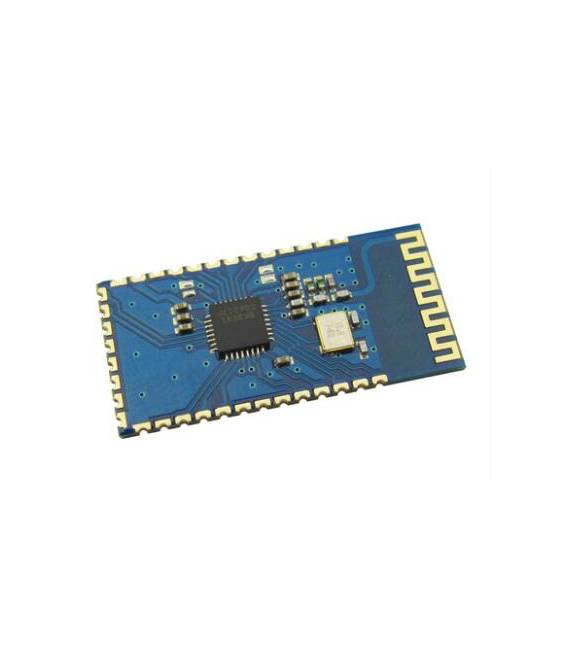
The SPP-C Bluetooth Serial Adapter Module is a device that allows you to connect electronic devices, such as Arduino, to smartphones or computers via Bluetooth. It is designed as a replacement for HC-05 and HC-06 modules, offering a possible improvement solution for the connectivity of your projects.
Features
- Compatible with Arduino and other microcontrollers
- Replaces HC-05 and HC-06 modules
- Bluetooth SPP (Serial Port Profile) protocol
- SKU: ARD0010858
- Price: 2.99 €
What it is for
The SPP-C Bluetooth module is useful for creating IoT (Internet of Things) and remote control projects. You can use it to send data from an Arduino to a smartphone or computer, for example to create a remote monitoring system for sensors, a button pressure counter, or a remote control system for an electronic device.
Tutorial: How to use SPP-C Bluetooth Serial Adapter Module
This Bluetooth SPP-C module allows you to easily connect your Arduino devices to a smartphone or a computer. Useful for IoT and remote control projects.
What you need
- Arduino or compatible
- USB cable
- Smartphone or PC with Bluetooth software
- Check the datasheet
Steps
- 1. Connect the Bluetooth SPP-C module to your Arduino using the RX and TX pins.
- 2. Connect the ground (GND) of the module to the GND of the Arduino.
- 3. Power on the Arduino.
- 4. Set the baud rate in your Arduino code to 9600.
- 5. Load the provided Arduino code.
- 6. Connect your smartphone or PC to the Bluetooth SPP-C module.
- 7. Check the connection through the Bluetooth software.
- 8. Test the communication by sending a message from your smartphone or PC.
Example code
void setup() { Serial.begin(9600); } void loop() { if (Serial.available()) { Serial.write(Serial.read()); } }Mini project
Create a simple button pressure counter using the Bluetooth module to send data to your smartphone.
Common mistakes
- Set the baud rate to a value different from the default.
- Connect RX and TX pins incorrectly.
- Do not check Bluetooth connection.
- Omit verification on the datasheet.
Recommended accessories
- Push button
- 10kΩ resistor
- USB cable
- Verification on the datasheet
Frequently asked questions
Does the module work with all types of Arduino?
Yes, it works with Arduino Uno, Mega, Nano and compatible boards.
How can I test the Bluetooth connection?
Use a Bluetooth application like BlueTerm or Bluetooth Serial.
What are the communication limits?
The module supports short-range communication (about 10 meters).
Reviews
There are no reviews yet.