 EN
 IT Italiano
 ES Español
 FR Français
 DE Deutsch
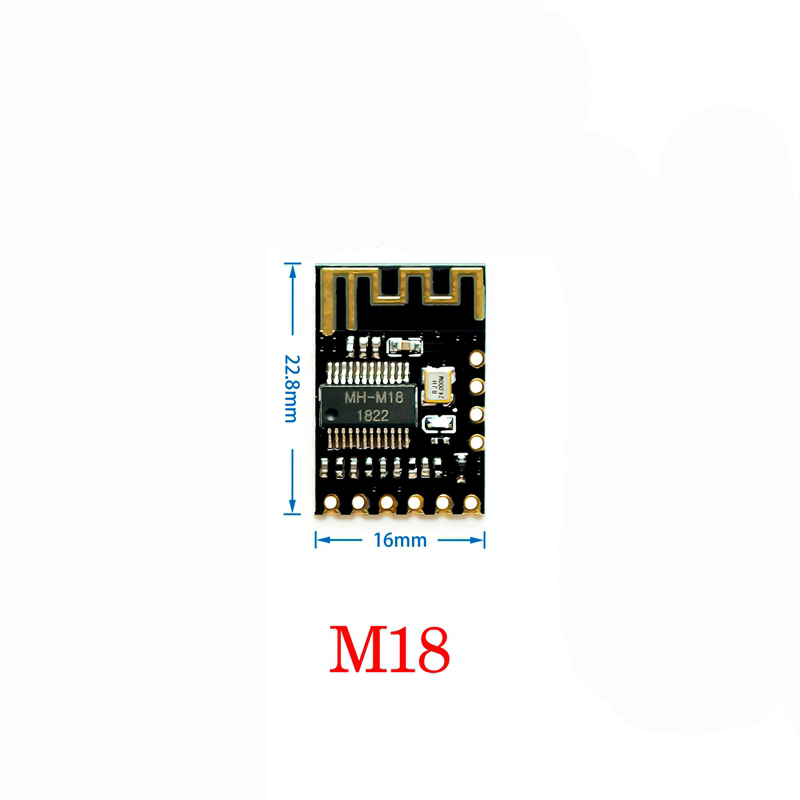
Description
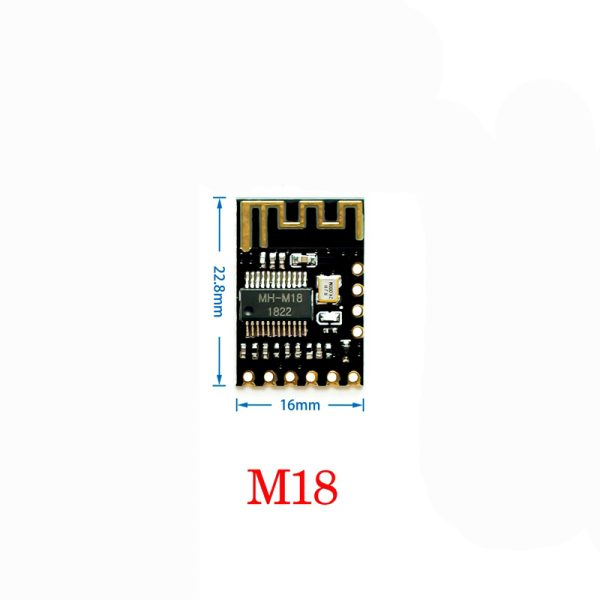
Tutorial: How to Use MH-M18 Bluetooth Audio Receiver Board
The MH-M18 Bluetooth Audio Receiver Board allows you to connect audio devices to any system that supports Bluetooth connections. Ideal for beginners who want to add wireless audio functionality to their projects.
What you need
- Arduino Uno
- USB Connection
- Arduino IDE Software
- Bluetooth Device
Steps
- Connect the board to a 5V power supply
- Connect the TX and RX pins of the board to those of the Arduino
- Install the Bluetooth library in Arduino IDE
- Configure the connection between Arduino and the board
- Verify the Bluetooth connection with a device
- Test audio transmission
Example code
void setup() {
  Serial.begin(9600);
}

void loop() {
  if (Serial.available() > 0) {
    String data = Serial.readStringUntil('n');
    // Processa i dati ricevuti
  }
}
Mini project
Create a wireless audio system that plays music from a smartphone or tablet on a speaker connected to the Arduino via the Bluetooth receiver board.
Common mistakes
- Ensure that the power supply voltage is correct
- Verify the TX and RX pin configuration
- Check Bluetooth library compatibility
- Verify Bluetooth connection stability
Recommended accessories
- Bluetooth Speaker
- Bluetooth Microphone
- Arduino Uno R3
- USB A-Micro B Cable
Frequently asked questions
Does this board support lossless audio transmission?
Check the datasheet
What sampling rate does it support?
Check the datasheet
Can it be used with other microcontrollers?
Yes, but code adaptation may be necessary
Reviews
There are no reviews yet.