 EN
 IT Italiano
 ES Español
 FR Français
 DE Deutsch
Description
What it is
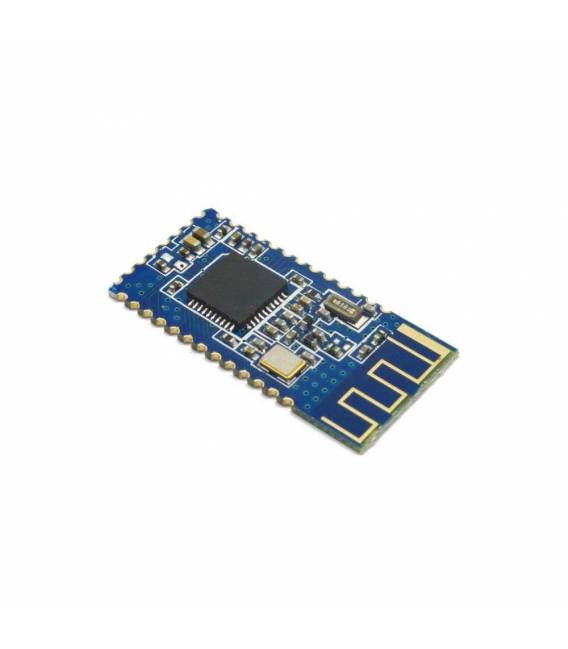
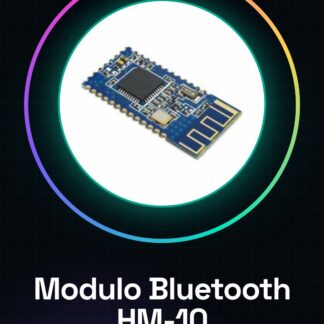
The HM-10 Bluetooth Module Ver. 4.0 IBeacon is a component for Arduino that allows adding tracking and wireless communication features to projects.
Features
- Version: 4.0
- Bluetooth Technology: BLE (Bluetooth Low Energy)
- Compatible with IBeacon
What it is for
HM-10 modules are ideal for tracking and wireless communication projects, such as creating home alarm systems that send Bluetooth notifications when triggered. They are compatible with Arduino and can be used to create remote control applications.
Tutorial: How to Use HM-10 Bluetooth Module
The HM-10 Bluetooth Module is an ideal component for those who want to add wireless connectivity to their Arduino projects. With it, you can send data and receive commands from mobile devices, creating remote control applications.
What you need
- Arduino Uno or compatible
- USB Type B cable for Arduino
- Arduino IDE software installed
Steps
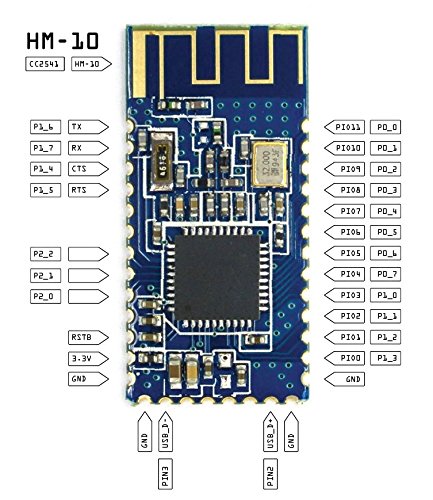
- Connect the TX pin of the HM-10 module to pin 2 of Arduino and the RX pin to a 470 ohm resistor connected to ground, then to pin 3 of Arduino.
- Power the HM-10 module with the voltage provided by the VCC and GND pins of Arduino.
- Open the Arduino IDE and install the SoftwareSerial library if it is not already present.
- Upload the provided sketch in the tutorial to initialize serial communication.
- Use an app like Bluetooth Terminal to establish a connection with the HM-10 module.
- Send commands or data from the mobile device to the HM-10 module and receive responses from Arduino.
- Verify that the sent data is displayed correctly on the Arduino serial monitor.
- Modify the sketch to customize the project behavior according to your needs.
Example code
SoftwareSerial BT(2, 3); // TX -> pin 2, RX -> resistore da 470 ohm tra pin 3 e GND
void setup() {
  Serial.begin(9600);
  BT.begin(9600);
}

void loop() {
  if (BT.available()) {
    char incoming = BT.read();
    Serial.print(incoming);
  }
}
Mini project
Create a home alarm system that sends a Bluetooth notification when activated.
Common mistakes
- Cannot establish connection with the HM-10 module.
- Data sent from the device is not received correctly by Arduino.
- The HM-10 module consumes too much power while waiting for a connection.
- Synchronization issues between the commands sent and the project’s Arduino response.
Recommended accessories
- 470 ohm resistor
- USB Type B cable for Arduino
- Arduino Uno or compatible
- Bluetooth Terminal App
Frequently asked questions
How can I modify the HM-10 module to work with a different supply voltage?
Check the HM-10 module’s datasheet for power specifications and add a level shifter if necessary.
What types of commands can I send to the HM-10 module?
You can send any command that your Arduino project is programmed to interpret correctly.
Reviews
There are no reviews yet.