 EN
 IT Italiano
 ES Español
 FR Français
 DE Deutsch
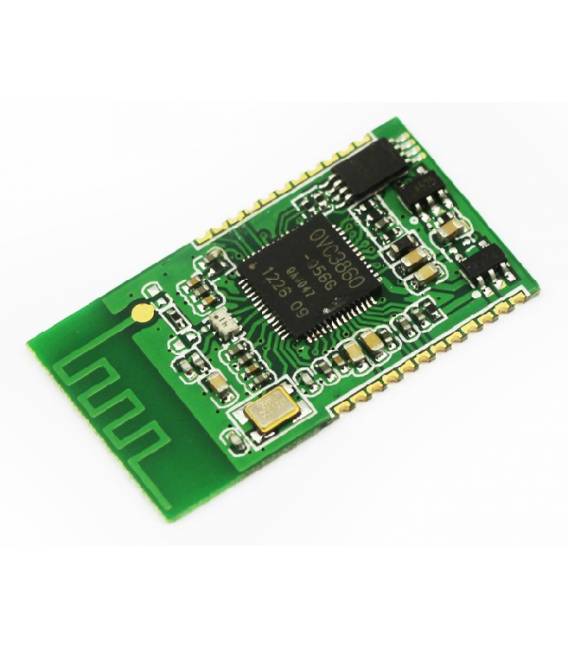
Description
What it is
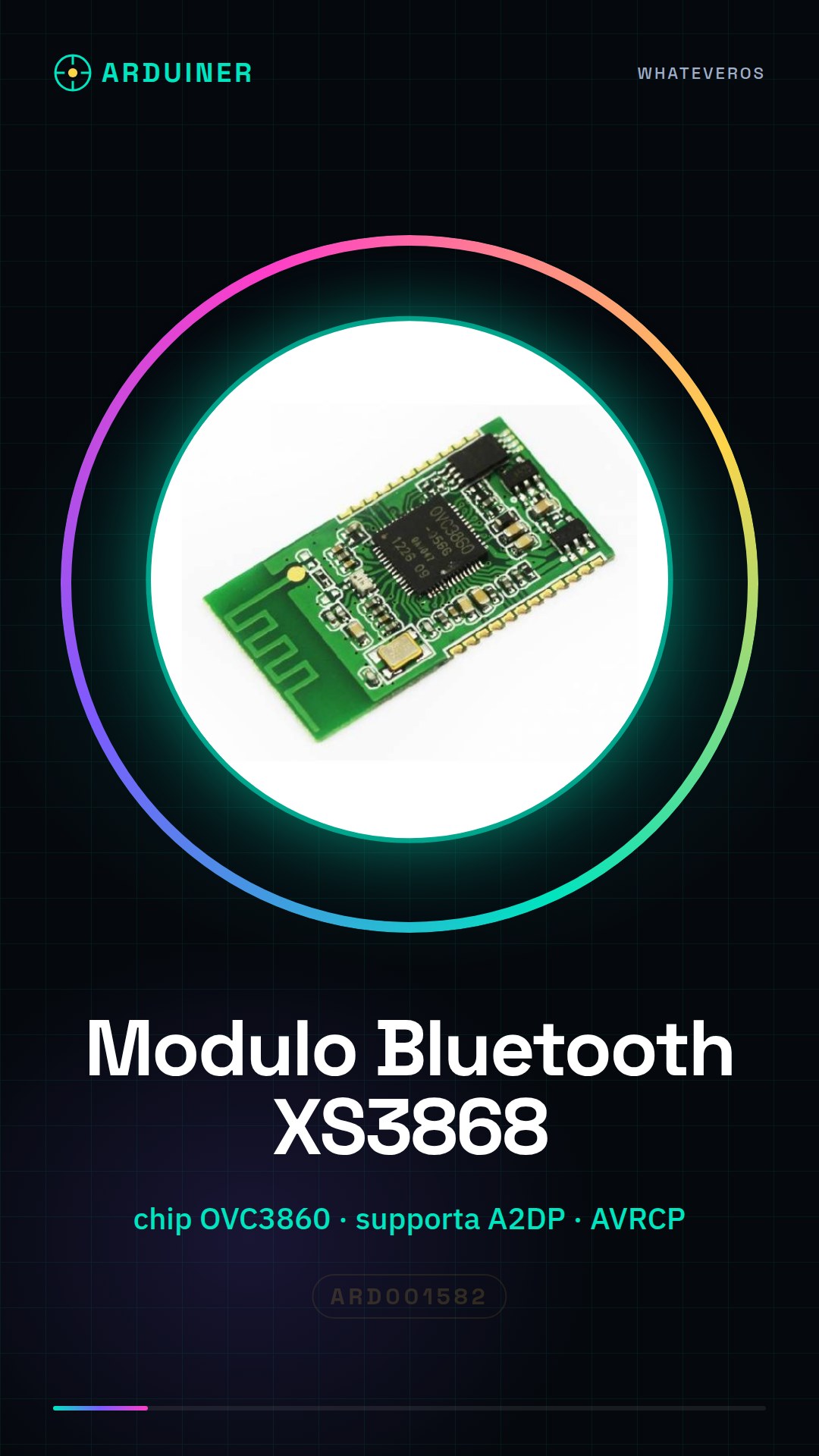
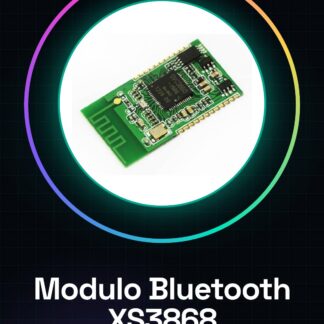
The XS3868 Bluetooth module is an electronic component designed for wireless stereo audio transmission. It uses the OVC3860 chip and supports the A2DP (Advanced Audio Distribution Profile) and AVRCP (Audio/Video Remote Control Profile) specifications.
Features
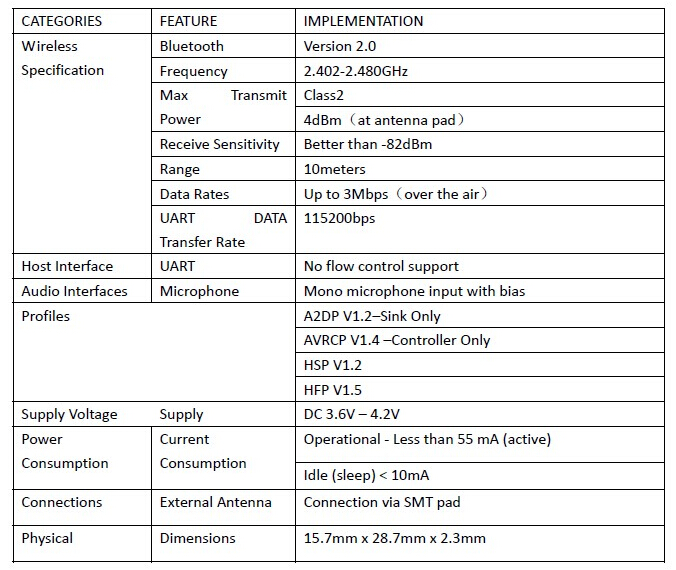
- Support for A2DP and AVRCP
- Ideally suited for Arduino projects and custom audio systems
What it is for
The XS3868 Bluetooth module is used to integrate wireless stereo audio transmission into electronic projects. It can be connected to an amplifier or other audio devices to create Bluetooth wireless speaker systems.
Tutorial: How to use XS3868 Bluetooth Module
The XS3868 Bluetooth module with the OVC3860 chip is ideal for anyone who wants to integrate A2DP stereo audio transmission and AVRCP remote control into their projects. This module is perfect for both beginners and more experienced makers.
What you need
- Arduino Uno or compatible
- USB connection to micro-USB
- Arduino IDE software installed
Steps
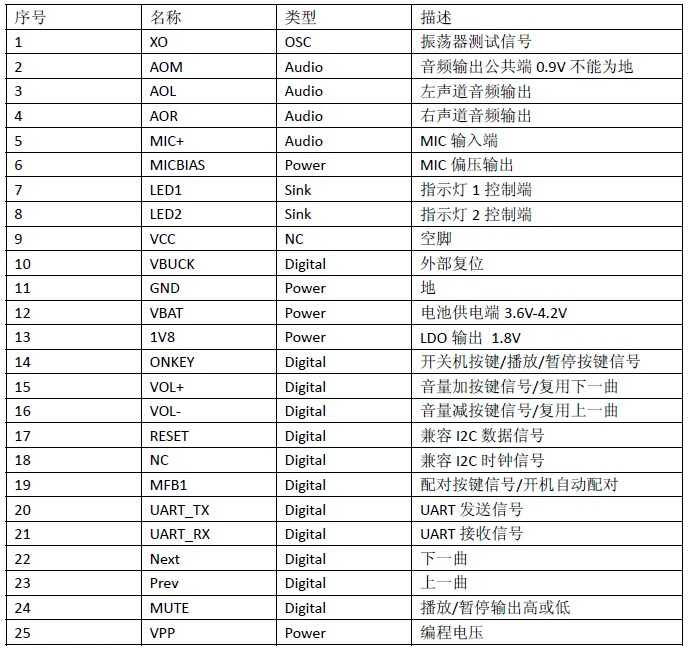
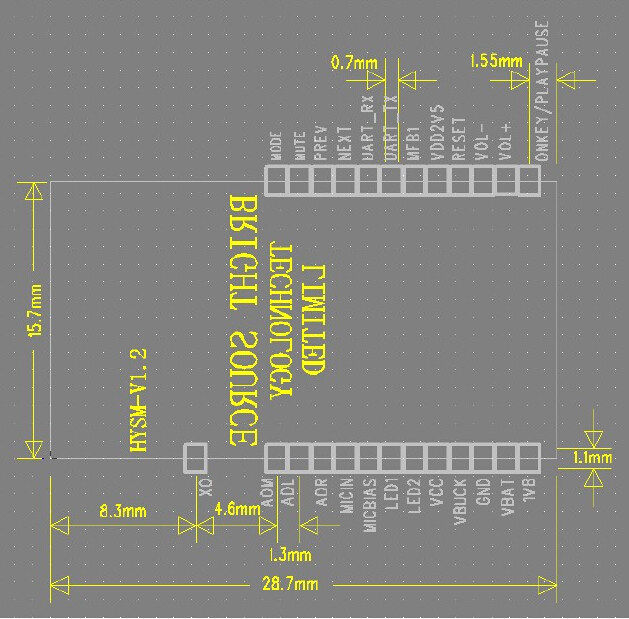
- Connect the XS3868 Bluetooth module to the Arduino via GPIO connectors (check the datasheet for specific pins).
- Open the Arduino IDE and load a sample sketch that supports serial communication.
- Configure the module settings using the configuration software provided by the manufacturer or another compatible software (check the datasheet for specific commands).
- Verify Bluetooth connectivity with a supported audio device (smartphone, tablet, etc.).
- Use an Arduino sketch to control the module’s features such as volume and audio processing.
- Test the A2DP connection to transmit stereo audio from a Bluetooth source to the module.
- Configure the module to receive AVRCP (Advanced Audio Distribution Profile) commands from the remote control device.
- Complete the tests and integrate the module into a larger project.
Example code
void setup() {
  Serial.begin(9600);
}

void loop() {
  if (Serial.available()) {
    // Aggiungi qui la logica per gestire i comandi ricevuti
  }
}
Mini project
Create a Bluetooth wireless speaker system by integrating the XS3868 module with Arduino. Connect the audio to an electronic amplifier and test the connectivity.
Common mistakes
- Frequent disconnection of the device
- Issues with basic settings configuration
- Difficulty integrating with the Arduino IDE software
Recommended accessories
- Audio amplifier LM386
- Micro-USB USB connector
- External antenna for Bluetooth
- Electronic prototyping kit
Frequently asked questions
How can I configure the module settings?
Use the configuration software provided by the manufacturer or another compatible software.
Which Bluetooth profiles does this module support?
Supports A2DP for stereo audio transmission and AVRCP for remote audio control.
Reviews
There are no reviews yet.