 EN
 IT Italiano
 ES Español
 FR Français
 DE Deutsch
Description
What it is
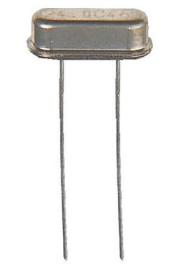
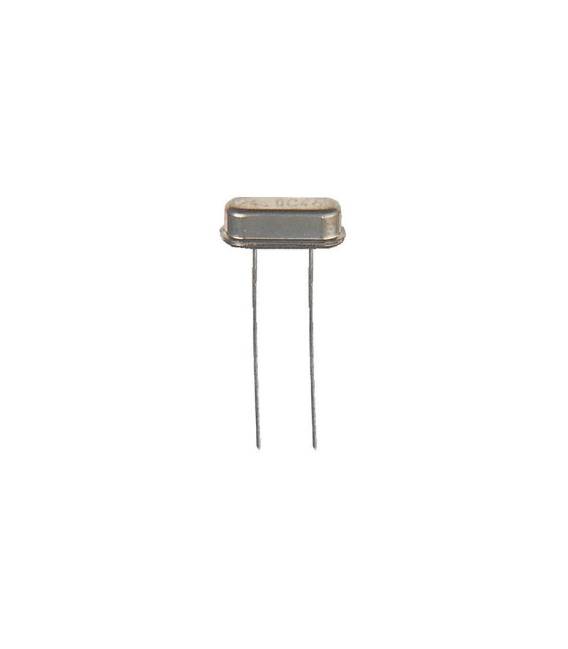
The AS-20.000-18-FUND crystal is an electronic component that generates a precise and stable frequency. It is used to synchronize signals in digital circuits, ensuring accurate operation.
Features
- Frequency: 20.0000 MHz
- Load Capacitance: 18 pF
- Type: HC49 / 4H
- Package: DIP
- Quantity: 10 pieces
What it is for
The AS-20.000-18-FUND crystal is essential for stabilizing frequencies in electronic circuits, such as Arduino and other microcontrollers. It can be used to generate precise oscillator signals, for example to create digital timers or synchronize different parts of a circuit.
Tutorial: How to Use the AS-20.000-18-FUND Crystal
The AS-20.000-18-FUND crystal is a fundamental component for generating a precise horizontal frequency in electronic circuits. Useful for beginners and intermediate makers.
What you need
- AS-20.000-18-FUND Crystal
- 100 Ohm Resistor
- 18PF Capacitor
- Arduino Microcontroller
Steps
- 1. Install the crystal on the Arduino microcontroller. Check the datasheet for the correct position.
- 2. Connect the crystal pins to the microcontroller’s oscillator pins (X1 and X2).
- 3. Connect a 100 Ohm resistor between pin X1 and X2. Check the datasheet.
- 4. Connect a 18PF capacitor between X1 and GND, and between X2 and GND. Check the datasheet.
- 5. Load the example code to test the oscillation.
- 6. Verify the oscillation with an oscilloscope or multimeter.
- 7. Configure the microcontroller to use the oscillator frequency.
- 8. Test the circuit operation.
Example code
```void setup() { Serial.begin(9600); while (!Serial) { ; // wait for serial port to connect. Needed for native USB. } Serial.println("Oscillazione in corso...");}void loop() { // do nothing, just oscillate}```Mini project
Create a simple digital timer using the crystal as the oscillation source.
Common mistakes
- Connecting the crystal to the microcontroller without resistors and capacitors can cause damage.
- Using a microcontroller that does not support external oscillation can cause errors.
- Set the correct oscillation frequency on the microcontroller.
- Omit the oscillation check with an oscilloscope or multimeter.
Recommended accessories
- Arduino Microcontroller
- 100 Ohm Resistor
- 18PF Capacitor
- Oscilloscope
Frequently asked questions
How can I verify the oscillation?
Use an oscilloscope or multimeter.
Can I use another type of crystal?
Check compatibility with the microcontroller being used.
Which pins are used to connect the crystal?
Use the oscillation pins (X1 and X2).
Reviews
There are no reviews yet.