 EN
 IT Italiano
 ES Español
 FR Français
 DE Deutsch
Description
What it is
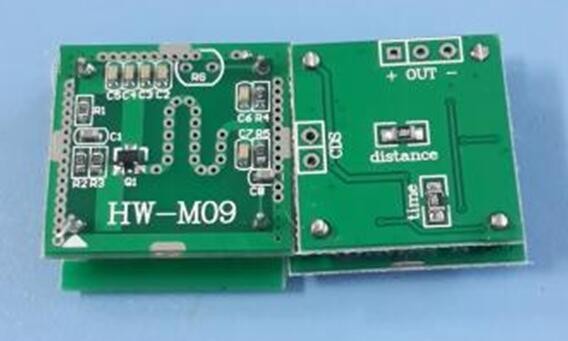
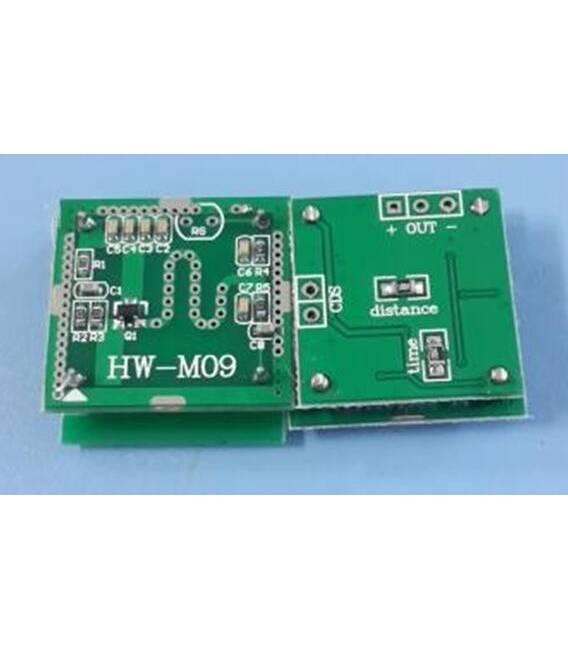
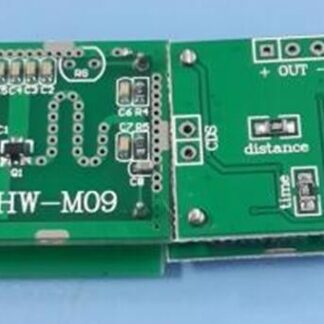
The Microwave Sensor Module HW-M09 is a passive component designed for microwave detection. It can be used in projects that require distance measurement or motion detection.
Features
- Type: Microwave Sensor
- Model: HW-M09
- SKU: ARD0010512
- Price: 5.47 €
- Category: Passive Components
What it is for
The HW-M09 microwave sensor is ideal for projects such as microwave-based motion detectors, object detection systems, or presence sensors. It is compatible with Arduino and can be used by makers and designers of all experience levels.
Tutorial: How to Use HW-M09
The HW-M09 microwave sensor is ideal for projects that require microwave detection, perfect for beginners and intermediate makers.
What you need
- HW-M09
- Arduino
- 10kΩ Resistor
- FFC Connector
- 5V Power Lead
Steps
- 1. Mount the HW-M09 sensor on the circuit using the FFC connector.
- 2. Connect the VCC pin to the 5V pin on the Arduino.
- 3. Connect the GND pin to the GND on the Arduino.
- 4. Connect the OUT pin to pin A0 on the Arduino.
- 5. Connect a 10kΩ resistor between the VCC pin and the OUT pin.
- 6. Load the provided Arduino code.
- 7. Check the datasheet for further details on specifications.
- 8. Test the sensor using the serial console.
Example code
```void loop() { int value = analogRead(A0); Serial.println(value); delay(100);} ```Mini project
Create a simple microwave detector that emits a light signal when microwave presence is detected.
Common mistakes
- Omitting the 10kΩ resistor can damage the sensor.
- Connecting the sensor directly to VCC without a resistor can cause a short circuit.
- Do not use an Arduino other than 5V.
- Forgetting to connect the GND pin can prevent the proper functioning of the sensor.
Recommended accessories
- Arduino UNO
- LED
- Aluminum resistor
- 5V power cable
Frequently asked questions
Does the sensor work with Arduino of other specifications?
The sensor is designed to work with 5V Arduino.
How long does the battery last?
The SENSOREHW-M09 does not use a battery, it requires external power.
Does the sensor work with microwaves of any frequency?
Check the datasheet for detailed specifications on detection frequency.
How can I test the sensor?
Connect the sensor to the Arduino and use the provided code to display values on the serial monitor.
Reviews
There are no reviews yet.