 EN
 IT Italiano
 ES Español
 FR Français
 DE Deutsch
Description
What it is
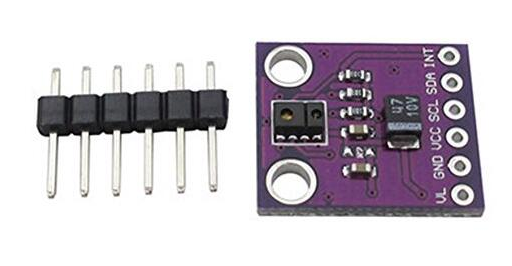
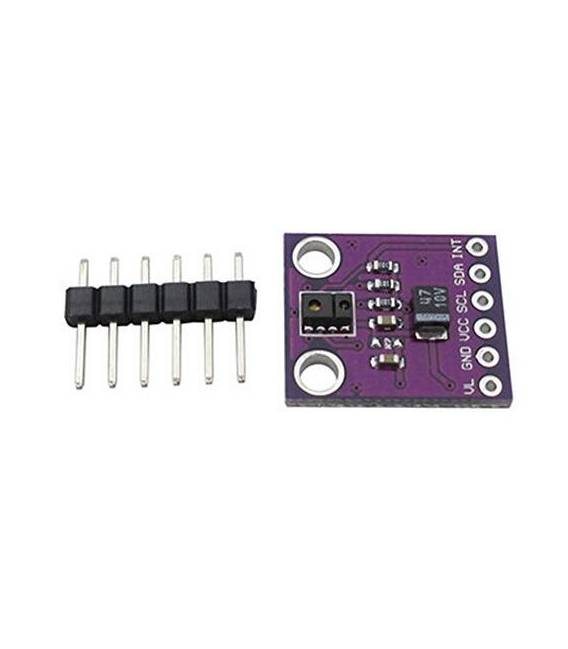
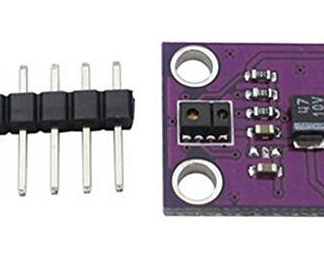
The APDS-9930 Proximity Sensor is a component for Arduino projects that allows distance measurement and object orientation detection. This sensor breakout board includes the APDS-9930 chip, ideal for robotics and automation applications.
Features
- APDS-9930 Proximity Sensor
- Usable with Arduino and other microcontrollers
What it is for
The sensor can be used to create remote alarm systems, obstacle detection in robotics, and human interface projects. Check the datasheet for complete technical specifications.
Tutorial: How to Use APDS-9930 Breakout Board
The APDS-9930 sensor is ideal for measuring distance and detecting orientation. Useful for human interface and automation projects.
What you need
- Arduino UNO or compatible
- FTDI cable
- 10kΩ resistor
- Multimeter
Steps
- 1. Installation: Download the APDS9930 library for Arduino.
- 2. Connection: Connect to the breakout board as indicated.
- 3. Configuration: Insert the correct pins in the code.
- 4. Test: Run the code and check the results.
- 5. Calibration: Check the calibration parameters on the datasheet.
- 6. Testing: Verify functionality with different objects.
- 7. Debugging: Fix any errors.
- 8. Usage: Integrate into your project.
Example code
```cpp
#include <APDS9930.h>

APDS9930 apds;

void setup() {
  Serial.begin(9600);
  apds.begin();
}

void loop() {
  int distanza = apds.getProximity();
  Serial.println(distanza);
  delay(1000);
}
```
Mini project
Create a remote alarm: connect the sensor to an Arduino and activate an LED when an object approaches.
Common mistakes
- Incorrect connection: Check the pins.
- Outdated library: Make sure you are using the latest version.
- Incorrect code: Check the syntax.
- Power issues: Check the current.
Recommended accessories
- LED
- 220Ω resistor
- Distance control product
Frequently asked questions
What are the power requirements?
Power from 3.3V to 5V, maximum 40mA.
Can I use an Arduino Nano?
Yes, but check pin compatibility.
How can I calibrate the sensor?
Check the datasheet for calibration parameters.
Does the sensor work with batteries?
Yes, but it uses a stable power source.
Reviews
There are no reviews yet.