 EN
 IT Italiano
 ES Español
 FR Français
 DE Deutsch
Description
What it is
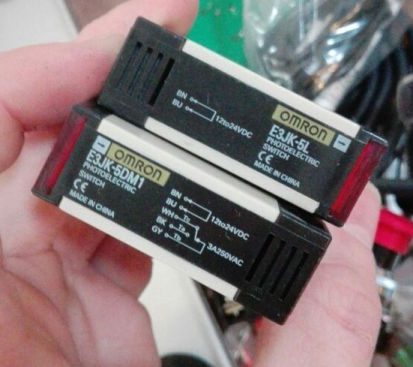
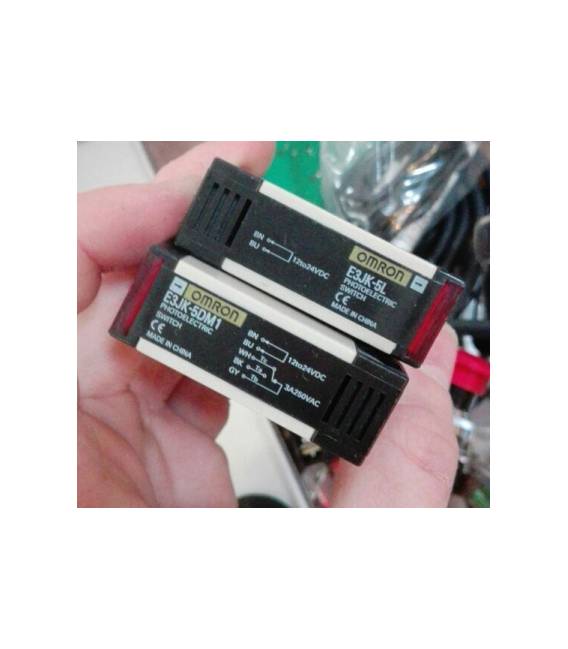
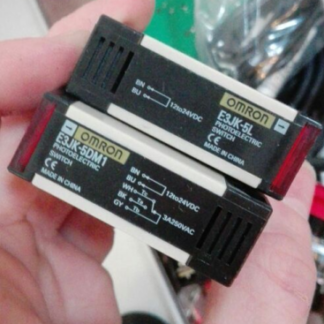
The E3JK-5M2 E3JK-5L photoelectric sensor is a device designed to detect movements and obstacles in domestic or industrial environments. This type of sensor is often used in robotics and automation.
Features
- Type: Photoelectric Push Button Sensor E3JK-5M2 E3JK-5L
- Power Supply Variables: 24-240VAC, 12-240VDC
- Detection Range: 5 meters (check the datasheet)
What it is for
This sensor can be used to create simple alarm systems by connecting the device to a servomotor and a bell. It is suitable for both beginners and intermediate makers.
Tutorial: How to Use the Push Button Sensor E3JK-5M2/E3JK-5L
This photoelectric sensor is ideal for detecting movements in domestic and industrial environments. Useful for beginners and intermediate makers.
What you need
- E3JK-5M2/E3JK-5L Sensor
- Arduino or compatible microcontroller
- Power cable
- 10kΩ resistor (for debounce)
Steps
- 1. Check the datasheet for power supply specifications.
- 2. Connect the sensor to the power supply (24-240VAC or 12-240VDC).
- 3. Connect the output pin to a digital pin on the microcontroller.
- 4. Connect a debounce resistor between the output pin and GND.
- 5. Download a simple code to test the sensor.
- 6. Try moving the sensor and verify that the LED on the sensor and the digital signal on the microcontroller activate.
- 7. Adapt the code to your specific needs.
- 8. Install the sensor in a central position to optimize its functionality.
Example code
```cpp
int sensorPin = 2;
int sensorValue = 0;

void setup() {
  pinMode(sensorPin, INPUT);
  Serial.begin(9600);
}

void loop() {
  sensorValue = digitalRead(sensorPin);
  Serial.println(sensorValue);
  delay(1000);
}
```
Mini project
Create a simple alarm system by connecting the sensor to a servomechanism and a bell.
Common mistakes
- Do not follow the power supply specifications exactly.
- Do not use a debounce resistor.
- Connect the sensor to an analog pin.
- Omit the code verification.
Recommended accessories
- Servomechanism
- Bell
- Arduino Microcontroller
- Power Supply Cable
Frequently asked questions
How can I check if the sensor is working?
Connect the sensor to a microcontroller and verify that the digital signal activates when it moves.
Does the sensor work with different power supplies?
Yes, it works with power supplies from 24VAC to 240VAC or from 12VDC to 240VDC.
Can I use this sensor to detect movements in well-lit environments?
Check the datasheet for light sensitivity and consider using an optical filter if necessary.
Reviews
There are no reviews yet.