 EN
 IT Italiano
 ES Español
 FR Français
 DE Deutsch
Description
What it is
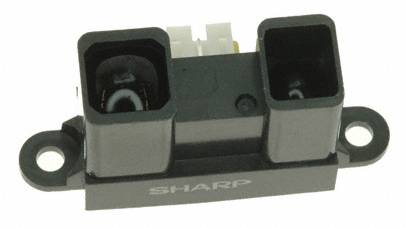
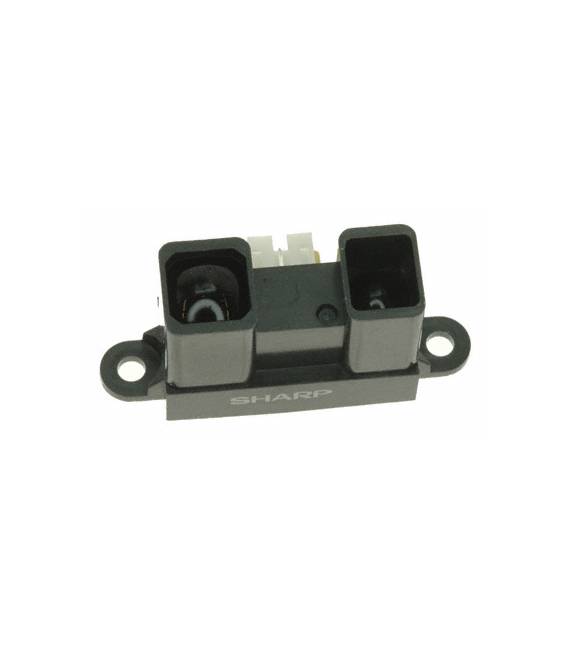
The GP2Y0A02YK0 detector is a distance measurement device that outputs an analog signal. It is designed to detect objects at distances between 20 and 150 cm.
Features
- Measures distance from 20 to 150 cm
- Analog output
What it is for
The GP2Y0A02YK0 detector is ideal for robotics projects, security systems, and home automation. You can use it to create an alarm system that alerts when an object enters the sensor’s detection range.
Tutorial: How to Use the GP2Y0A02YK0 Distance Sensor
The GP2Y0A02YK0 distance sensor is ideal for projects that require distance measurement from objects up to 150 cm. This component is particularly useful for robots, security systems, and home automation projects.
What you need
- Arduino Uno
- USB cable
- Resistance cartridge
- Breadboard
Steps
- Connect the sensor to the Arduino’s analog pin A0
- Connect the power supply (5V) to the sensor
- Connect the ground (GND) to the sensor
- Open the Arduino IDE and load an example sketch
- Check the sensor reading on the serial monitor
- Adjust the code to fit your project
- Test the sensor with different objects at various distances
- Optimize the code to improve accuracy
Example code
int sensorPin = A0;
int sensorValue;

void setup() {
  Serial.begin(9600);
}

void loop() {
  sensorValue = analogRead(sensorPin);
  Serial.println(sensorValue);
}
Mini project
Create a home alarm system that alerts when an object enters the sensor’s detection range. You can add an LED that lights up when the alarm is activated.
Common mistakes
- Do not verify the correct power supply of the sensor
- Do not connect the sensor pins correctly
- Do not check the sensor reading on the serial monitor
- Do not adapt the code to your project
Recommended accessories
- Arduino Uno
- Test connection
- Resistance cartridge
- Breadboard
Frequently asked questions
Does the sensor work at distances less than 20 cm?
No, check the datasheet for the minimum detection distance.
Can I connect the sensor to a different supply voltage?
No, check the datasheet for the supported supply voltage.
What is the precision of the sensor?
Check the datasheet for the sensor precision.



Reviews
There are no reviews yet.