 EN
 IT Italiano
 ES Español
 FR Français
 DE Deutsch

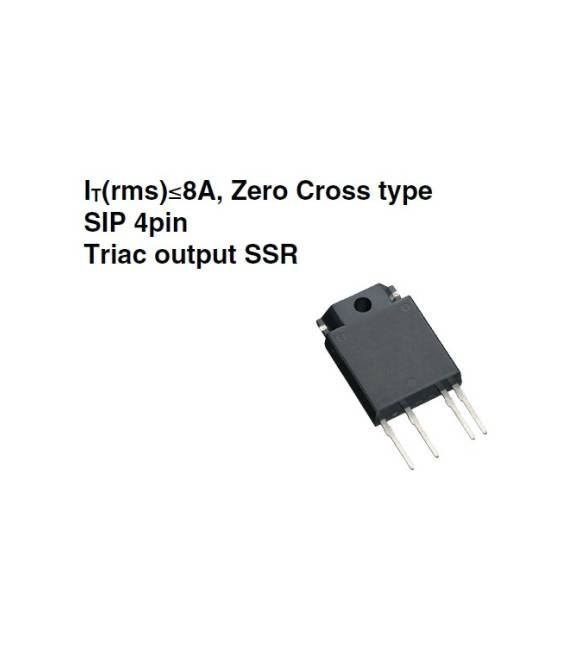
Description
What it is
The solid state relay S202S02F is an electronic component that allows high current circuits to be controlled via a low current digital signal. Unlike traditional relays that use mechanical contacts, solid state relays use an integrated circuit for current switching, offering greater reliability and longevity.
Features
- Type: Solid State Relay
- Model: S202S02F
- SKU: ARD0011130
- Price: 10.57 €
- Category: Pre-order
What it is for
The solid state relay S202S02F is ideal for Arduino projects and power circuits. It can be used to automate electrical circuits, separating electronic control from the electrical circuit. Examples of use include turning lights, motors, or other high power devices on and off via a digital signal from a microcontroller.
Tutorial: How to use Solid State Relay S202S02F
The solid state relay S202S02F is ideal for those who want to automate electrical circuits, separating electronic control from the electrical circuit. Useful for Arduino projects and power circuits.
What you need
- Solid state relay S202S02F
- Arduino or microcontroller
- Power supply
- Connection wire
Steps
- 1. Check that the relay has an available datasheet.
- 2. Identify the input and output pins on the relay.
- 3. Connect the relay input pin to the Arduino digital pin.
- 4. Connect the relay output pin to the load to be controlled.
- 5. Check the datasheet for maximum voltage and current.
- 6. Power the relay with the specified voltage.
- 7. Load the Arduino code to control the relay.
- 8. Test the relay to ensure it works correctly.
Example code
```
int relayPin = 2;
void setup() {
  pinMode(relayPin, OUTPUT);
}
void loop() {
  digitalWrite(relayPin, HIGH);
  delay(5000);
  digitalWrite(relayPin, LOW);
  delay(5000);
}
```
Mini project
Create a simple automatic lighting system. Connect a relay to an electrical switch and a lamp. When the switch is pressed, the relay closes the connection and turns on the lamp.
Common mistakes
- Connect the relay to a pin not compatible with the voltage.
- Omit to check the datasheet.
- Power the relay with a voltage higher than the specified value.
- Forget to add a pull-up or pull-down resistor.
Recommended accessories
- Solid state relay S202S02F
- Arduino Uno
- 5V power supply
- Connection cable
Frequently asked questions
Does the relay work with Arduino?
Yes, the relay can be controlled directly from an Arduino using digital pins.
Which Arduino pin to use?
Use a digital pin compatible with the relay’s voltage.
Can the relay handle high currents?
Check the datasheet for the maximum allowed current.



Reviews
There are no reviews yet.