 EN
 IT Italiano
 ES Español
 FR Français
 DE Deutsch
Description
What it is
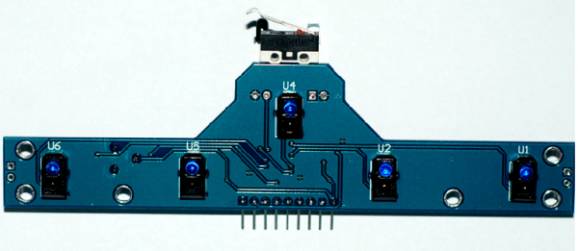
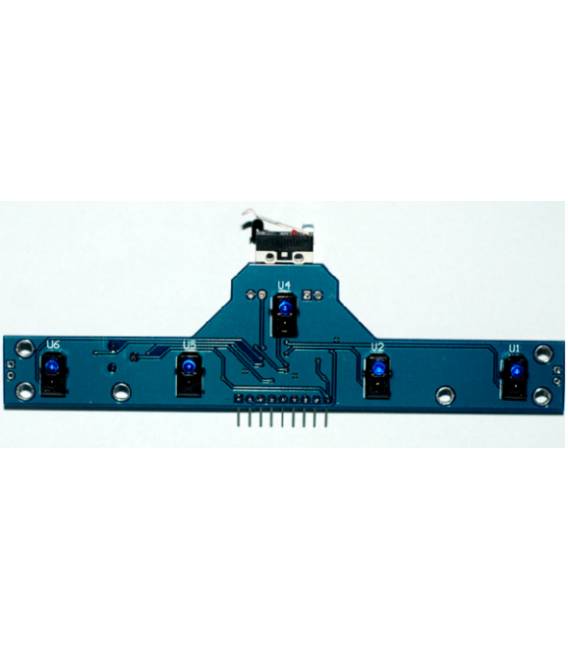
The TCRT5000 infrared module is a sensor designed for object tracking in motion. It consists of 5 independent detection channels, allowing simultaneous monitoring of multiple areas.
Features
- 5 detection channels
- Infrared technology
- SKU: ARD0011138
- Price: 7.54 €
- Availability: Pre-order
What it is for
The TCRT5000 module is ideal for electronic tracking projects, such as creating alarm systems for motion detection. It can be used with microcontrollers like Arduino and ESP, generating output signals that can activate devices such as buzzers or LED lights.
Tutorial: How to use TCRT5000
The TCRT5000 is an infrared sensor for track detection. Useful for electronic tracking projects, perfect for beginners and intermediates.
What you need
- Arduino UNO
- Power supply cable
- 10kΩ resistor
Steps
- 1. Installation: Mount the TCRT5000 on the sensor module support.
- 2. Connection: Connect VCC to 5V, GND to GND, and the SOUT pin to a digital pin of Arduino.
- 3. Add the resistor: Connect the SOUT pin to the resistor and then to GND.
- 4. Load the code: Use the provided code.
- 5. Test: Turn on the Arduino and verify if the sensor works correctly.
- 6. Adapt: Adapt the code for your project.
- 7. Test: Try blocking the sensor and verify that the signal is blocked.
- 8. Repeat: Repeat steps 5-7 until the sensor works as desired.
Example code
```cpp
#include <Wire.h>

void setup() {
  Serial.begin(9600);
  pinMode(2, INPUT);
}

void loop() {
  int value = digitalRead(2);
  Serial.println(value);
}
```
Mini project
Create an alarm signal when something approaches the sensor. Connected to a buzzer, the sensor’s output signal can make the buzzer sound when something approaches.
Common mistakes
- Forget to connect the resistor correctly.
- Connect VCC to 3.3V instead of 5V.
- Fail to initialize the output pin correctly.
- Do not check the output signal with a serializing software.
Recommended accessories
- Buzzer
- Power cable
- Electronic bag
- 1kΩ resistor
Frequently asked questions
How can I check if the sensor works?
Check with a serializing software that the output signal changes when something gets close.
Can I use this sensor with an Arduino Nano?
Yes, it is compatible with any Arduino.
Does the sensor work with batteries?
Check the datasheet, but the sensor works better with continuous power.



Reviews
There are no reviews yet.