 EN
 IT Italiano
 ES Español
 FR Français
 DE Deutsch
Description
…
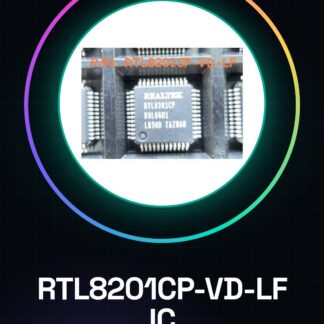
Tutorial: How to Use RTL8201CP-VD-LF IC
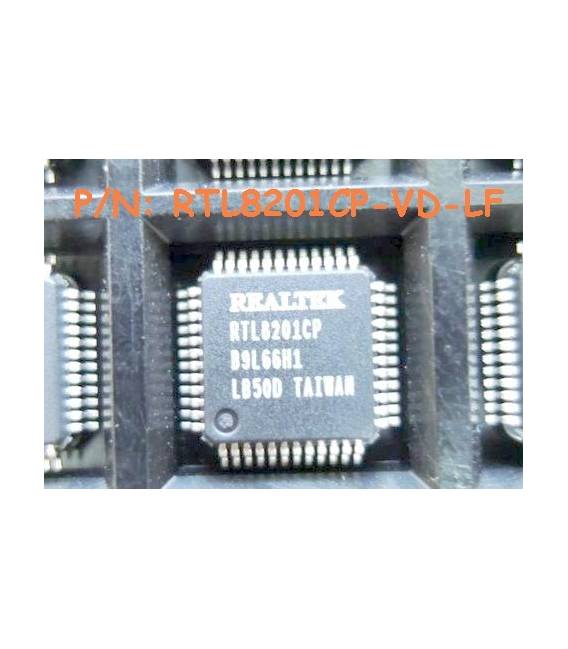
The RTL8201CP-VD-LF is an Ethernet chip that allows your creations to connect to the Internet. Perfect for Arduino and Raspberry Pi projects.
What you need
- Arduino or Raspberry Pi
- internet connection
- Ethernet cable
Steps
- Check the specifications of the RTL8201CP-VD-LF in the datasheet.
- Connect the Ethernet chip to the Ethernet port of your Arduino/Raspberry Pi (check the pins).
- Install the necessary library to manage Ethernet on Arduino or Python on Raspberry Pi.
- Configure the Ethernet module settings in your code.
- Test the Internet connection through a simple script that sends an HTTP request to a web server.
Example code
//Esempio di codice per Arduino
#include <Ethernet.h>
byte mac[] = { 0xDE, 0xAD, 0xBE, 0xEF, 0xFE, 0xED };
IPAddress ip(192, 168, 1, 177);
EthernetClient client;
void setup() {
  Ethernet.begin(mac, ip);
}
void loop() {
  if (client.connect("www.arduino.cc", 80)) {
    client.println("GET / HTTP/1.0");
    client.println();
    while(client.connected()) {
      if (client.available()) {
        char c = client.read();
        Serial.print(c);
      }
    }
    client.stop();
  }
}
Mini project
Create a remote monitoring system that sends data over the Internet to a web platform.
Common mistakes
- Incorrect IP settings
- Libraries not installed correctly
- Pins connected incorrectly
- Ethernet connection issues
Recommended accessories
- Ethernet cable (SKU: ARD01234)
- Arduino Uno R3 (SKU: ARD05678)
- Raspberry Pi 4 Model B (SKU: ARD09101)
- SD Card for Raspberry Pi (SKU: ARD08910)
Frequently asked questions
Which libraries do I need to install?
For Arduino, use Ethernet.h. For Python on Raspberry Pi, use requests.
How do I connect the chip to the computer?
Use an Ethernet cable to connect it to an available Ethernet port.
Reviews
There are no reviews yet.