 EN
 IT Italiano
 ES Español
 FR Français
 DE Deutsch
Description
What it is
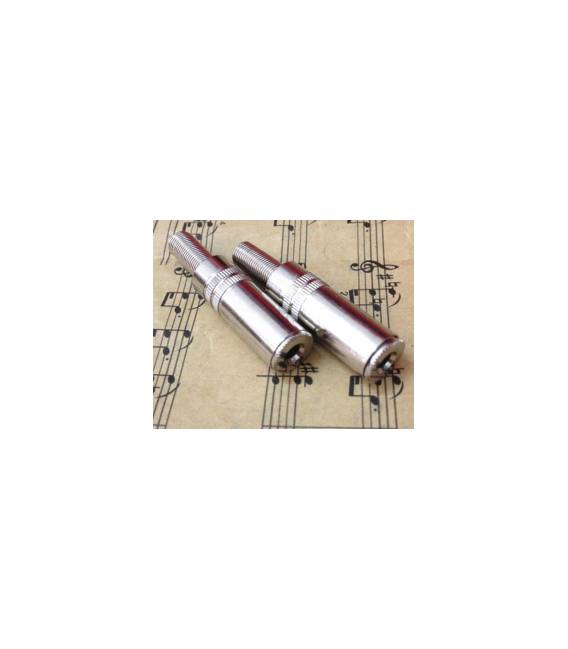
The 3.5mm Audio Female Connector is an essential component for connecting audio devices such as speakers, headphones, and microphones to your Arduino-based electronic projects. This connector is crucial for implementing audio processing systems, recording, and microphone testing.
Features
- Type: 3.5mm Audio Female Connector
- SKU: ARD0011492
- Price: 1.97 €
- Category: Pre-order
What it is for
This connector is ideal for audio processing projects, recording, and microphone testing. You can use it to connect speakers, headphones, and microphones to your Arduino board or similar devices. It is perfect for creating a simple audio recording system with a microphone connected to an Arduino that saves audio data to an SD card.
Tutorial: How to Use 3.5mm Audio Female Connector
The 3.5mm audio connector is essential for connecting devices such as headphones, microphones, and other audio instruments to your Arduino board or similar devices. Ideal for audio processing projects, recording, and microphone testing.
What you need
- Arduino Uno
- 3.5mm audio cable
- Microphone or headphones
- Test connections
Steps
- Ensure the connector is compatible with the destination device.
- Connect the connector to the source device using the 3.5mm audio cable.
- Check the electrical connections between the connector and the destination device.
- If necessary, connect the connector pins to specific Arduino pins (e.g., GND, VCC, AUDIO).
- Verify the quality of the received or transmitted audio signal.
- If necessary, adjust the connections and try again.
- Test the connector with a microphone or headphones to ensure it works correctly.
- If everything works correctly, the connector is ready to be used in a larger project.
Mini project
Create a simple audio recording system with a microphone connected to an Arduino that saves audio data to an SD card.
Common mistakes
- Do not check the connector’s compatibility with the device.
- Do not properly connect the connector’s pins.
- Do not adequately test the audio signal.
- Do not check the quality of the received or transmitted audio signal.
Recommended accessories
- 3.5mm audio cable
- Condenser microphone
- SD Card Shield for Arduino
- Test connections
Frequently asked questions
How can I verify the connector’s compatibility?
Check the connector’s and destination device’s datasheet.
Which pins should I connect?
Check the connector’s and destination device’s datasheet.
How can I test the connector?
Connect a microphone or headphones and listen to the audio signal.



Reviews
There are no reviews yet.