 EN
 IT Italiano
 ES Español
 FR Français
 DE Deutsch
Description
What it is
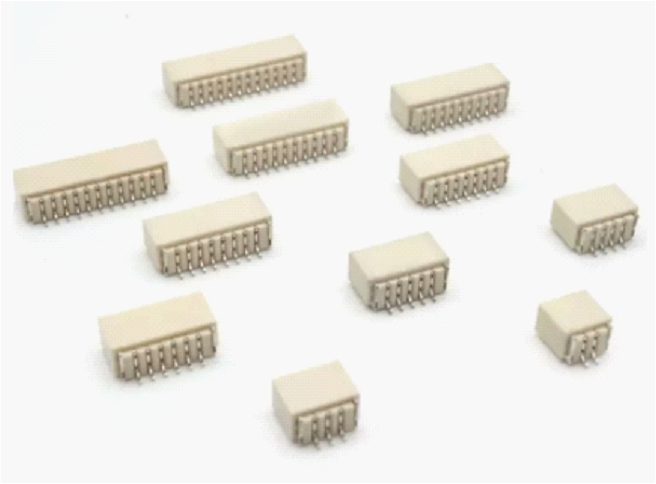
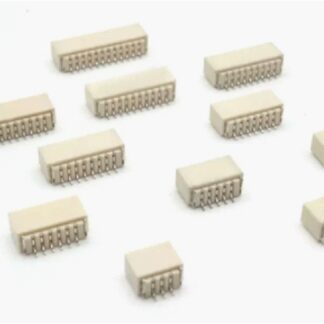
The PCB 9P SH1.0 horizontal connector is an electronic component designed to facilitate the connection between two or more printed circuit boards (PCB) or between a PCB and a 3D print. This connector is particularly useful for projects that require easy connection and disconnection of electronic components.
Features
- Number of poles: 9
- Connector type: SH1.0
- Orientation: horizontal
- Used for Arduino, Raspberry Pi and other microcontrollers
- Check the datasheet for detailed technical specifications
What it is for
This connector is ideal for creating a connection system between an Arduino and an LCD display, facilitating maintenance and portability of the project. Additionally, it can be used in 3D printing projects to connect electronic components to printed supports.
Tutorial: How to use PCB 9P SH1.0 horizontal connector
The SH1.0 horizontal 9P PCB connector is an essential component for electronic projects requiring connection between two or more printed circuit boards. It is ideal for makers working with Arduino, Raspberry Pi, and other microcontrollers.
What you need
- Printed Circuit Boards
- Connection Wires
- Soldering Tools
- Test Leads
Steps
- Prepare the printed circuit boards and connection wires
- Position the connector on the printed circuit board
- Solder the connector contacts to the printed circuit board
- Check the connection with a multimeter
- Connect the wires to the connector pins
- Check the wire connections
- Test the complete connection
Mini project
Create a connection system between an Arduino and an LCD display using the SH1.0 horizontal 9P PCB connector to facilitate maintenance and portability of the project.
Common mistakes
- Soldering the connector contacts incorrectly
- Using unsuitable connection wires
- Do not check the connection before using the project
- Do not use an inadequate support for the connector
Recommended accessories
- Soldering kit
- Test leads
- Multimeter
- Connection cable kit
Frequently asked questions
How can I check the connection?
Use a multimeter to check continuity between the connector contacts and the printed circuit board.
What are the advantages of using this connector?
It allows you to easily connect two printed circuit boards and facilitates the maintenance and assembly of the project.
Can I use this connector with other microcontrollers?
Yes, the connector is compatible with various microcontrollers such as Arduino and Raspberry Pi, but check the dimensions of your devices’ connectors.
Reviews
There are no reviews yet.