 EN
EN IT Italiano
 ES Español
 FR Français
 DE Deutsch
Description
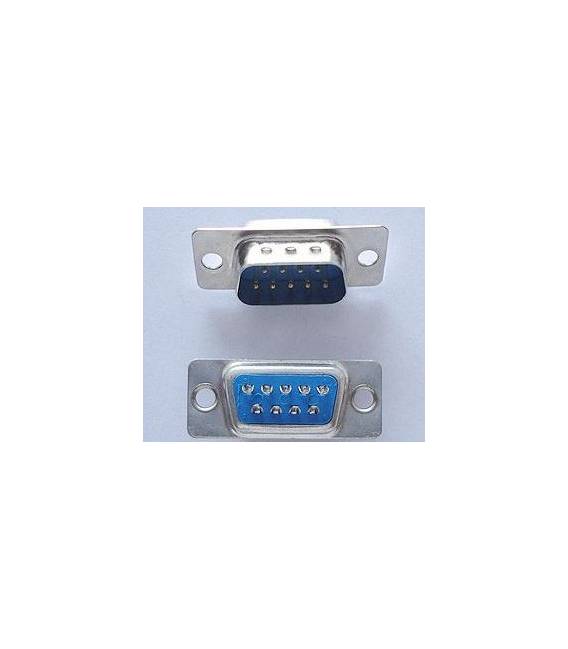
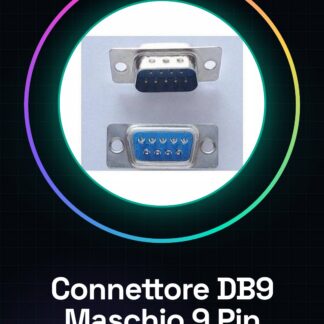
Tutorial: How to Use DB9 Male RS232 Connector The DB9 connector is essential for serial communication in various electronic projects, such as Arduino or control systems. This tutorial guides you through installing the DB9 male RS232 connector. What you need: Arduino, USB-A to B (or microUSB) cable, wire stripper, multimeter. Steps: Verify the connector is compatible with your Arduino board or device. Check specifications on the datasheet. Use a wire stripper to open space on one side of the printed circuit board (PCB) where you want to install the DB9 connector. Place the DB9 connector on the PCB and ensure it is properly aligned with the mounting lines. Use the wire stripper to solder the connector pins to the PCB, following the correct orientation. Confirm pin placement on the datasheet. Check all connections with a multimeter in continuity mode, ensuring no short circuits or breaks. If necessary, apply resin or sealant to further secure the connector to the PCB. Mini-project: Create a simple serial monitoring system that sends data from your Arduino to a computer via an RS232 cable. Common mistakes: Mounting the connector incorrectly or out of position. Not checking continuity before using the connector. Using an incompatible connector with the project hardware. Recommended accessories: RS232 cable, digital multimeter, electronic sealant. Frequently asked questions: My connector is not working. What should I do? Check continuity with a multimeter and ensure the connector is compatible with the project hardware. Can I use this connector for purposes other than RS232 communication? Yes, but verify the electrical specifications on the datasheet before using it in another context.
Reviews
There are no reviews yet.