 EN
 IT Italiano
 ES Español
 FR Français
 DE Deutsch
Description
What it is
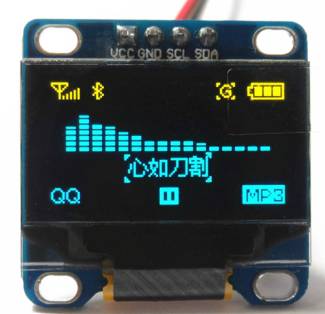
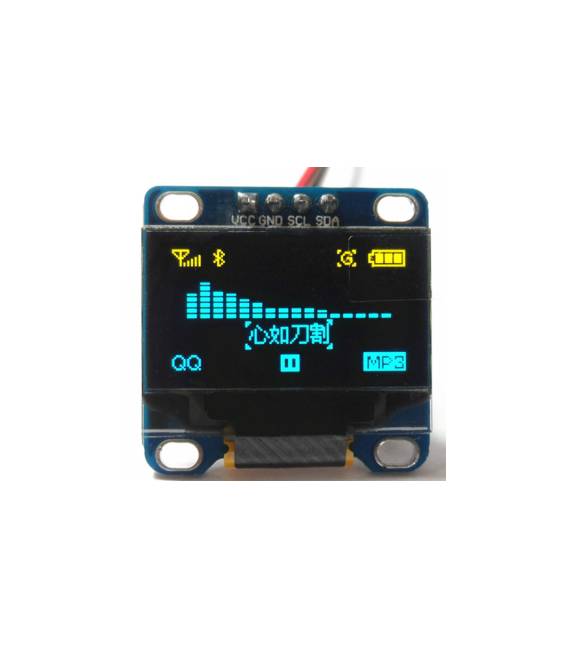
Bicolor blue and yellow OLED 0.96 inch LCD module with I2C interface and 4 pins. With a resolution of 128×64 pixels, it allows for clear and concise information display.
Features
- Display size: 0.96 inch
- Resolution: 128×64 pixels
- Technology: OLED
- Colors: Blue and yellow
- Interface: I2C
- Pins: 4
What it is for
This LCD module is ideal for displaying information on Arduino projects, such as time, sensor data, or status messages. Its small size and clear display make it perfect for embedded applications and portable devices. Compatibility with the I2C interface simplifies integration with Arduino and ESP microcontrollers.
Tutorial: How to use the I2C 0.96″ 12864 LCD Module
This LCD module is ideal for displaying information on Arduino projects. Perfect for beginners and intermediates.
What you need
- Arduino or compatible
- Jumper cable
- 10kΩ resistor
Steps
- 1. Connect the VCC and GND pins of the module to the Arduino.
- 2. Connect the SDA pin to the SDA pin of the Arduino.
- 3. Connect the SCL pin to the SCL pin of the Arduino.
- 4. Connect the A0 pin to the 10kΩ resistor, then to GND.
- 5. Load the provided Arduino code.
- 6. Check the datasheet for specific settings.
- 7. Try to display text or numbers.
- 8. Configure the module to your needs.
Example code
```
#include <Wire.h>
#include <LiquidCrystal_I2C.h>

LiquidCrystal_I2C lcd(0x27, 16, 2);

void setup() {
  lcd.init();
  lcd.backlight();
}

void loop() {
  lcd.clear();
  lcd.print("Benvenuto su");
  lcd.setCursor(0, 1);
  lcd.print("Arduino!");
}
```
Mini project
Create a simple stopwatch using the LCD module to display time.
Common mistakes
- Do not connect the SDA and SCL pins correctly.
- Forget to set the pull-up resistor.
- Use incorrect pins for VCC and GND.
- Do not check the specific settings on the datasheet.
Recommended accessories
- Arduino Uno
- Jumper cable
- 10kΩ resistor
- 3.7V LiPo battery
Frequently asked questions
Does the module work with Arduino Mini?
Yes, it works with any compatible Arduino.
Can I use a different power supply?
Check the datasheet for supported supply voltages.
How can I customize the module?
Configure settings in the Arduino code.



Reviews
There are no reviews yet.