 EN
 IT Italiano
 ES Español
 FR Français
 DE Deutsch
Description
Technical Description
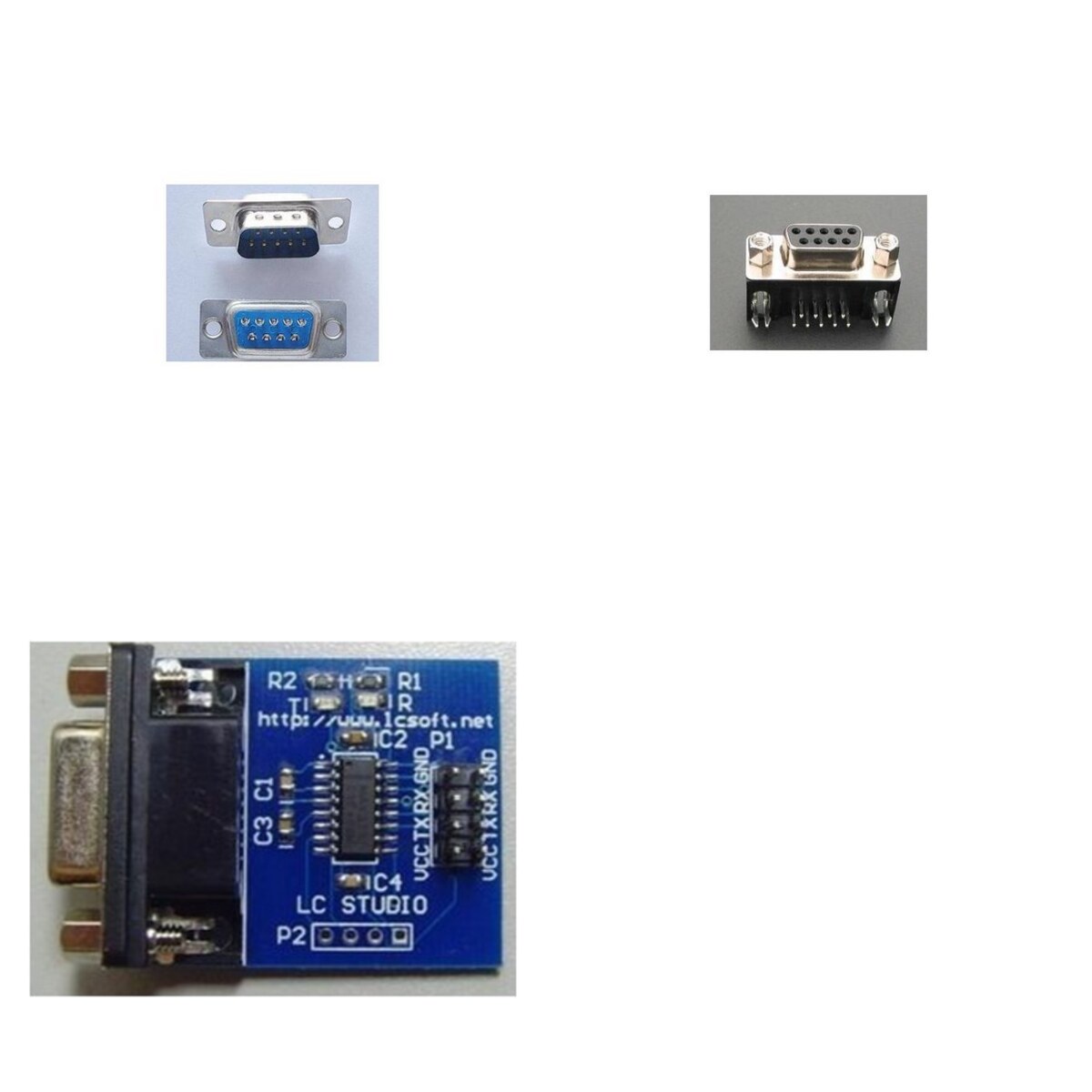
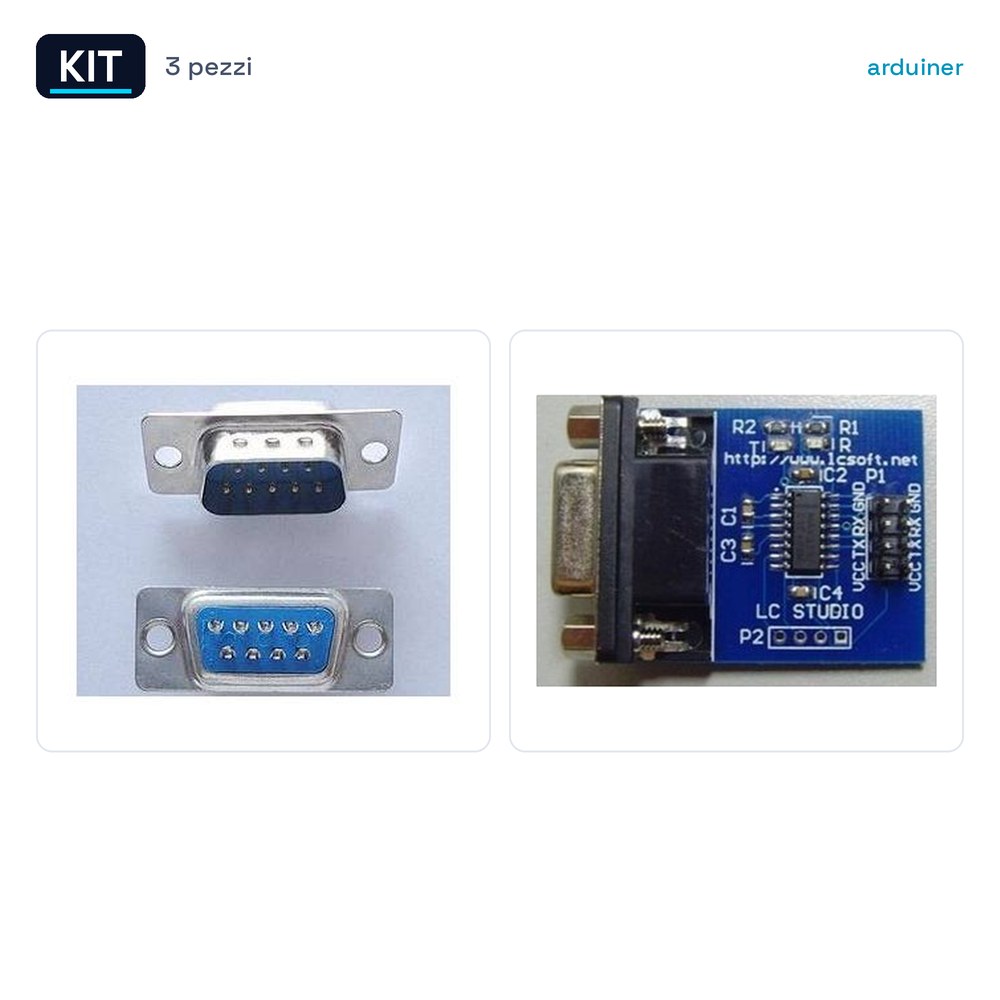
The 4-Piece DB9 Male 9-Pin Connector Set + 3-Piece DB9 Female Connector + Serial RS232 Converter is a set of components useful for projects requiring RS232 connectors and serial interface modules. This kit includes DB9 male and female connectors, essential for connecting RS232 devices, and a serial RS232 converter for TTL communication.
DB9 connectors are commonly used for RS232 serial communication between computers and external devices, while the serial RS232 converter allows TTL devices to interface with RS232 systems.
This kit is suitable for projects requiring RS232 device connections and TTL signal conversion to RS232.
Key Specifications
| Parameter | Value |
| Model | Kit of 4 Pieces DB9 Male 9 Pin Connector + 3 Pieces DR9 Female Connector + RS232 Serial Converter |
| Quantity | 4 pieces DB9 Male, 3 pieces DR9 Female, 1 RS232 converter |
| Interface | RS232 |
| Container | N/D (see manufacturer’s technical sheet) |
Installation and Usage
- Check that all components in the kit are present.
- Connect the RS232 serial converter to the DB9 male connector.
- Connect the DB9 male connector to an RS232 device.
- Verify the correct RS232 communication between devices.
- Proceed with the RS232 device configuration.
Compatibility and Requirements
- This kit is compatible with devices that use the RS232 interface.
- A RS232 serial converter is required for TTL communication.
- The DB9 and DR9 connectors can be used with systems that support the RS232 interface.
Limitations and Important Notes
- The kit does not include power supply.
- Ensure that connected devices are compatible with the RS232 interface.
- RS232 communication requires a serial converter for TTL devices.
- No detailed instruction manual is provided.
Troubleshooting
RS232 communication does not work.
Probable cause: The serial converter is not properly connected.
Solution: Check the RS232 serial converter connection and repeat the configuration.
The DB9 connector does not connect to the device.
Probable cause: The DB9 connector may be damaged.
Solution: Replace the DB9 connector with a new one.
The RS232 serial converter does not respond.
Probable cause: The converter may not be powered correctly.
Solution: Check the power supply of the RS232 serial converter.
RS232 communication is intermittent.
Possible cause: There may be electronic interference.
Solution: Remove any sources of electronic interference.
Use cases
Home temperature sensor
Objective: Monitor the internal temperature of the home.
What’s needed: RS232 serial converter, DB9 male connector.
Steps: 1) Connect the temperature sensor to the RS232 serial converter. 2) Connect the RS232 serial converter to the DB9 male connector. 3) Configure the temperature sensor for RS232 communication.
Expected result: The internal temperature of the home is monitored and recorded.
Check water level in a tank
Objective: Monitor the water level in a tank.
What’s needed: RS232 serial converter, DB9 male connector.
Steps: 1) Connect the water level sensor to the RS232 serial converter. 2) Connect the RS232 serial converter to the DB9 male connector. 3) Configure the water level sensor for RS232 communication.
Expected result: The water level in the tank is monitored and recorded.
Monitor air quality in a laboratory
Objective: Monitor air quality in a laboratory.
What is needed: RS232 serial converter, DB9 male connector.
Steps: 1) Connect the air quality sensor to the RS232 serial converter. 2) Connect the RS232 serial converter to the DB9 male connector. 3) Configure the air quality sensor for RS232 communication.
Expected result: Air quality in the laboratory is monitored and recorded.
Check battery level in an emergency system
Objective: Monitor battery level in an emergency system.
What is needed: RS232 serial converter, DB9 male connector.
Steps: 1) Connect the battery level sensor to the RS232 serial converter. 2) Connect the RS232 serial converter to the DB9 male connector. 3) Configure the battery level sensor for RS232 communication.
Expected result: The battery level in the emergency system is monitored and recorded.
Monitor energy consumption in an industrial plant
Objective: Monitor energy consumption in an industrial plant.
What is needed: RS232 serial converter, DB9 male connector.
Steps: 1) Connect the energy consumption sensor to the RS232 serial converter. 2) Connect the RS232 serial converter to the DB9 male connector. 3) Configure the energy consumption sensor for RS232 communication.
Expected Result: The energy consumption in the industrial facility is monitored and recorded.
Check the water level in an agricultural reservoir
Objective: Monitor the water level in an agricultural reservoir.
What’s needed: RS232 serial converter, DB9 male connector.
Steps: 1) Connect the water level sensor to the RS232 serial converter. 2) Connect the RS232 serial converter to the DB9 male connector. 3) Configure the water level sensor for RS232 communication.
Expected Result: The water level in the agricultural reservoir is monitored and recorded.
Monitor the temperature in a research laboratory
Objective: Monitor the temperature in a research laboratory.
What’s needed: RS232 serial converter, DB9 male connector.
Steps: 1) Connect the temperature sensor to the serial RS232 converter. 2) Connect the serial RS232 converter to the DB9 male connector. 3) Configure the temperature sensor for RS232 communication.
Expected result: The temperature in the research lab is monitored and recorded.
Check the battery level in a security system
Objective: Monitor the battery level in a security system.
What is needed: Serial RS232 converter, DB9 male connector.
Steps: 1) Connect the battery level sensor to the serial RS232 converter. 2) Connect the serial RS232 converter to the DB9 male connector. 3) Configure the battery level sensor for RS232 communication.
Expected result: The battery level in the security system is monitored and recorded.
In the package
- 4 pieces DB9 Male Connector, 3 pieces DR9 Female Connector, 1 RS232 Converter
Complete the project
- 4 Pieces DB9 Male 9 pins RS232 Serial Connector: Used to connect the RS232 serial converter to an RS232 device.
- 3 Pieces DR9 Female RS232 Serial 9 Pins D-Type Connector: Used to connect the RS232 serial converter to an RS232 device.
- USB to RS232 Serial Converter Cable DB9 9 pin: Used to connect the RS232 serial converter to an RS232 device.
- DB9 RS232 Male to Female: Used to connect the RS232 serial converter to an RS232 device.
Technical FAQs
Does the RS232 serial converter work with TTL devices?
Yes, the RS232 serial converter can convert TTL signals to RS232.
What connectors are included in the kit?
The kit includes 4 DB9 male connectors and 3 DR9 female connectors.
How to connect the RS232 serial converter?
Connect the RS232 serial converter to the DB9 male connector for RS232 communication.
What are the limitations of this kit?
The kit does not include power supply and does not come with a detailed instruction manual.
Reviews
There are no reviews yet.