 EN
 IT Italiano
 ES Español
 FR Français
 DE Deutsch
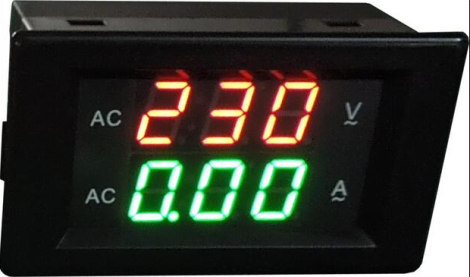
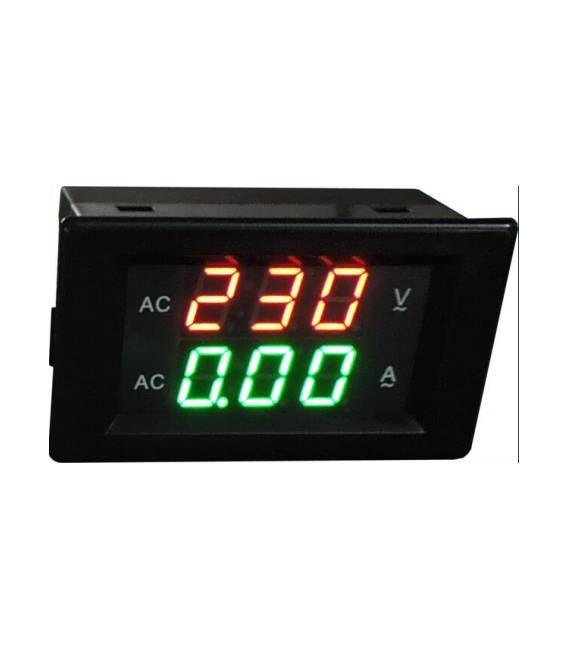
Description
What it is
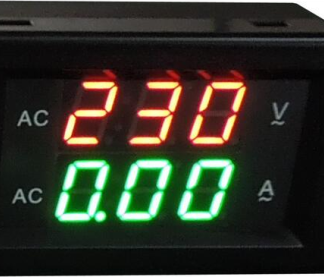
The YB4835VA 500V 500A is a digital voltmeter and ammeter with green and red LED display. It is designed to measure both voltage and current in a circuit.
Features
- Voltage range: 500V
- Current range: 500A
- Display: Green and red LED
- SKU: ARD0010001
- Price: 15.58 €
What it is for
The YB4835VA is useful for monitoring voltage and current in various contexts, such as battery balancing, electronic circuit supervision, and 3D printing project management. It can be connected to an Arduino or other microcontrollers for real-time voltage and current display through specific code.
Tutorial: How to Use Voltmeter and Ammeter YB4835VA
The Voltmeter and Ammeter YB4835VA is ideal for monitoring voltage and current in electronic loads. It is useful for beginners and intermediate makers.
What you need
- YB4835VA
- Arduino
- Power cable
- Multimeter (optional)
Steps
- 1. Check if the V-A supports 500V and 500A (verify in the datasheet).
- 2. Connect the V-A to your electronic circuit.
- 3. Connect the V-A to the Arduino via the specified pins.
- 4. Load the Arduino code (see example).
- 5. Run the code and verify the voltage and current values.
- 6. Use LEDs to signal abnormal conditions.
- 7. Try changing the voltage and observe the changes.
- 8. Verify voltage and current limits with a multimeter (optional).
Example code
```
void setup() {
  Serial.begin(9600);
}

void loop() {
  int tensione = YB4835VA.readVoltage();
  int corrente = YB4835VA.readCurrent();
  Serial.print("Tensione: ");
  Serial.println(tensione);
  Serial.print("Corrente: ");
  Serial.println(corrente);
  delay(1000);
}
```
Mini project
Create a battery charger monitor. Connect the battery to the V-A and the Arduino. Use the provided code to display voltage and current in real-time.
Common mistakes
- Connect the V-A to the circuit without checking compatibility.
- Ignore voltage and current limits.
- Do not use a multimeter to verify values.
- Do not run the code on Arduino before connecting the V-A.
Recommended accessories
- Battery
- Power cable
- Multimeter
- Arduino
Frequently asked questions
How can I check compatibility?
Check the datasheet for voltage and current limits.
Why don’t the LEDs light up?
Make sure the V-A is correctly connected and that the LED pins are configured properly.
Can I use this V-A for voltages above 500V?
No, check the limits on the datasheet.
Reviews
There are no reviews yet.