 EN
 IT Italiano
 ES Español
 FR Français
 DE Deutsch
Description
What it is
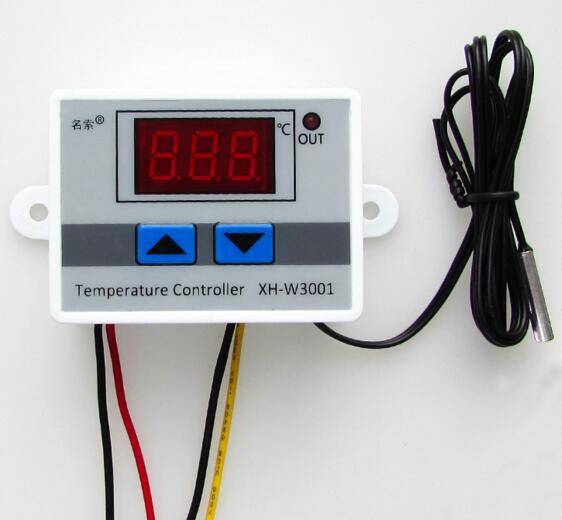
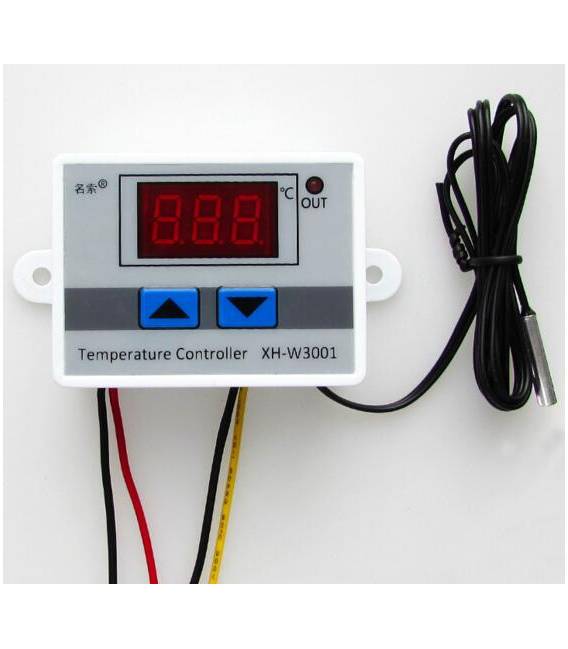
The XH-W3001 is a digital LED temperature controller that allows for heating or cooling control in electronic projects.
Features
- Operating Voltage: 12V / 24V / 220V
- LED Display
- Digital Temperature Control
What it is for
The XH-W3001 is ideal for automating heating or cooling in domestic or industrial environments. It can be used to build automatic heating systems for small spaces, connected to a heating system.
Tutorial: How to Use XH-W3001
The XH-W3001 is a digital LED thermostat ideal for controlling temperatures in domestic or industrial environments. Useful for beginners and intermediates who want to automate heating or cooling.
What you need
- XH-W3001
- 12V/24V/220V Power Cable
- Temperature Sensors
- Connection Cable
Steps
- 1. Check the correct polarity of the power supply.
- 2. Connect a 12V/24V/220V power cable to the XH-W3001.
- 3. Connect the temperature sensor to pin A0.
- 4. Connect the device to be controlled to the relay.
- 5. Configure the setpoint on the display or via the buttons.
- 6. Check the LED to verify the status of the device.
- 7. Refer to the datasheet for further settings.
- 8. Test the operation.
Mini project
Build an automatic heating system for a small space with a XH-W3001 thermostat and a heating system.
Common mistakes
- Incorrect power supply: make sure to use the correct voltage.
- Incorrect connections: carefully check the connections.
- Setpoint not set: make sure to correctly set the setpoint.
- Sensors not working: verify the correct connection and operation of the sensors.
Recommended accessories
- Temperature sensors
- Relay
- 24V power cable
- Arduino
Frequently asked questions
How to set the setpoint?
Press and hold the SET button for 2 seconds, then set the desired temperature.
Does the thermostat work with different voltages?
Yes, it works with 12V, 24V and 220V.
Does the LED indicate something?
The LED indicates the device status: green for operation, red for error.
Can I use this thermostat with an Arduino?
Yes, you can use pin A0 to read the temperature and control the relay status.



Reviews
There are no reviews yet.