 EN
 IT Italiano
 ES Español
 FR Français
 DE Deutsch
Description
What it is
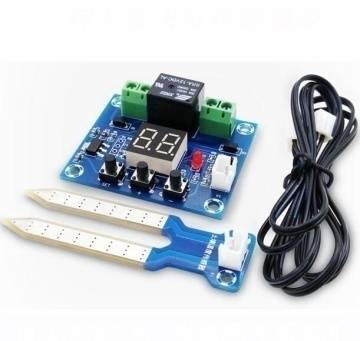
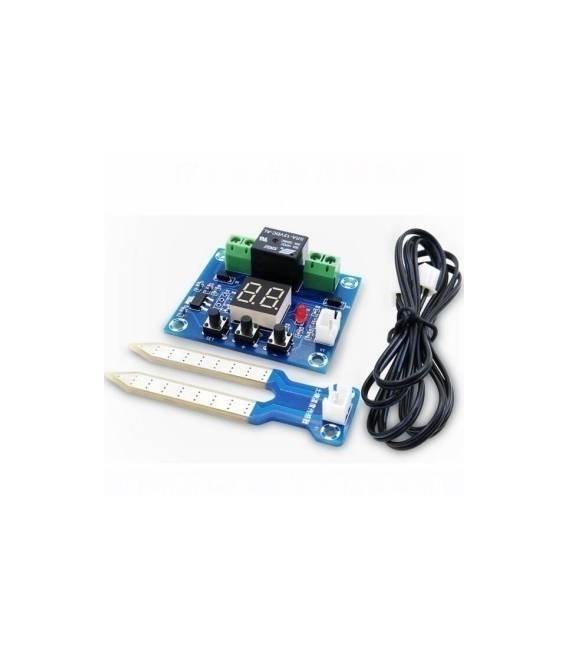
The XH-M214 Soil Moisture Control Module Digital Display is an Arduino module that measures soil moisture. It allows real-time monitoring of soil moisture levels through an integrated digital display.
Features
- Integrated digital display
- Measures soil moisture
- Compatible with Arduino
- SKU: ARD0011334
- Price: 8.29 €
What it is for
The XH-M214 module is ideal for automatic irrigation or soil moisture monitoring projects. You can connect it to an Arduino and program it to turn on an irrigation system when the moisture level drops below a certain threshold.
Tutorial: How to use XH-M214
The XH-M214 digital display allows you to easily monitor soil moisture in an irrigation or cultivation project. Useful for beginners and those who want precise moisture control.
What you need
- Arduino or compatible
- Mass connections
- 5V power lead
- Display XH-M214
Steps
- 1. Connect the display to the Arduino using the following pins: VCC to 5V, GND to ground, D4 to a digital pin on the Arduino.
- 2. Download and install the Adafruit_SSD1306 library.
- 3. Write the following code to initialize the display:
- 4. `#include
` - 5. `Adafruit_SSD1306 display(SSD1306_I2C_ADDRESS, 0x3C);`
- 6. `void setup() {`
- 7. ` display.begin(SSD1306_SWITCHCAPVCC, 0x3C);`
- 8. ` display.display();`
- 9. `}`
- 10. `void loop() {`
- 11. ` display.clearDisplay();`
- 12. ` display.setTextSize(1);`
- 13. ` display.setTextColor(SSD1306_WHITE);`
- 14. ` display.setCursor(0, 0);`
- 15. ` display.println(“Soil humidity”);`
- 16. ` display.display();`
- 17. `}`
Mini project
Build an automatic irrigation system. Connect the XH-M214 to an Arduino and monitor soil moisture. Configure a relay to turn on an irrigation system when the moisture level drops below a certain threshold.
Common mistakes
- Forget to connect VCC to 5V.
- Connect the display to a non-digital pin.
- Fail to install the necessary library.
- Forget to initialize the display.
Recommended accessories
- Relay
- Soil moisture sensors
- Irrigation pump
- Irrigation system
Frequently asked questions
How can I test the display before connecting it?
Check the datasheet for instructions on how to test the display independently.
Can I use an Arduino Uno?
Yes, the Arduino Uno is compatible with this display.
Does the display work with batteries?
Check the datasheet for power specifications.



Reviews
There are no reviews yet.