 EN
 IT Italiano
 ES Español
 FR Français
 DE Deutsch
Description
What it is
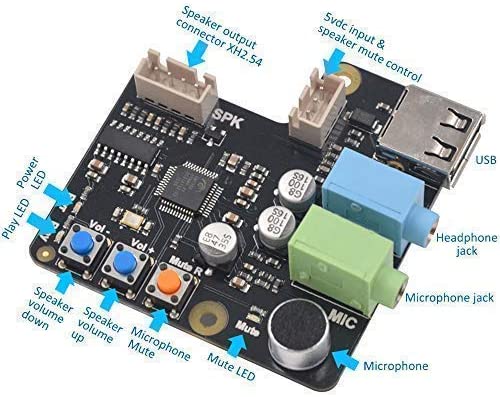
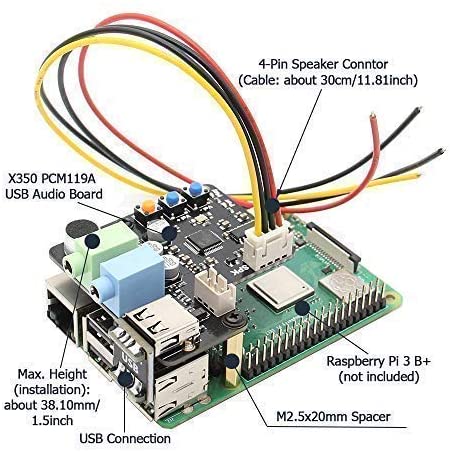
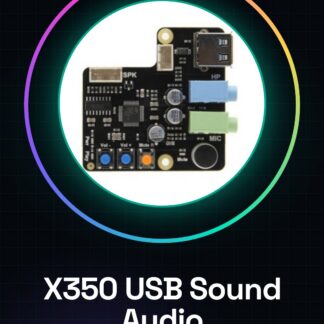
The X350 USB audio card is a device that allows for audio signal acquisition and amplification. This component is designed to be used in various types of projects, especially those based on Arduino.
Features
- Multifunction audio card with audio input and integrated amplifier
- Direct USB connection to a computer for configuration or debugging
What it is for
The X350 USB Sound card is ideal for projects that require audio signal acquisition and processing. You can use it to create simple audio recording systems by connecting a microphone to the card and reading the sound values with an Arduino. The acquired data can then be saved to an SD card.
Tutorial: How to use X350 USB Sound
The X350 USB Sound is a multi-functional audio card ideal for projects requiring audio input and amplification. Useful for beginners and intermediates, it supports direct USB connection to a computer.
What you need
- X350 USB Sound
- Arduino or compatible microcontroller
- Microphones or audio sources
- 5V Power Supply (from Arduino or another source)
Steps
- 1. Connect the 5V power supply to the X350 USB Sound.
- 2. Connect the microcontroller (e.g., Arduino) to the X350 USB Sound via the power and reset pins.
- 3. Connect a microphone or audio source to the audio input pin of the X350 USB Sound.
- 4. Connect the audio output pins to your project or audio system.
- 5. Upload the code to Arduino.
- 6. Check that the microcontroller correctly detects the audio input.
- 7. Verify the audio power specifications in the datasheet.
- 8. Test the audio amplification.
Example code
```
void setup() {
  Serial.begin(9600);
}

void loop() {
  int soundLevel = analogRead(A0);
  Serial.println(soundLevel);
}
```
Mini project
Create a simple audio recording system. Connect a microphone to the X350 USB Sound, then read the sound values with an Arduino and save the data on an SD card.
Common mistakes
- Do not check the power supply before connecting the microcontroller.
- Connect the power pins in reverse.
- Do not check the audio power specifications before connecting the output terminals.
- Forget to update the necessary library.
Recommended accessories
- Compatible microphones
- SD card for data storage
- USB cable
- 5V power supply
Frequently asked questions
How can I check the compatibility of the microcontroller?
Check the datasheet for power supply specifications and interface pins.
Can the X350 USB Sound work with an Arduino Uno?
Yes, the X350 USB Sound is compatible with Arduino Uno.
What are the audio power specifications?
Check the datasheet for accurate specifications.
Can I connect multiple microphones?
Check the datasheet for multiple input capability.
Reviews
There are no reviews yet.