 EN
 IT Italiano
 ES Español
 FR Français
 DE Deutsch
Description
What it is
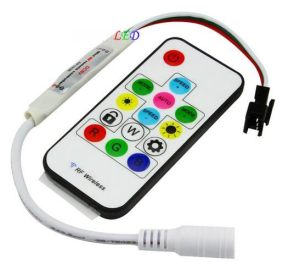
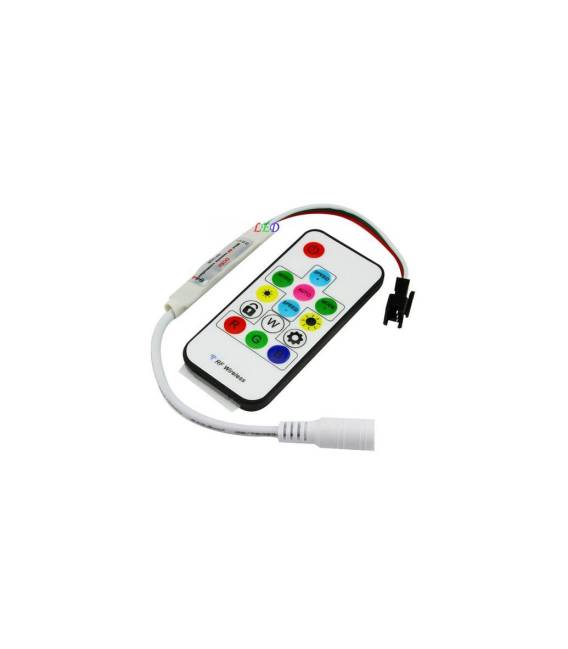
WS2812B IR Remote 5V LED Strip is a RGB LED strip controllable via an infrared remote control. Each LED on the strip can be individually controlled to create custom animations and lighting effects.
Features
- LED Type: WS2812B
- Power Supply: 5V
- Control: IR Remote
- Color: RGB
What it is for
The WS2812B LED strip is ideal for creative lighting projects, information visualization, and animations. It can be used with an Arduino or other microcontrollers to create interactive and custom lighting effects.
Tutorial: How to use WS2812B IR Remote 5V LED Strip
The WS2812B IR Remote 5V LED Strip is perfect for lighting and information visualization projects. Useful for beginners and intermediates, it allows for the creation of colorful and interactive LED strips.
What you need
- WS2812B IR Remote 5V LED Strip
- Arduino or compatible microcontroller
- 220Ω resistor
- 5V power cable
Steps
- 1. Check the datasheet for the LED Strip specifications.
- 2. Connect the 5V power cable to the LED Strip.
- 3. Connect a 220Ω resistor between the DI (Data In) pin of the LED Strip and the digital pin of Arduino.
- 4. Connect the GND pin of the LED Strip to the GND of Arduino.
- 5. Download a simple code to control the LEDs, for example: `strip.begin(); strip.show();`
- 6. Upload the code to Arduino.
- 7. Check that the LEDs turn on.
- 8. Modify the code to change the colors and brightness of the LEDs.
Example code
strip.begin(); strip.show();Mini project
Create a simple color animation that alternates on 10 LEDs.
Common mistakes
- Do not connect the DI and GND pins correctly.
- Forget the protection resistor.
- Set the LED Strip specifications incorrectly in the Arduino code.
Recommended accessories
- WS2812B LED Strips
- Arduino Microcontroller
- 220Ω resistor
- 5V power cable
Frequently asked questions
How can I control LEDs on multiple strips?
Connect the DI pins of successive LED strips to an analog pin on Arduino.
Does the LED strip work with different power supplies from 5V?
Check the datasheet for the maximum power supply voltage.
What colors can the LED strip display?
The LEDs can display a range of RGB colors.
Can I use a USB power supply for the LED strips?
Check the datasheet to see if USB power supply is supported.
Reviews
There are no reviews yet.