 EN
 IT Italiano
 ES Español
 FR Français
 DE Deutsch
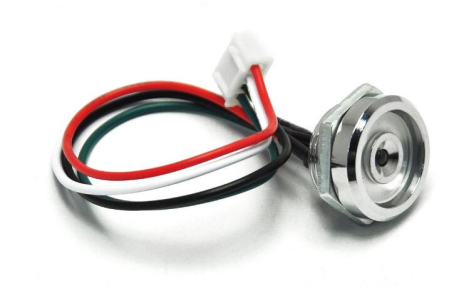
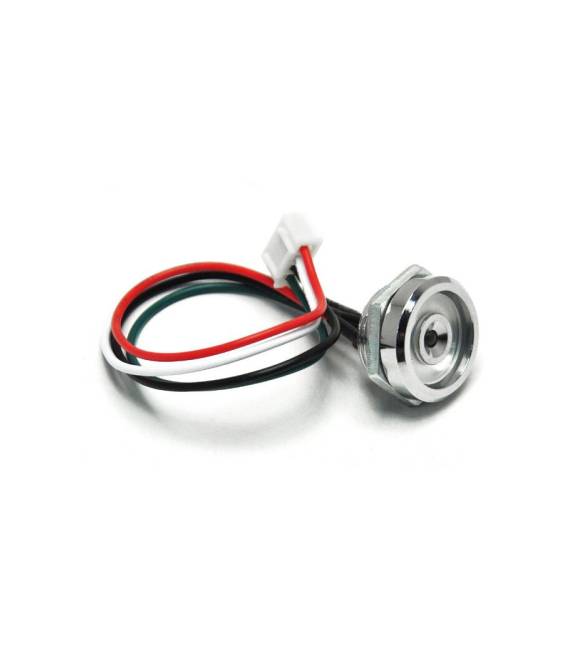
Description
What it is
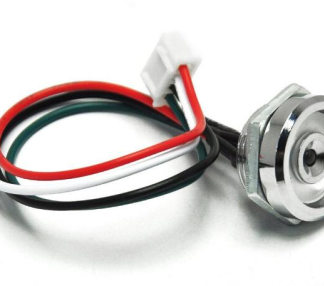
The TM DS9092 probe is a brass alloy probe with LED, designed for temperature measurement.
Features
- Brass alloy probe
- Integrated LED
- Compatible with iButton
- Product name: TM DS9092
- SKU: ARD0010873
- Price: 2.49 €
What it is for
The TM DS9092 probe is an ideal component for measuring temperature in domestic or industrial environments. It can be used in IoT and home automation projects. For example, it can be integrated into a home temperature warning system, connected to an LCD display and configured to trigger an alarm when the temperature exceeds a certain limit. Compatibility with Arduino or ESP32 should be verified in the datasheet.
Tutorial: How to use TM DS9092 Probe
The TM DS9092 probe is an ideal component for measuring temperature in domestic or industrial environments. Suitable for beginner and intermediate makers.
What you need
- Arduino
- Power cable
- Pull-up resistor
- Multimeter
Steps
- 1. Installation: Make sure your Arduino is updated to the latest version.
- 2. Connection: Connect the TM DS9092 probe to pin A0 of the Arduino.
- 3. Connect the pull-up resistor (10kΩ) between VCC and pin A0.
- 4. Connect the VCC of the probe to the 5V of the Arduino.
- 5. Connect the GND of the probe to the GND of the Arduino.
- 6. Check the datasheet for correct power supply.
- 7. Load the provided Arduino code.
- 8. Check the read temperature with a multimeter.
Example code
```void setup() {} void loop() { int sensorValue = analogRead(A0); float voltage = sensorValue * (5.0 / 1023.0); float temperature = (voltage - 0.5) * 100; Serial.print("Temperatura: "); Serial.print(temperature); Serial.println(" C"); delay(1000); } ```Mini project
Build a temperature warning system for your home. Connect the probe to an LCD display and configure an alarm when the temperature exceeds a certain limit.
Common mistakes
- Do not use analog pins other than A0.
- Do not connect the power pins incorrectly.
- Omit the pull-up resistor.
- Forget to check the voltage on A0.
Recommended accessories
- 16×2 LCD Display
- Electronic Alarm
- 5V Power Cable
- 10kΩ Resistor
Frequently asked questions
Does the probe work with 3V?
Check the datasheet.
Which Arduino pins can I use?
Only A0.
How long does the battery last?
It doesn’t have a battery, it is directly powered by Arduino.
Can it measure pressure?
No, it is a thermal probe.
Reviews
There are no reviews yet.