 EN
 IT Italiano
 ES Español
 FR Français
 DE Deutsch
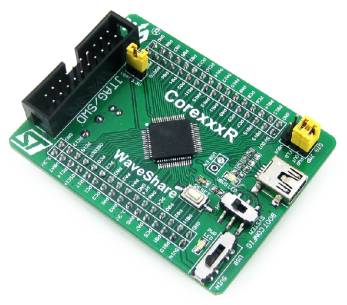
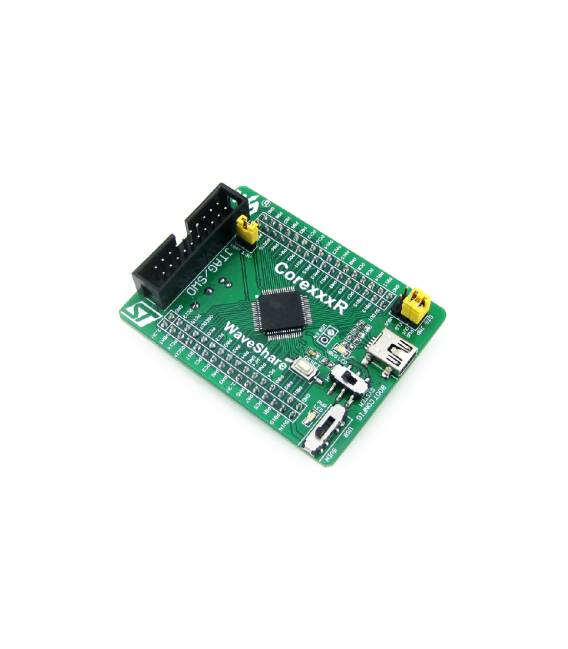
Description
What it is
The STM32F405RGT6 System Core Board Development Board is a device designed to facilitate the development and testing of advanced electronic projects. This board allows programmers and makers to explore the features of the STM32F405RGT6 microcontroller, providing a solid foundation for creating complex applications.
Features
- STM32F405RGT6 Microcontroller
- Development board compatible with advanced C and Arduino projects
What it is for
The board is ideal for creating applications that require high performance levels, such as precise timers, complex data processing, or sophisticated user interfaces. It is compatible with the Arduino development environment and offers a flexible platform for custom project realization.
Tutorial: How to use STM32F405RGT6 Core Board
This development board allows you to explore the capabilities of the STM32F405RGT6 microcontroller, ideal for advanced electronics projects and C programming.
What you need
- Arduino IDE
- USB cable
- 10kΩ resistor
- LED
- LED resistor
Steps
- 1. Download and install the Arduino IDE.
- 2. Connect the board to your computer using the USB cable.
- 3. Check the datasheet for the USB port configuration.
- 4. Create a new project in Arduino IDE.
- 5. Write the following code to turn on an LED:
- 6. `void setup() {}`
- 7. `void loop() { digitalWrite(13, HIGH); delay(1000); digitalWrite(13, LOW); delay(1000); }`
- 8. Upload the code to the microcontroller.
Example code
void loop() { digitalWrite(13, HIGH); delay(1000); digitalWrite(13, LOW); delay(1000); }Mini project
Create a simple 1 second timer with an LED.
Common mistakes
- Forgetting to install the Arduino IDE.
- Connecting the board incorrectly to the computer.
- Writing the code correctly.
- Do not verify the microcontroller specifications.
Recommended accessories
- Arduino IDE
- USB cable
- 10kΩ resistor
- LED
Frequently asked questions
How can I verify the USB port configuration?
Check the datasheet or use the command `dfu-util -l` in Linux.
Can I use this board with other development software?
Yes, but it may require additional configurations.
What are the minimum requirements for the computer?
A computer with Windows 7 or later, macOS 10.7 or later, or Linux.



Reviews
There are no reviews yet.