 EN
 IT Italiano
 ES Español
 FR Français
 DE Deutsch
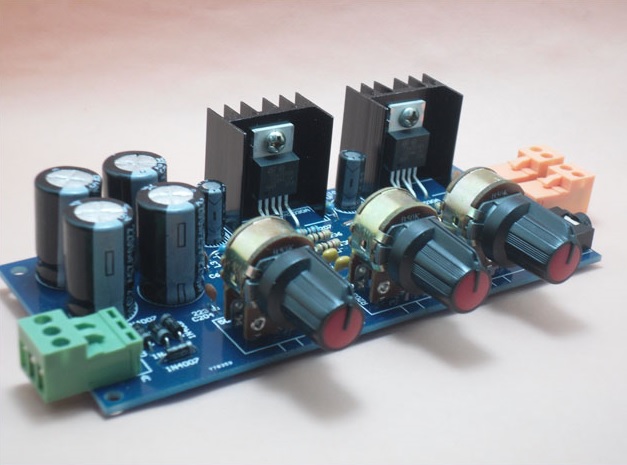
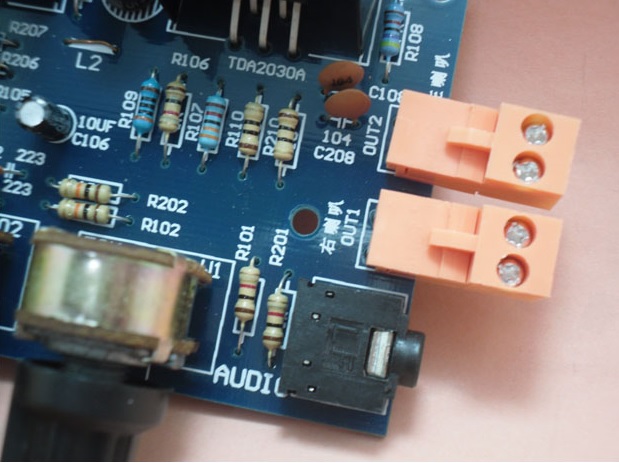
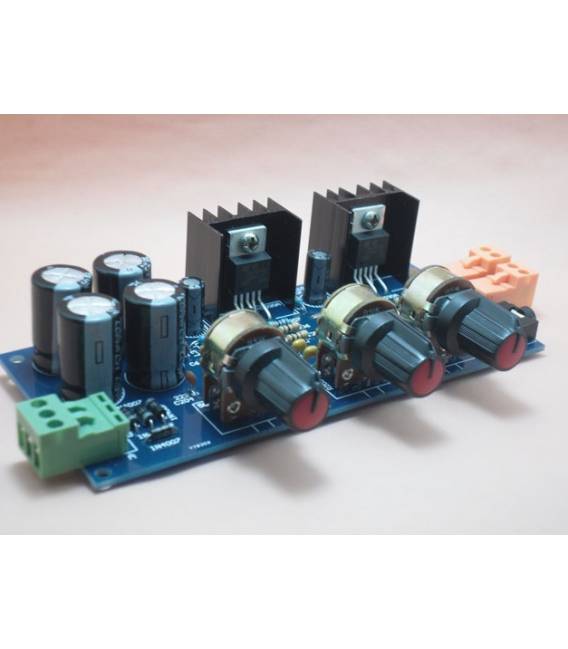
Description
What it is
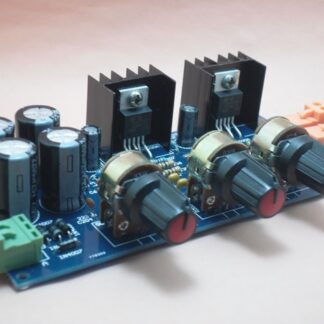
The TDA2030A Stereo Amplifier Kit is an electronic component that allows you to create a high-power stereo audio system. This kit is perfect for Arduino enthusiasts and DIY projects, offering a simple and affordable solution to amplify the audio signal.
Features
- Maximum Power: 2 x 18W
- TDA2030A Technology
What it is for
This stereo amplifier kit can be used to build a home intercom system, integrate it into Arduino or ESP projects, and provide powerful and clear sound at a low cost.
Tutorial: How to Use TDA2030A Stereo Amplifier Kit 2x18W
The TDA2030A stereo amplifier kit is ideal for anyone who wants to build an audio system at home or integrate it into DIY projects. With a power of 2 x 18W, it can provide great sound at a low cost and without complications.
What you need
- TDA2030A Stereo Amplifier Kit
- Arduino Uno (or compatible)
- Speakers or speaker boxes
- Audio cable for the input source
- Dual voltage power supply
Steps
- Check that the kit contains all necessary components: circuit board, TDA2030A, capacitors and resistors.
- Connect the Arduino to the audio source (MP3 player, computer, etc.) to provide an input signal to the amplifier circuit.
- Connect the speakers or headphones to the output points of the kit (OUT+ and OUT-).
- Power the circuit with a dual voltage power supply, checking the correct voltage on the datasheet.
- Write a simple Arduino sketch to read audio data from the connected device. You can use the Audio.h or ToneAC libraries.
- Upload the code to the Arduino and ensure that the amplifier receives the signal correctly.
- Adjust the volume of the output system as desired to achieve a clear sound without distortion.
- Test different types of audio input (MP3, radio, microphone) and observe the differences in sound quality.
Example code
// Esempio di sketch Arduino per leggere dati audio
#include <Audio.h>
void setup() {
  AudioMemory(2);
}
void loop() {
  // Codice per gestire l'input audio e inviarlo all'amplificatore
}
Mini project
Build a simple home intercom system. Connect the amplifier kit to an Arduino base that receives signals from microphones in different rooms.
Common mistakes
- Use a supply voltage higher than specified.
- Incorrectly connect audio signals to the Arduino.
- Omit the necessary anti-rumble filter for sound quality.
- Use speakers or loudspeakers not suitable for the amplifier’s power.
Recommended accessories
- Speaker columns with audio input
- Dual voltage power supply
- USB microphone for voice input
- RCA audio cable
Frequently asked questions
What is the maximum power of the amplifier?
2 x 18W, check the component TDA2030A datasheet.
Can I connect a microphone directly to the amplifier?
No, it is necessary to pass the signal through an Arduino or an audio acquisition card to amplify it correctly.
Reviews
There are no reviews yet.