 EN
 IT Italiano
 ES Español
 FR Français
 DE Deutsch
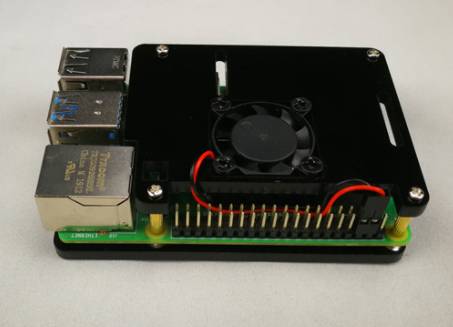
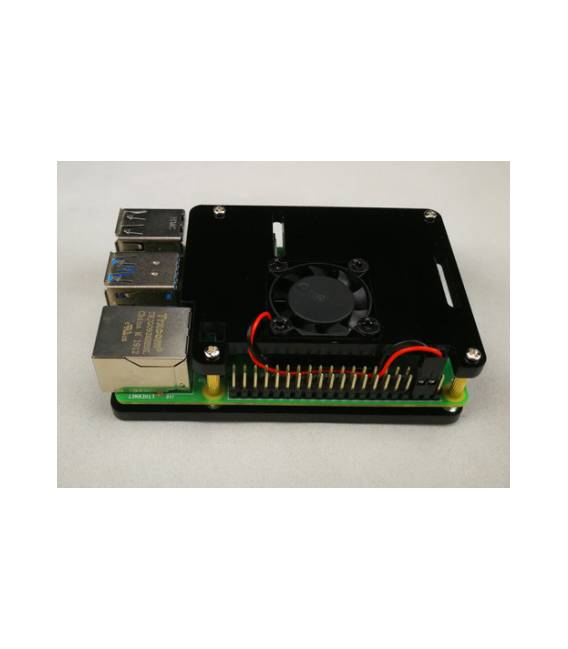
Description
What it is
The single fan with a two-layer black acrylic case is an accessory designed for cooling the Raspberry PI 4. The two-layer black acrylic case helps to improve airflow and reduce the risk of overheating.
Features
- Single Fan
- Two-layer black acrylic case
- Compatible with Raspberry PI 4
What it is for
The accessory is ideal for improving the cooling of the Raspberry PI 4, reducing the risk of overheating and extending the life of the device. It can be useful in situations where the Raspberry PI 4 is used for applications that require high performance.
Tutorial: How to use Fan for Raspberry Pi 4
This two-layer black acrylic fan is designed to improve the cooling of your Raspberry Pi 4, reducing the risk of overheating and extending the life of the device. Ideal for users running high-performance applications.
What you need
- Raspberry Pi 4
- Power Adapter
- Connect to PC
Steps
- Install the fan in the provided case, ensuring it is properly positioned and secured.
- Connect the fan cable to the Raspberry Pi 4’s GPIO port.
- Ensure the Raspberry Pi 4 is securely mounted in the case with the fan installed.
- Access the Raspberry Pi 4 via SSH or HDMI connection.
- Check that the fan turns on and functions properly.
- If necessary, install the fan control software (check the datasheet).
- Configure the software to regulate the fan speed based on the device temperature.
- Monitor the operation status of the fan and the temperature of the Raspberry Pi 4 over time.
Example code
sudo apt-get install lm-sensors
sudo sensors-detect
sudo nano /etc/modules
# Aggiungi i seguenti moduli: i2c-dev i2c-bcm2708
sudo nano /etc/modprobe.d/snd-blacklist.conf
# Aggiungi la riga: blacklist snd-soc-wm8804
sudo reboot
sensors
Mini project
Create a real-time temperature monitoring system for your Raspberry Pi 4, using the fan to automatically regulate the device’s temperature.
Common mistakes
- Do not properly connect the fan to the Raspberry Pi 4.
- Do not configure the fan control software.
- Do not regularly monitor the temperature and operation of the fan.
- Do not regularly update the software of the Raspberry Pi 4.
Recommended accessories
- Temperature sensors
- Passive cooling kit
- Ethernet cable
- USB-C power supply / adapter
Frequently asked questions
How can I control the fan speed?
Use third-party software or the built-in control system of the Raspberry Pi 4.
Can I use this fan with other Raspberry Pi models?
Check the datasheet to ensure compatibility.
What are the advantages of using this fan?
Improves cooling, reduces the risk of overheating, and increases the lifespan of the device.



Reviews
There are no reviews yet.