 EN
 IT Italiano
 ES Español
 FR Français
 DE Deutsch
Description
What it is
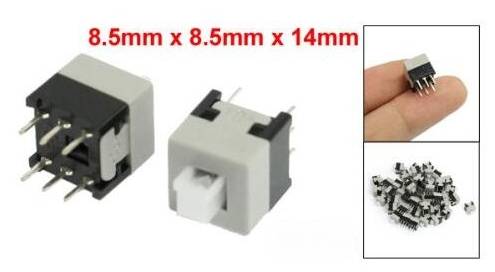
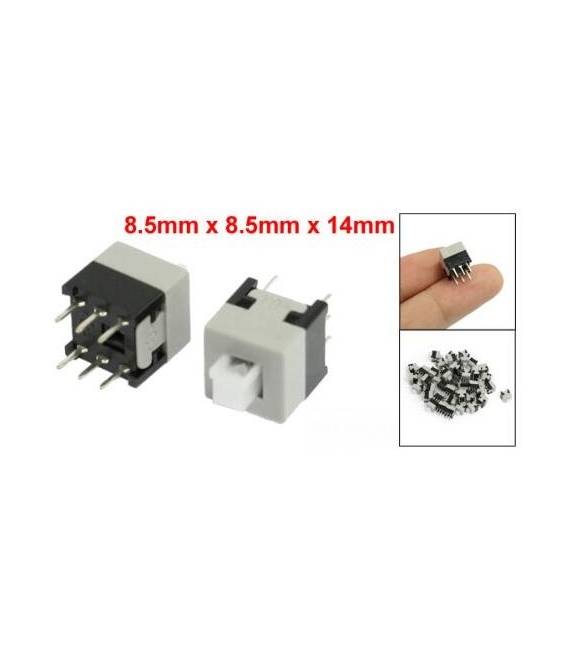
This kit contains 10 latching switches with dimensions 8.5×8.5mm and 6 pins. They are pressure switches, meaning they remain in the ON or OFF position until pressed again.
Features
- 10 pieces
- Dimensions: 8.5×8.5mm
- 6 pins
- Type: Latching
- Function: Pressure ON/OFF
What it is for
These switches are ideal for controlling the power supply of Arduino circuits or other electronic devices. They can be used to turn on/off LEDs, motors, or other components. They are particularly suitable for home automation projects or for creating simple user interfaces.
Tutorial: How to Use Latching Switches Kit 8.5×8.5mm 6 Pin – 10 Pieces
These latching switches are ideal for anyone who wants to control the power in a device simply by pressing a button. Useful for home electronics and automation projects.
What you need
- Self-Locking Switches 8.5×8.5mm 6 Pin – 10 Pieces
- Arduino or microcontroller
- Power cable
- 10kΩ resistor
Steps
- 1. Check the specifications on the datasheet.
- 2. Draw your circuit on the protoboard.
- 3. Connect a switch to a digital pin on the Arduino.
- 4. Connect one end of the resistor to the GND pin.
- 5. Connect the other end of the resistor to the VCC pin of the microcontroller.
- 6. Connect the other end of the switch to the VCC pin.
- 7. Load the following code.
- 8. Check that the system works correctly.
Example code
```
int buttonPin = 2;
int ledPin = 13;
void setup() {
  pinMode(buttonPin, INPUT);
  pinMode(ledPin, OUTPUT);
}
void loop() {
  if (digitalRead(buttonPin) == HIGH) {
    digitalWrite(ledPin, HIGH);
  } else {
    digitalWrite(ledPin, LOW);
  }
}
```
Mini project
Create a simple switch to turn on/off an LED light. Start by mounting the components on the protoboard and then load the code.
Common mistakes
- Do not follow the instructions on the datasheet.
- Connect the VCC pin of the switch to the GND.
- Omit the 10kΩ resistor.
- Do not verify the code before uploading it.
Recommended accessories
- Arduino Uno
- LED
- Protoboard
- Connection wires
Frequently asked questions
Can I use this switch with a microcontroller other than Arduino?
Yes, but check compatibility on the datasheet.
How long does the battery last when the switch is always on?
Check the datasheet for precise information.
Is a resistor necessary for proper functioning?
Yes, a 10kΩ resistor is necessary to protect the microcontroller.
Can I use multiple switches in parallel?
Check the datasheet for maximum load specifications.



Reviews
There are no reviews yet.