 EN
 IT Italiano
 ES Español
 FR Français
 DE Deutsch
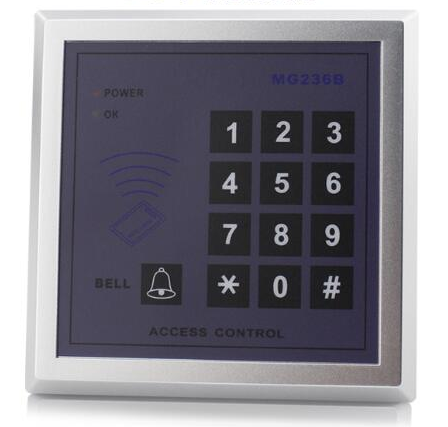
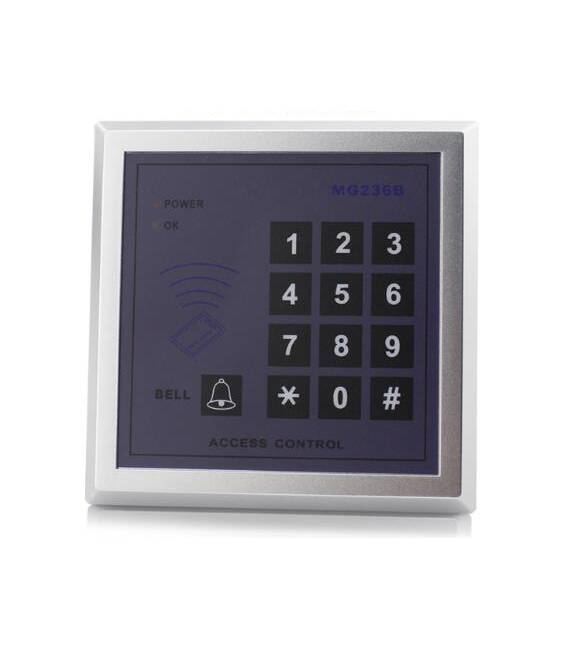
Description
What it is
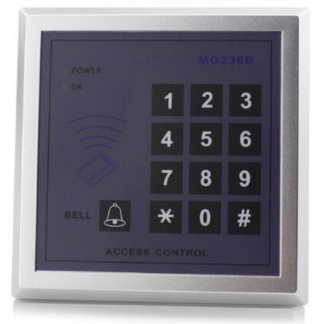
The IC Card Password Access Control Keypad RFID Electronic Lock (SKU: ARD0010440) is an RFID module for Arduino that allows controlling access to doors or systems.
Features
- Electronic keypad lock
- RFID technology
- Compatible with Arduino
What it is for
This module can be used to create simple access systems, such as a chain-locked door with an RFID access code. It is useful for beginner and intermediate makers who want to experiment with security and automation.
Tutorial: How to use IC Card Password Access Control
The IC Card Password Access Control is an RFID module for Arduino that allows protecting access or systems. Useful for beginner and intermediate makers.
What you need
- Arduino Uno or compatible
- USB cable for power supply
- RFID keypad
- Micro SD (optional)
Steps
- 1. Installation: Download and install the latest version of Arduino IDE.
- 2. Connection: Connect the Arduino to the computer.
- 3. Download the code: Go to File > Sketchbook > Explore and copy the provided code.
- 4. Load the code: Open the code in the IDE, select Arduino Uno in the Tools > Board menu and Arduino USB Serial Port in the Tools > Port menu.
- 5. Load the code: Click on Load to upload the code to the Arduino.
- 6. Connection: Connect the RFID keypad to pin D10 of the Arduino.
- 7. Configure: Check the datasheet for the specifications of the RFID keypad.
- 8. Test: Try to read the keypad with the code.
Example code
```
#include <SPI.h>
#include <MFRC522.h>

MFRC522 mfrc522(SS_PIN, RST_PIN);

void setup() {
  Serial.begin(9600);
  mfrc522.PCD_Init();
}

void loop() {
  if (mfrc522.PICC_IsNewCardPresent()) {
    if (mfrc522.PICC_ReadCardSerial()) {
      Serial.println("Card detected!");
    }
  }
}
```
Mini project
Create a simple access system with a locked chain door and the RFID keypad. Set a code and check if the system works.
Common mistakes
- Forget to upload the code to the Arduino.
- Connect the RFID keypad incorrectly.
- Fail to configure the specifications of the RFID keypad correctly.
- Forget to check hardware compatibility.
Recommended accessories
- RFID Keypad
- Arduino Uno
- Micro SD (for data storage)
- Locked door
Frequently asked questions
The RFID keypad does not read correctly.
Check the hardware configuration and the code. Verify the keypad compatibility with the Arduino.
What is the difference between Arduino Uno and compatible versions?
Arduino Uno and compatible versions have the same interface and can run the same code, but they are not the same hardware.
Can I use another Arduino board?
Yes, but it may require code and hardware connection modifications.

Reviews
There are no reviews yet.