 EN
 IT Italiano
 ES Español
 FR Français
 DE Deutsch
Description
What it is
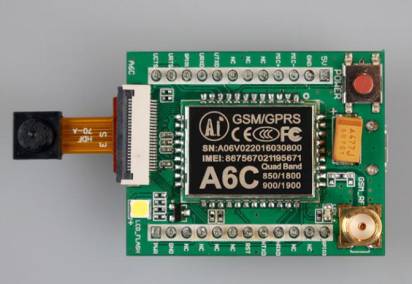
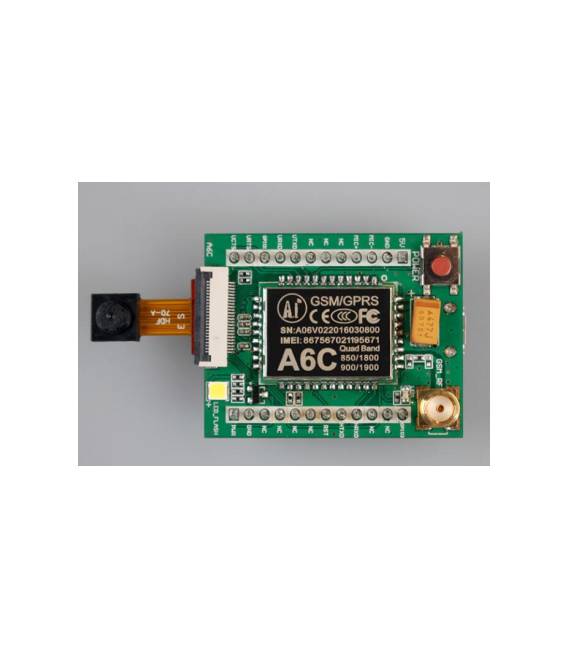
The GPRS GSM A6C Quad-Band Module is a device that allows Arduino projects to connect to the internet via GPRS and SMS technologies. This module includes an integrated antenna to facilitate integration into various types of devices.
Features
- Quad-Band: supports frequencies 850MHz, 900MHz, 1800MHz and 1900MHz
- GPRS Connectivity for real-time data transfer
- SMS Functionality for text communication
What it is for
Modules like this GSM are useful for projects that require remote connectivity, for example, a home alarm system that sends an SMS alert when activated. It is compatible with Arduino and can be easily integrated into various devices to create wireless communication solutions.
Tutorial: How to use the GPRS GSM A6C Quad-Band Module
This module allows you to connect your Arduino project to the Internet using SMS and GPRS. Ideal for projects that require remote connectivity.
What you need
- Arduino UNO or compatible
- 5V power supply cable
- GPRS antenna
- Ground cable
- Prototype board
Steps
- 1. Connect the GPRS antenna to the RX pin of the GPRS module.
- 2. Connect the TX pin of the GPRS module to the TX pin of the Arduino.
- 3. Connect the GND pin of the GPRS module to the GND of the Arduino.
- 4. Connect the VCC pin of the GPRS module to 5V of the Arduino.
- 5. Install the GPRS module preview on your prototype board.
- 6. Download and install the SIM800L library in your Arduino IDE.
- 7. Write the code to send an SMS using the SIM800L library.
- 8. Upload the code to Arduino and send a test SMS.
Example code
```
#include <SIM800L.h>
SIM800L gprs;
void setup() {
  gprs.begin(9600);
}
void loop() {
  gprs.sendSMS("+39123456789", "Ciao da Arduino!");
}
```
Mini project
Create a home alarm system that sends an SMS when an event occurs. In 30 minutes, you can configure the module to send an SMS when a switch is connected.
Common mistakes
- Do not connect the TX and RX pins incorrectly.
- Forget to install the SIM800L library.
- Power the module with a different power supply than 5V.
- Forget to connect the GPRS antenna.
Recommended accessories
- GPRS Antenna
- 5V Power Supply Cable
- Switch
- Resistor
Frequently asked questions
How can I check if the module is working before sending SMS?
Check GPRS connectivity using the `gprs.checkNetwork()` function in the code.
Which phone numbers can I use to send SMS?
You can use standard phone numbers, but make sure they are enabled to receive SMS.
Does the module support GPRS connections only in Italy?
The module supports GPRS connections in many parts of the world, but availability may vary. Check the datasheet.



Reviews
There are no reviews yet.