 EN
 IT Italiano
 ES Español
 FR Français
 DE Deutsch
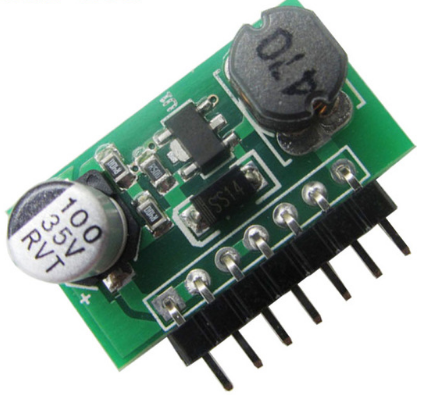
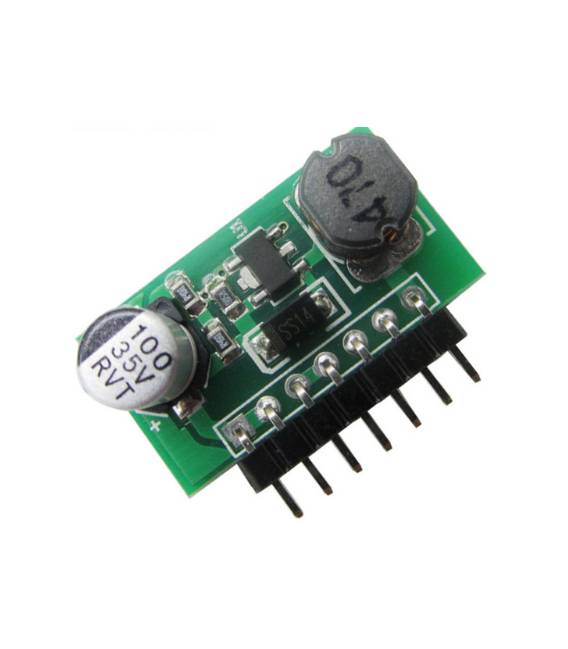
Description
What it is
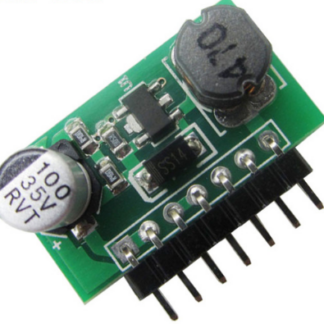
The PWM DC-DC 7.0-30V 1W DC 350mA Dimmer is an electronic device that allows controlling the brightness of an LED or other components that operate with direct current (DC).
Features
- Input Voltage: 7.0-30V
- Output Voltage: DC
- Maximum Power: 1W
- Maximum Current: 350mA
- Control Type: PWM (Pulse Width Modulation)
What it is for
The PWM Dimmer is ideal for creating dynamic lighting systems, such as an LED that gradually turns on and off. It can also be used to control the intensity of other components that operate with direct current. It is compatible with Arduino and other microcontrollers.
Tutorial: How to Use PWM Dimmer
The PWM Dimmer allows you to adjust the power level of an electrical device, ideal for lighting or any component that requires intensity control. Useful for beginners and intermediates.
What you need
- Arduino
- 1kΩ Resistor
- Power cable
- Adjustable component
Steps
- 1. Connect the PWM Dimmer to the Arduino using the VCC and GND pins.
- 2. Connect the OUT pin to the control pin of a device (e.g., LED).
- 3. Connect the resistor between GND and the VCC pin to protect the Dimmer.
- 4. Load the code onto the Arduino.
- 5. Adjust the power level using the analogWrite function on the control pin.
- 6. Check the datasheet for further details.
- 7. Test the regulated device.
- 8. Adjust the power level until you achieve the desired result.
Example code
```
int controlPin = 9;
void setup() {
  pinMode(controlPin, OUTPUT);
}
void loop() {
  for (int val = 0; val < 256; val++) {
    analogWrite(controlPin, val);
    delay(10);
  }
  for (int val = 255; val > 0; val--) {
    analogWrite(controlPin, val);
    delay(10);
  }
}
```
Mini project
Create a lighting system with an LED that gradually turns on and off.
Common mistakes
- Connect the VCC pin to the 5V pin and not to the VCC of the Arduino.
- Omit the protection resistor.
- Do not use the analogWrite function to adjust the power level.
- Do not check the specifications on the datasheet.
Recommended accessories
- LED
- Power cable
- 1kΩ resistor
- Arduino
Frequently asked questions
Can I use this dimmer with another microcontroller?
Yes, it is compatible with any microcontroller that supports PWM signals.
How long does the charge last?
The charge completes in just a few minutes.
Can I use this dimmer with an AC device?
No, this dimmer is designed for DC devices.
Reviews
There are no reviews yet.