 EN
 IT Italiano
 ES Español
 FR Français
 DE Deutsch
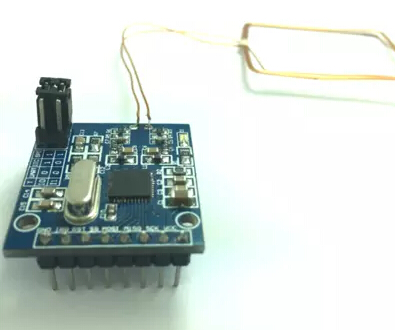
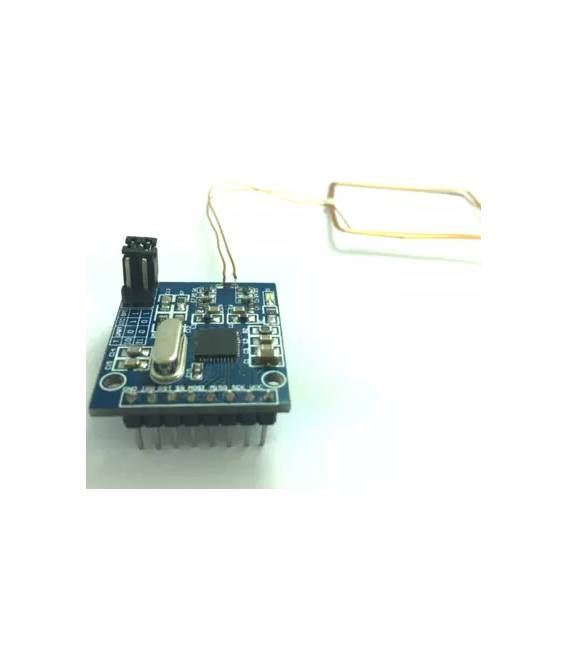
Description
What it is
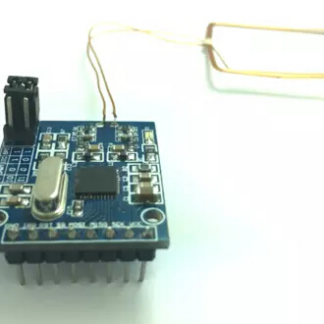
The PN532 RFID NFC module is an electronic component that allows communication with RFID tags at 13.56 MHz. It can be used to read and write data to these tags, making it useful for a variety of applications.
Features
- Communication Frequency: 13.56 MHz
- Compatible with Arduino
- SKU: ARD006609
- Price: 25.64 €
What it is for
The PN532 RFID NFC module is ideal for identification, security, and contactless interaction projects. Typical uses include: contactless access systems, reading RFID tags for object or person identification, creating tracking and inventory management systems.
Tutorial: How to use PN532 RFID NFC Module
The PN532 RFID NFC module is a crucial component for projects requiring reading and writing of RFID tags at 13.56 MHz. It is ideal for beginner and intermediate makers interested in security, contactless interactions, and identification systems.
What you need
- Arduino Uno
- USB A-MicroB cable
- RFID tag
Steps
- Connect the PN532 module to the Arduino Uno via the USB cable. Check the correct pins on the module’s datasheet.
- Install the Adafruit_PN532 library from the Arduino IDE library manager.
- Write and upload the provided sketch to initialize the PN532 module.
- Verify that the LED correctly indicates the module’s activity during preliminary tests.
- Test the reading of RFID tags by connecting a tag to the module and verifying the received information on the Arduino serial monitor.
- If necessary, perform additional tests to write data to RFID tags following the module’s datasheet.
Example code
// Includere la libreria Adafruit_PN532
#include <Adafruit_PN532.h>
// Definire l'oggetto PN532
Adafruit_PN532 nfc(SDA_PIN, SCL_PIN);
void setup(void) {
  Serial.begin(9600);
  while (!Serial); // Aspetta che la porta seriale sia pronta
  if (!nfc.begin()) {
    Serial.println("Inizializzazione del modulo fallita");
    while (1);
  }
}
void loop(void) {}
Mini project
Create a contactless access system using the PN532 module and an RFID tag. Configure the Arduino to turn on a light bulb when a specific tag is detected.
Common mistakes
- Incorrect pin setup
- Missing Adafruit_PN532 library
- RFID tag not compatible with the module
Recommended accessories
- Different RFID tags to test the module’s features
- External antenna to improve reading and writing efficiency
- Arduino Nano for smaller or mobile projects
- USB Type C batteries for alternative power supply
Frequently asked questions
Where can I find the datasheet for the PN532 module?
The datasheet is available on the hardware manufacturer’s website or in the Adafruit_PN532 library GitHub repository.
How can I write data to RFID tags?
Check the writing features in the module documentation and in the example code provided by the library.
Reviews
There are no reviews yet.