 EN
 IT Italiano
 ES Español
 FR Français
 DE Deutsch
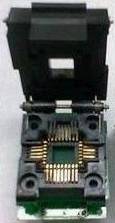
Description
What it is
The PLCC32 to DIP32IC Adapter Board is an electronic component that allows converting a microcontroller with a PLCC32 connector into a DIP32 format. This facilitates the use of PLCC32 components on boards designed for DIP32, such as some Arduino boards.
Features
- PLCC32 to DIP32 Converter
- SKU: ARD0011075
- Price: 18.99 €
- Category: Pre-order
What it is for
This adapter is useful for electronic projects that require the use of PLCC32 microcontrollers on DIP32 boards. For example, it can be used to connect a PLCC32 microcontroller to an Arduino board to control an LED or other electronic devices.
Tutorial: How to Use PLCC32 to DIP32IC Adapter
This adapter allows using PLCC32 components on DIP32 boards, ideal for projects that require a different mounting format.
What you need
- PLCC32 to DIP32IC Adapter
- PLCC32 Component
- DIP32 pin-out board
- Solder
Steps
- 1. Check that the PLCC32 component is compatible with the DIP32 format.
- 2. Identify the pins of the PLCC32 component.
- 3. Apply a small amount of solder to the pins of the PLCC32 component.
- 4. Insert the PLCC32 component into the adapter.
- 5. Apply solder to the pins of the adapter.
- 6. Connect the adapted component to a DIP32 board.
- 7. Verify the correct position of the pins.
- 8. Test the circuit.
Mini project
Convert a PLCC32 microcontroller to DIP32 and connect it to an Arduino board to control an LED.
Common mistakes
- Do not verify pin compatibility.
- Do not apply solder evenly.
- Connect the component directly without an adapter.
- Omit circuit testing.
Recommended accessories
- Solder
- Pliers
- DIP32 board
- PLCC32 Microcontroller
Frequently asked questions
Is the PLCC32 component compatible with all DIP32 formats?
Check the datasheet to ensure compatibility.
Can I use a different adapter than this one?
Yes, but make sure it is compatible with your component’s pins.
Is it necessary to solder the component directly to the board?
No, the adapter allows you to connect the component without direct soldering.
Should solder be applied only to the component’s pins?
Apply solder to both the component’s pins and the adapter.



Reviews
There are no reviews yet.