 EN
 IT Italiano
 ES Español
 FR Français
 DE Deutsch
Description
What it is
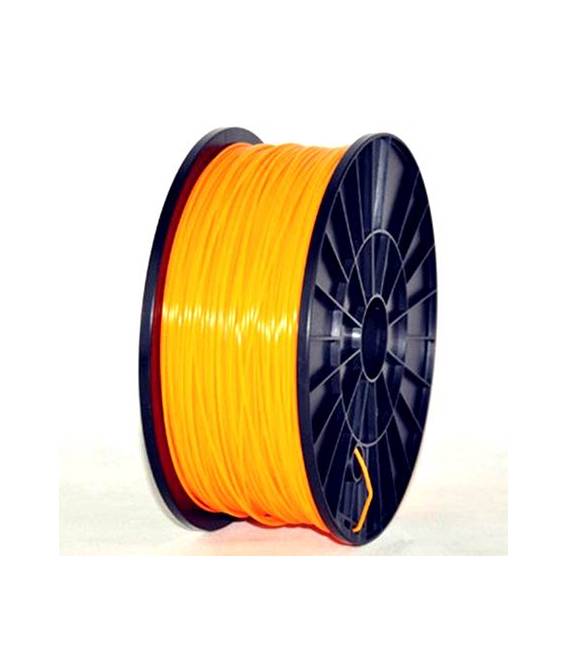
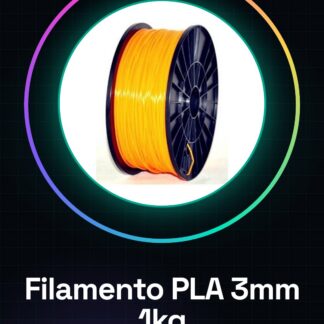
The high-quality 3.00mm 1kg orange PLA filament is a consumable for 3D printers ideal for getting started in the world of additive manufacturing. This filament is compatible with various brands of 3D printers and offers easy processing thanks to its characteristics.
Features
- Diameter: 3.00mm
- Weight: 1kg
- Compatibility chain: MakerBot, MultiMaker, Ultimaker, Reprap, Prusa
What it is for
This PLA filament is used for printing durable and finished objects without the use of complex materials. It is suitable for both beginners and artists who want to create custom models such as keychains in a short time.
Tutorial: How to use 1kg Orange PLA Filament
PLA filament is ideal for beginners and artists who want to create durable objects without using complex materials. This high-quality filament, compatible with various 3D printers such as MakerBot, Multimaker, Ultimaker, RepRap, and Prusa, is the perfect choice to start your journey into the world of 3D printing.
What you need
- 3D Printer
- Bed Support
- Air Column
Steps
- Ensure that your 3D printer is turned off and cool.
- Move the printer’s lateral cart to the inside for access to the filament reservoir.
- Remove the old filament from the reservoir, if present.
- Gently insert the new PLA filament into the reservoir and make sure it is properly inserted.
- Start the 3D printer and use its features to load a model to print.
- Configure the temperature and speed parameters according to the filament specifications (check the datasheet).
- Start the print and monitor the process to ensure good quality of the final object.
- After the end of the print, cool down the object before removing it from the build plate.
Mini project
Print a simple custom keychain in 30 minutes using your preferred model.
Common mistakes
- Do not set the filament temperature correctly.
- Do not cool down the object sufficiently before removing it from the build plate.
- Insert the filament with too much force, damaging the reservoir.
Recommended accessories
- Adhesive build plate
- Air column for the 3D printer
- Workshop tools
Frequently asked questions
What is the ideal temperature for PLA filament?
The temperature varies depending on the printer model, but generally it is recommended to set a point between 190°C and 230°C (check the datasheet).
How can I clean my printer after using PLA filament?
Use a soft brush or a damp cloth to remove any plastic residues.
Reviews
There are no reviews yet.