 EN
 IT Italiano
 ES Español
 FR Français
 DE Deutsch
Description
What it is
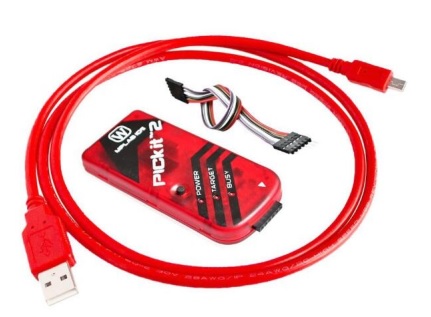
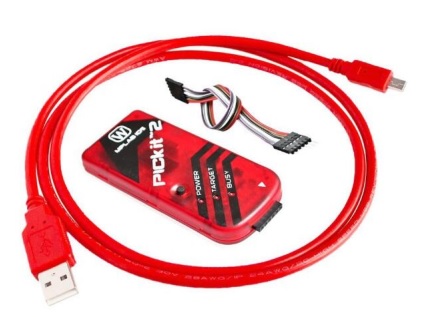
PICKIT2 PIC Kit2 Simulator PICKit 2 Programmer Emulator is a tool for programming and simulating PIC microcontrollers.
Features
- PIC microcontroller programmer and simulator
- SKU: ARD0011285
- Price: 12.81 €
- Status: Pre-order
What it is for
The PICKIT2 is ideal for developers and makers working with PIC microcontrollers. It can be used to program and test PIC-based circuits, allowing real-time visualization of code behavior.
Tutorial: How to use PICKIT2
The PICKIT2 is a programmer and simulator for PIC microcontrollers, ideal for developers and makers working with PIC microcontrollers.
What you need
- PICKIT2
- PC with Windows 7/8/10 or Mac OS X
- PIC microcontrollers
- USB cable
Steps
- 1. Download and install the PICKIT2 software from the support page.
- 2. Connect the PICKIT2 to the PC via USB.
- 3. Power on the PIC microcontroller.
- 4. Start the software and select ‘Program’.
- 5. Choose the correct microcontroller.
- 6. Load the binary program onto the microcontroller.
- 7. Use the software to simulate the microcontroller.
- 8. Check the datasheet for the microcontroller specifications.
Mini project
Program a scrolling LED with a PIC microcontroller in 30 minutes.
Common mistakes
- Do not connect the PICKIT2 to an incompatible microcontroller.
- Do not start the PICKIT2 software correctly.
- Do not select the microcontroller correctly.
- Do not load the correct binary program.
Recommended accessories
- PIC Microcontrollers
- USB cable
- LED
- Resistor
Frequently asked questions
How can I verify if the microcontroller is correctly programmed?
Check with a multimeter or an oscilloscope.
Can I use PICKIT2 with non-PIC microcontrollers?
No, PICKIT2 is specifically designed for PIC microcontrollers.
Which versions of Windows are supported?
Windows 7/8/10.
Can it happen that the software does not recognize the microcontroller?
Check the compatibility of the microcontroller and the USB connection.



Reviews
There are no reviews yet.