 EN
EN IT Italiano
 ES Español
 FR Français
 DE Deutsch
Description
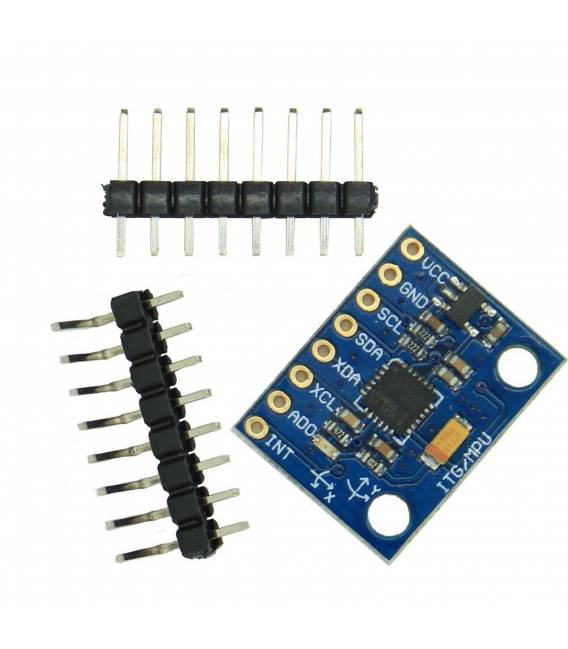
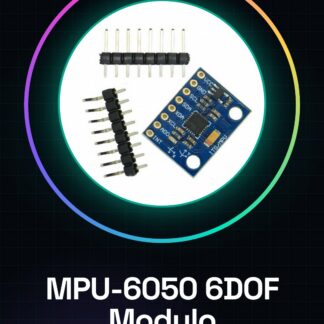
What is the MPU-6050 module? The MPU-6050 is a 6DOF (six degrees of freedom) sensor that combines a triaxial gyroscope and a triaxial accelerometer. This sensor provides data on rotation and acceleration, allowing for measurement of an object’s orientation and movement. Features: 6DOF Sensor (3 Gyroscopes + 3 Accelerometers), Module format for easy integration, I2C Communication What is it used for? The MPU-6050 module is ideal for projects requiring motion and orientation measurement, such as drones, robots, remote-controlled vehicles, and interactive games. Its compatibility with microcontrollers like Arduino and ESP makes it a popular choice for DIY projects. Tutorial: How to use MPU-6050 The MPU-6050 is a 6DOF (3 gyroscopes + 3 accelerometers) sensor ideal for motion and orientation projects. Useful for beginners and intermediates. What you need: Arduino UNO or compatible, Dupont cable, 10kΩ resistor, Arduino IDE Software Steps: 1. Installation/connection: Connect the VCC and GND of the MPU-6050 to the 5V and GND of the Arduino. 2. Connect the SDA and SCL pins of the MPU-6050 to the corresponding pins on the Arduino. 3. Connect one end of the resistor to GND of the Arduino. 4. Connect the other end of the resistor to the SDA pin of the MPU-6050. 5. Check the datasheet for the sampling frequency. 6. Load the example code MPU6050 arduino. 7. Check connectivity with Serial Monitor. 8. Move the module and observe data changes. Example Code: int sensorAddress = 0x68; // Default I2C address #include #include MPU6050 mpu(sensorAddress); void setup() { Serial.begin(9600); mpu.initialize(); } void loop() { Serial.print(“Gyro: “); Serial.print(mpu.getGyroX()); Serial.print(” “); Serial.print(mpu.getGyroY()); Serial.print(” “); Serial.println(mpu.getGyroZ()); delay(1000); } Mini-project Create a stabilisation project for a drone or virtual car. Common mistakes Incorrect pin connections, forgetting to initialise the sensor, missing pull-up resistor connection, incorrect sampling frequency. Recommended accessories Triaxial LED Display LCD Battery LiPo Connections Dupont Cables Frequently Asked Questions What are the minimum requirements for Arduino? Arduino UNO or compatible with I2C. Can I use another sampling frequency? Check the datasheet. Does the sensor work with batteries? Yes, but check power supply current.
Reviews
There are no reviews yet.