 EN
 IT Italiano
 ES Español
 FR Français
 DE Deutsch
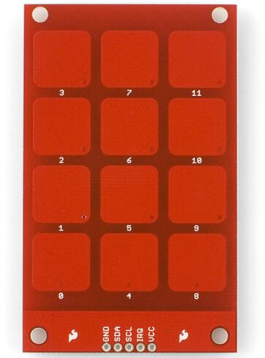
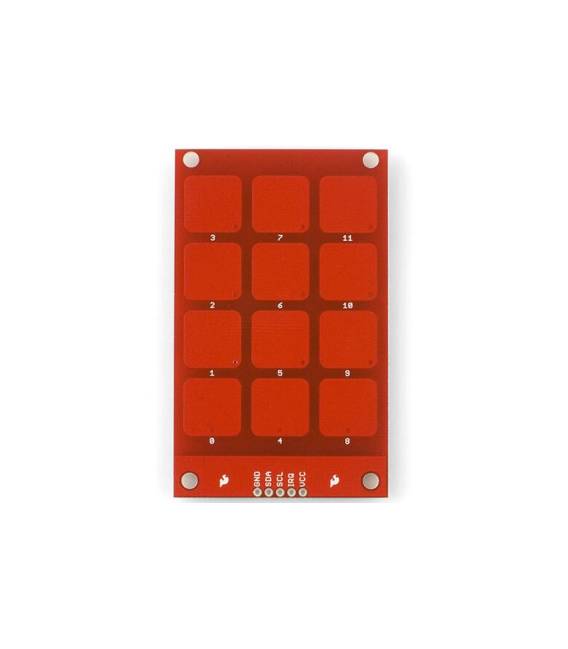
Description
What it is
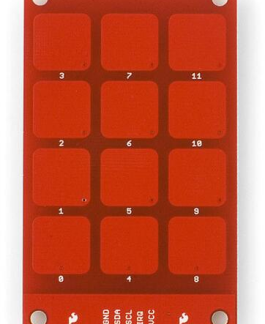
The MPR121 Touch Shield is an Arduino shield that allows adding touch detection functionality to electronic projects. This shield supports up to 12 touch keys or contact points, making it suitable for both beginners and experts.
Features
- Supports 12 touch detection channels
- Versatile: works with Arduino and ESP at 5V or 3.3V
What it is for
The MPR121 Touch Shield is ideal for creating touch-based user interfaces, such as menu controls, multi-button screens, and interactive devices. It can be used in conjunction with an Arduino display to show the number of the pressed key.
Tutorial: How to use MPR121 Touch Shield
The MPR121 Touch Shield is a multi-touch sensor ideal for projects requiring the detection of multiple contact points. Useful for beginners and intermediates.
What you need
- Arduino IDE
- Arduino compatible (Uno, Nano, etc.)
- USB cable
- 10kΩ resistor (for pull-up)
Steps
- 1. Connect the Arduino to your computer with the USB cable.
- 2. Install the MPR121 library in the Arduino IDE.
- 3. Connect the MPR121 Shield to your Arduino: VCC to 5V, GND to GND, SDA to SDA, SCL to SCL, and a 10kΩ resistor between VCC and pin 3 (INT1).
- 4. Download the minimum code from the ‘Code’ section and upload it to the Arduino.
- 5. Try touching the contact points and observe the results.
- 6. Check the datasheet for further configurations.
- 7. For a more advanced project, add a display or motor.
- 8. Troubleshoot common errors.
Example code
```cpp
#include <MPR121.h>

MPR121 mpr121;

void setup() {
  Serial.begin(9600);
  mpr121.begin();
}

void loop() {
  for (int i = 0; i < 12; i++) {
    if (mpr121.isTouched(i)) {
      Serial.println(i);
    }
  }
}
```
Mini project
Create a simple human interaction: connect the MPR121 Shield to a display and show the number of the touched button.
Common mistakes
- Incorrect pin connection.
- MPR121 library not installed.
- Missing or incorrect resistor.
- Error in INT1 pin configuration.
Recommended accessories
- LCD Display
- DC Motors
- Pressure Sensors
- 3.7V Battery
Frequently asked questions
Does the MPR121 Shield work with Arduino 3.3V?
Yes, but check the datasheet for the maximum voltage.
Can I connect multiple MPR121 Shield to my Arduino?
Yes, but make sure to use the correct I2C pins.
What are the usage limits of the MPR121 Shield?
Check the datasheet for voltage, current, and frequency limits.
Reviews
There are no reviews yet.