 EN
 IT Italiano
 ES Español
 FR Français
 DE Deutsch
Description
What it is
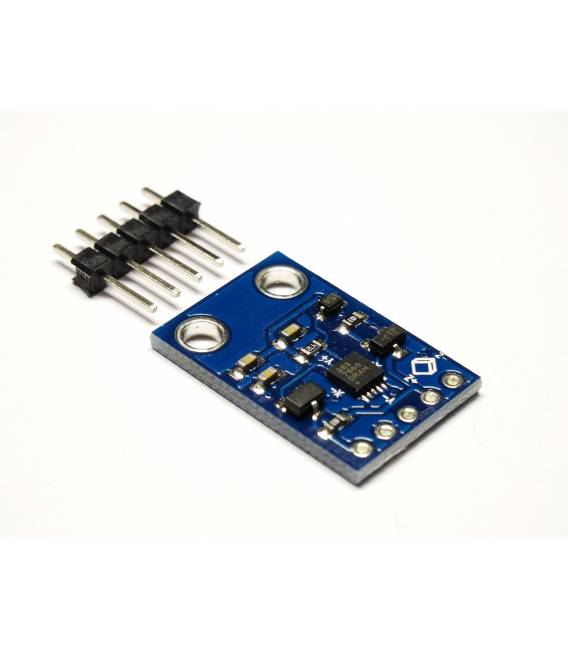
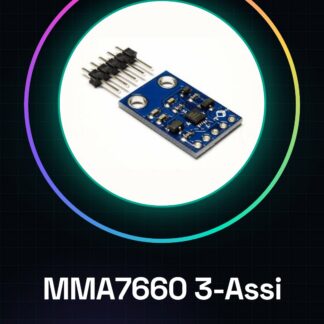
The MMA7660 3-Axis Module is a digital 3-axis sensor that measures acceleration and rotation. This device allows monitoring of movement in three dimensions, making it particularly useful for projects requiring position detection or stabilization.
Features
- Measures acceleration along the X, Y, and Z axes
- Digital 3-axis sensor
What it is for
Ideal for movement projects such as fitness device controllers or stabilizers. It can be easily integrated with Arduino or ESP to create prototypes that monitor the user’s physical activity.
Tutorial: How to Use MMA7660 Accelerometer and Gyroscope Module
The MMA7660 module is a digital 3-axis accelerometer that allows measuring acceleration along the X, Y, and Z axes as well as rotation. Ideal for movement controller projects or physical activity monitoring devices.
What you need
- Arduino Uno
- USB A-Micro B cable
- LiPo Battery (optional)
- Connect to a stable power source
Steps
- Connect the MMA7660 module to the Arduino digital interface using an FTDI cable or USB port.
- Check the module’s power supply voltage (usually 3.3V) and ensure the Arduino power supply can provide this voltage.
- Download the necessary driver from the official Arduino website if it is not already installed on the computer.
- Insert the example sketch into the Arduino IDE software (available in the I2C library).
- Compile and upload the sketch to the Arduino by connecting it to the computer via the USB cable.
- Open the Serial Monitor window in Arduino IDE to view the accelerometer data.
- Modify the sketch according to the project requirements (e.g., add conditions based on acceleration values).
- Test the project with various movements to verify correct functionality.
Example code
/*
#include <Wire.h>

void setup() {
  Serial.begin(9600);
}

void loop() {
  // Aggiungi qui il codice per leggere i dati dal MMA7660 e inviarli alla serial monitor.
}
*/
Mini project
Create a fitness device prototype that measures the user’s physical activity, recording movement variations throughout the day.
Common mistakes
- Ensure that the module is properly powered.
- Check that the SDA and SCL pins are correctly connected to the Arduino.
- Make sure that the sketch contains instructions to read data from the MMA7660 module.
- Resolve any I2C communication issues between Arduino and module.
Recommended accessories
- 3.7V LiPo battery
- Stable power connection
- Additional sensors (light, temperature)
- 3D printing for designing the device case
Frequently asked questions
How can I connect the MMA7660 module to the Arduino?
Connect the SDA and SCL pins of the module to the corresponding interfaces of the Arduino, and ensure that VCC is connected to 3.3V.
What data can I obtain from the MMA7660 module?
You can obtain acceleration values along the X, Y, Z axes and rotation around these axes.
Reviews
There are no reviews yet.