 EN
 IT Italiano
 ES Español
 FR Français
 DE Deutsch
Description
What it is
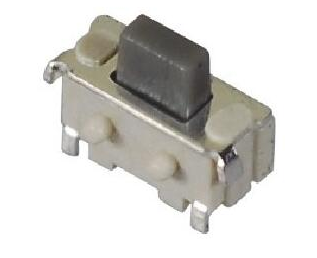
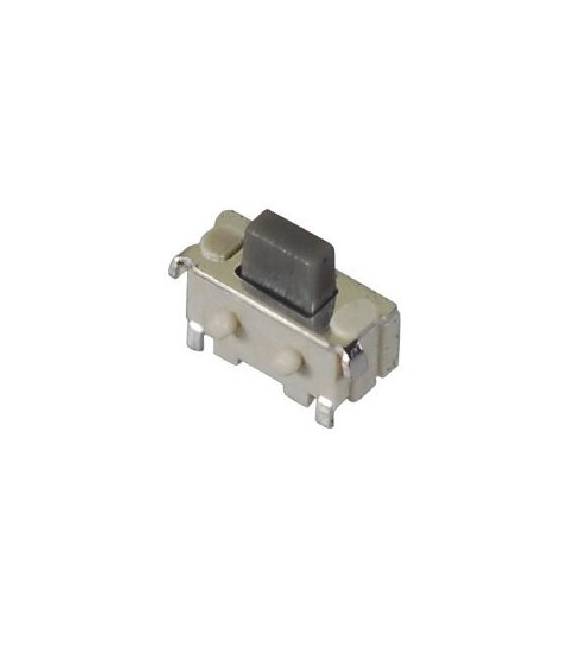
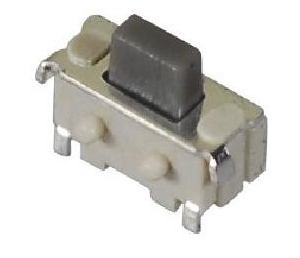
Mini Audrey tactile buttons are a set of 6 buttons with a compact design, ideal for small-sized electronic projects.
Features
- Dimensions: 2x4x3.5mm
- Quantity: 6 pieces
- Type: Tactile buttons
What it is for
These buttons are suitable for Arduino and 3D printing projects that require human interaction. They can be used to create simple alert screens, turn LEDs on/off, or for any other application that requires a simple and intuitive interface.
Tutorial: How to use Mini Audrey Tactile Buttons
Mini Audrey tactile buttons are perfect for projects that require human interaction. Useful for beginners and intermediate makers.
What you need
- Mini Audrey tactile buttons
- Arduino Uno or compatible
- 10kΩ resistor
- Power cable
- Arduino IDE software
Steps
- Mount the 6 tactile buttons on your prototype.
- Connect the buttons to pins A0-A5 of Arduino.
- Connect a 10kΩ resistor between GND and a button pin.
- Load the code onto your Arduino.
- Test the buttons with a sample program.
- Check the datasheet for the button specifications.
- Adapt the code based on your logic.
- Try with different buttons.
Example code
```int ledPin = 13; int buttonPin = A0; void setup() { pinMode(buttonPin, INPUT); pinMode(ledPin, OUTPUT); } void loop() { if (digitalRead(buttonPin) == HIGH) { digitalWrite(ledPin, HIGH); } else { digitalWrite(ledPin, LOW); } delay(100); } ```Mini project
Create a simple warning screen with buttons to turn on/off an LED.
Common mistakes
- Do not connect the buttons correctly.
- Use a resistance different from 10kΩ.
- Do not check the specifications on the datasheet.
- Omit the test steps.
Recommended accessories
- Arduino Uno
- LED
- 220Ω Resistor
- Power cable
Frequently asked questions
How to connect the buttons?
Connect the input pins of the buttons to A0-A5 of Arduino and a 10kΩ resistor between GND and a button pin.
Which specifications to check on the datasheet?
Check the operating voltage and maximum current.
What other components can I use with these buttons?
LEDs, resistors, Arduino Uno or compatible.
Does the code work with other buttons?
Adapt the code based on the logic of your project.
Reviews
There are no reviews yet.